

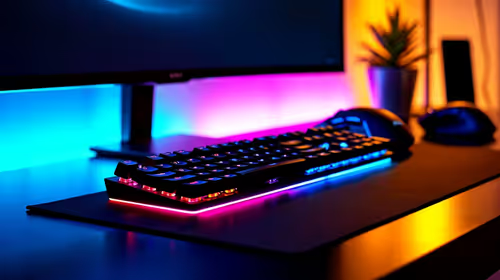
UJ Eng: Best Monitor Setup Under R15000
UJ Eng: Monitor Setup Under R15000. Clear setup instructions with SA-specific considerations, troubleshooting tips & recommended components.
Read moreTop AMD Monitor Under R2000 picks evaluated on performance, value & SA availability with current Rand pricing from Evetech.

Finding a quality AMD FreeSync monitor under R2,000 in South Africa in 2026 is achievable in the 23.8-inch to 27-inch 1080p tier. Options from brands like AOC, ViewSonic, and Philips offer FreeSync with 75Hz or higher refresh rates at this budget, making them solid picks for entry-level gaming on AMD GPUs.
At the under-R2,000 price point in South Africa's 2026 monitor market, the realistic expectation is a 23.8-inch to 24-inch IPS or VA panel running 1080p resolution with FreeSync support and a 75Hz refresh rate. Some options push to 100Hz or 144Hz at this price tier, though those typically come with VA panels rather than IPS, which affects colour accuracy and viewing angles slightly. AMD FreeSync at this budget is widely available because the open standard does not carry the licensing costs of Nvidia's G-Sync, meaning manufacturers include it without adding to the price. For students at South African universities like Wits, UJ, or UKZN setting up a first gaming or study monitor on a tight budget, this tier delivers a meaningful step up from laptop screens without breaking the bank.
The AOC 24G2 has been a standout in this price tier for several years and remains relevant in 2026 with its IPS panel, 144Hz refresh, and FreeSync Premium certification. When on sale or at current pricing, it dips below R2,000 in the SA market, making it an exceptional pick for budget AMD gaming builds. The ViewSonic VA2408-H offers a reliable VA panel option with FreeSync and 75Hz at a price typically between R1,600 and R1,900, providing deeper contrast than IPS alternatives which benefits gaming in dark scenes. Philips' budget range also contributes a 23.8-inch FreeSync option that prioritises colour accuracy for students needing a monitor that handles both study and casual gaming well. These options pair naturally with budget AMD GPUs like the RX 6600 or RX 7600, where FreeSync ensures smooth, tear-free gameplay even when frame rates dip below the display's maximum refresh rate.
Students receiving NSFAS funding in South Africa receive a R5,200 laptop allowance, which is specifically for laptops and cannot be spent on desktop monitors or peripherals. However, students who already have a laptop and are saving from part-time work or bursary funds toward a gaming or study monitor will find the under-R2,000 tier the most accessible entry point. Pairing a budget FreeSync monitor with an external AMD GPU via an eGPU enclosure is technically possible but impractical at this budget. More realistically, the under-R2,000 monitor serves as a secondary display for a desktop build or as a standalone display upgrade for a student transitioning from laptop to desktop gaming. The key is ensuring the monitor has HDMI input as a minimum, since most SA students connect via HDMI from budget graphics cards.
FreeSync synchronises the monitor's refresh rate to the GPU's output frame rate within a supported range, eliminating screen tearing and reducing stuttering without the processing delay of V-Sync. At the budget end of the SA market where GPU frame rates are more variable depending on in-game settings, FreeSync's adaptive sync is more valuable, not less, than at the high end. When your RX 6600 drops from 120fps to 80fps in a demanding scene, FreeSync ensures the monitor follows smoothly instead of showing jarring tearing artifacts. AMD's FreeSync Premium tier, available on some monitors in this price range like the AOC 24G2, adds a minimum 120Hz at FHD requirement and low framerate compensation, which extends the smooth range below the monitor's minimum supported frequency.
Is FreeSync worth it on a monitor under R2,000? Yes. FreeSync adds no meaningful cost at this budget because it is an open standard, and it provides real improvements in gaming smoothness for AMD GPU users, making it a no-cost benefit worth prioritising when comparing similarly priced options.
What resolution should I expect from an AMD monitor under R2,000 in SA? 1080p (1920x1080) is the standard at this price tier in South Africa. 1440p options at this budget are not currently available in the SA market, though 1080p on a 24-inch panel provides sharp, detailed visuals perfectly suited to the GPU tier this monitor budget implies.
Can I use a FreeSync monitor with an Nvidia GPU? Yes. Most FreeSync monitors are G-Sync Compatible with Nvidia GPUs, meaning adaptive sync works when you enable it in the Nvidia Control Panel. Not every FreeSync monitor is officially certified, but compatibility is widespread across modern options available in South Africa.
What is the difference between FreeSync and FreeSync Premium? FreeSync Premium requires a minimum 120Hz at FHD and includes Low Framerate Compensation, which extends smooth adaptive sync down to very low frame rates. Standard FreeSync has no minimum refresh rate requirement. For gaming, FreeSync Premium is the better certification to look for when choosing a budget monitor.
Ready to Find Your Perfect Match? Shop AMD FreeSync monitors and gaming displays at Evetech and find the best screen for your budget.
Best AMD Monitor Under R2000 in SA 2026 available at Evetech.co.za with local warranty and fast delivery.
Best AMD Monitor Under R2000 in SA 2026 - check Evetech for latest stock and SA pricing.
Depends on your use case. Best AMD Monitor Under R2000 i offers good value at current Rand pricing.
UJ Eng: Monitor Setup Under R15000. Clear setup instructions with SA-specific considerations, troubleshooting tips & recommended components.
Read more
Top NZXT Monitor Under R15000 picks evaluated on performance, value & SA availability with current Rand pricing from Evetech.
Read more
Top 240Hz Monitor Under R20000 picks evaluated on performance, value & SA availability with current Rand pricing from Evetech.
Read more
Top Budget 4K monitor Under R5000 Gamers picks evaluated on performance, value & SA availability with current Rand pricing from Evetech.
Read more
Stellenbosch Arch: Monitor Setup Under R15000. Clear setup instructions with SA-specific considerations, troubleshooting tips & recommended components.
Read more
Gaming Monitor Master List : Every Model Under. Full parts list, Rand pricing & expected performance. Build confidently with SA-available components.
Read more
When Will the RTX 6090 Launch in South Africa Detailed answer with SA data, expert analysis & practical recommendations for local buyers.

Top Valorant Settings for RTX 5070: FPS Optimisation picks evaluated on performance, value & SA availability with current Rand pricing from Evetech.

RDNA 3.5 Graphics in Ryzen AI 400? Can You Game. Plain-English explanation of what it means, why it matters & how it affects your buying decisions in SA.

GPU Price Index : December Report. Current stock data & price tracking for SA buyers. See what is available and where prices are heading.

Core i5-14600K + B760 + RTX 5060 Build Under. Full parts list, Rand pricing & expected performance. Build confidently with SA-available components.

RX 7600 Apex Legends at 4K: FPS Benchmark. Real-world benchmark data, FPS numbers & performance analysis. What SA gamers can actually expect.

RX 7900 XTX GTA 6 at 4K: FPS Benchmark & Optimal. Real-world benchmark data, FPS numbers & performance analysis. What SA gamers can actually expect.

Head-to-head comparison of RTX 5070 vs RX 9070 XT: Gaming Performance for SA gamers. Performance benchmarks, Rand pricing & which delivers better value.

Starfield Max Settings on RTX 5070. Tested & verified settings for best FPS and visual quality on SA hardware budgets.

Top RX 7800 XT Model Under R8,000 picks evaluated on performance, value & SA availability with current Rand pricing from Evetech.

RTX 5070 Valorant Optimised Settings: Graphics. Real-world benchmark data, FPS numbers & performance analysis. What SA gamers can actually expect.

Top Laptop with Core i7 + RX 7700S: Picks picks evaluated on performance, value & SA availability with current Rand pricing from Evetech.