


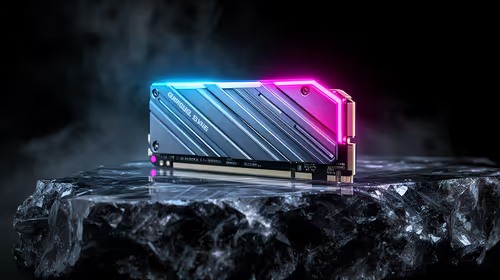
Best SSD for Gaming in South Africa - Updated July 2026
The best SSD for gaming is available at Evetech from R1,599 including VAT, with 58 drives in stock. A PCIe Gen4 NVMe drive at 500GB to 1TB is the recommended pick for most gamers.
Read moreLaptops suited to engineering coursework are available at Evetech from R16,099 including VAT, with 2,408 models in stock. The Dell 15 DC15250 and Ninkear A15 Pro lead the range with 24GB of memory.
Engineering coursework has a way of quietly demanding more from a laptop than almost any other degree: AutoCAD, SolidWorks, MATLAB, simulation software and a dozen browser tabs of reference material, often all open at once. The best laptop for engineering students in South Africa is not necessarily the most expensive one, but it does need enough memory and storage to keep that workload from grinding to a halt during a deadline week. Here is the current lineup, and an honest read on where it runs out of road.
Laptops suited to engineering coursework are available at Evetech from R16,099 including VAT, with 2,408 models in stock. The Dell 15 DC15250 opens the range at R16,099 with 24GB of memory on a Core i5, matched only by the Ninkear A15 Pro at R16,399, which adds a 2TB drive on top. Both handle CAD and simulation coursework that leans on memory rather than dedicated graphics.
Prices verified 16 July 2026. These are in-stock models at Evetech, cheapest first, and every price includes VAT.
Six machines inside a R400 spread is unusually tight, so nothing here is really a budget decision. It is a configuration decision, and the two specs pulling in opposite directions are memory and storage. At one end the Dell 15 DC15250 gives you the most memory in the group on the smallest drive. At the other, the Lenovo IdeaPad Slim 3 and Lenovo IdeaPad 1, both at R16,499, hand you a full 2TB but fall to 8GB, which is the weakest arrangement on this list for simulation work no matter how much space it frees up. The Ninkear A15 Pro at R16,399 is the only model that refuses the trade altogether, pairing 24GB with 2TB.
Most first and second-year engineering work, from 2D drafting to mid-sized 3D models in SolidWorks or AutoCAD, plus MATLAB scripts and general simulation, runs acceptably on integrated graphics as long as memory is not the constraint. That caveat is the whole game. A large assembly, a running simulation and a browser full of datasheets will exhaust 8GB long before the processor breaks a sweat, which is why the two 8GB machines are hard to recommend for this specific degree even though their 2TB drives look generous. If your budget is landing in this band anyway, put it into the 24GB machines and treat memory as the spec you refuse to compromise on.
Engineering is a degree that accumulates. CAD files, revision histories, simulation outputs and project archives pile up across the years, and a 512GB drive that feels roomy in first year rarely still does by final year. This is the one real caveat against the Dell 15 DC15250, which is otherwise the strongest entry model here, and it is why the Ninkear A15 Pro earns its R300 premium by giving you 2TB without surrendering memory to get it. The Lenovo IdeaPad Slim 3 and Dell Pro 15 PV15250 at R16,299 sit in the sensible middle with 1TB and 16GB, enough of each to carry most students through without either spec becoming the thing that annoys them.
Where integrated graphics starts to struggle is heavier 3D rendering, real-time manipulation of large assemblies, or specific modules that explicitly require GPU acceleration, and that is a real limitation of every laptop above. Check your department's stated hardware requirements before you decide, because this is one spec you cannot add later. Where a faculty does call for dedicated graphics, an NVIDIA GPU transforms CAD viewport smoothness and cuts render waits, and those models live in the Intel gaming laptop range and on the AMD Ryzen 5 laptops page. Paying that premium makes sense when your syllabus demands it, and not much sense otherwise.
An engineering qualification runs several years, so build quality and a solid warranty matter more here than on a machine you expect to replace sooner. A hinge and chassis that feel sturdy in the hand are worth testing in person if you get the chance, since these laptops travel between lectures, labs and long library sessions daily for years. It is also worth watching the AMD laptops on special page, where a discounted Ryzen configuration occasionally lands a better memory and storage combination inside this same narrow price band.
Engineering-ready laptops start at R16,099 including VAT at Evetech, with every option in this bracket falling between R16,099 and R16,499 regardless of configuration.
Not always. Most CAD, MATLAB and simulation coursework runs fine on integrated graphics when memory is sufficient. A dedicated GPU only becomes necessary for heavy 3D rendering or modules that specifically require it.
Aim for 24GB where you can. The Dell 15 DC15250 at R16,099 and the Ninkear A15 Pro at R16,399 both offer it, and memory matters far more than processor speed for simulation and large assemblies.
Yes, for standard coursework and mid-sized assemblies, provided the memory is generous. Heavier 3D rendering benefits from a dedicated GPU, which none of these laptops include.
512GB is workable at first, but CAD files and simulation data accumulate over a degree. The Ninkear A15 Pro at R16,399 is the standout, since it is the only model offering 2TB without dropping to 8GB of memory.
Ready to find your engineering laptop? Browse every in-stock laptop with live South African pricing and compare memory and storage built for CAD and simulation coursework.
Engineering-ready laptops start at R16,099 including VAT at Evetech, with every option in this bracket falling between R16,099 and R16,499 regardless of configuration.
Not always. Most CAD, MATLAB and simulation coursework runs fine on integrated graphics when memory is sufficient. A dedicated GPU only becomes necessary for heavy 3D rendering or modules that specifically require it.
Aim for 24GB where you can. The Dell 15 DC15250 at R16,099 and the Ninkear A15 Pro at R16,399 both offer it, and memory matters far more than processor speed for simulation and large assemblies.
Yes, for standard coursework and mid-sized assemblies, provided the memory is generous. Heavier 3D rendering benefits from a dedicated GPU, which none of these laptops include.
512GB is workable at first, but CAD files and simulation data accumulate over a degree. The Ninkear A15 Pro at R16,399 is the standout, since it is the only model offering 2TB without dropping to 8GB of memory.
The best SSD for gaming is available at Evetech from R1,599 including VAT, with 58 drives in stock. A PCIe Gen4 NVMe drive at 500GB to 1TB is the recommended pick for most gamers.
Read more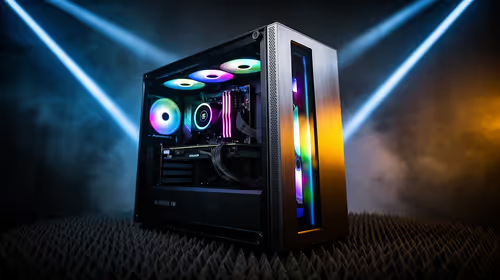
The best streaming PC range is available at Evetech from R20,684 including VAT, with 22 models in stock. Every build pairs a multi-core CPU with an NVENC or Quick Sync capable GPU, so streaming and gaming can run on one machine without stealing frame rate.
Read more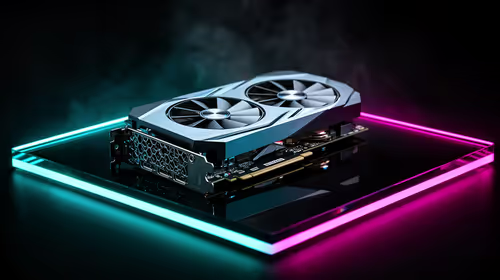
The RTX 5070 is available at Evetech from R11,899 including VAT, with 18 models in stock and most cards priced between R11,899 and R14,000. It is the current 1440p value pick in the NVIDIA 50-series.
Read more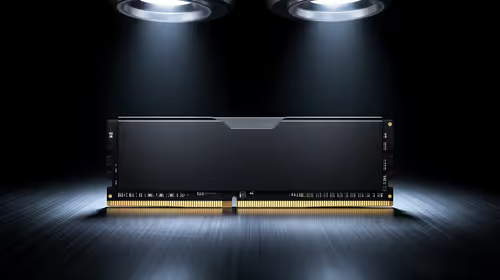
16GB DDR5 RAM is available at Evetech from R3,799 including VAT, with 22 modules in stock. It is the sensible baseline for budget and esports builds.
Read more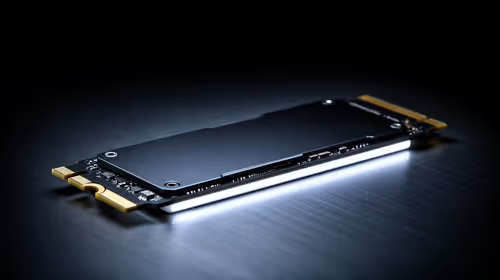
The cheapest 1TB NVMe SSD is available at Evetech from R2,599 including VAT, with 21 drives in stock. 1TB PCIe Gen4 is the current sensible default for a gaming or work PC.
Read more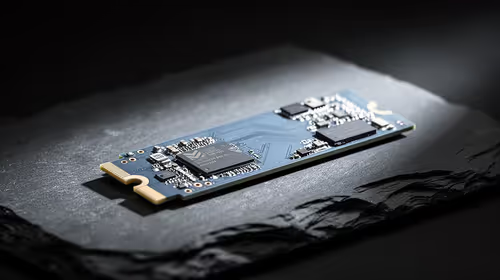
The cheapest 2TB NVMe SSD is available at Evetech from R4,999 including VAT, with 21 drives in stock. 2TB is now the comfortable capacity for a real gaming library.
Read more
Wi-Fi 7 vs Wi-Fi 6e for cinematic story games comes down to router support, latency goals, device compatibility, and coverage. SA buyers should match the choice to the real network setup.

The real world difference between PCIe 5.0 and PCIe 4.0 for MMO and live-service games is usually about loading, patches, and headroom. SA players should weigh NVMe speed, GPU lanes, CPU limits, and platform cost.

Windows 11 gaming laptop dead pixel checks begin with a full-screen colour test. This how to fix dead pixel windows 11 gaming laptop guide helps SA users compare settings, drivers, external screens, and warranty routes.

AM5 motherboard stuck pixel fixes in South Africa start with panel, cable, GPU output, and Windows checks. Use a clean test path before blaming the motherboard or replacing screen hardware.

FPS drops blamed on a wireless mouse often point to input, driver, USB, network, or system-load checks. Use a quick SA-friendly troubleshooting flow to isolate software, firmware, thermals, storage, and game settings before replacing hardware.

How to fix fps drops on steam deck starts with power profile, shader cache, storage health, and per-game settings. For South Africa, check charger quality, heat, and download stability before assuming the handheld needs repair. Retest after updates.

How to fix low FPS after an RTX 5080 build upgrade starts with driver cleanup, display settings, thermals, and power mode. For SA gamers, verify GPU usage, PCIe speed, RAM profile, and CPU limits before changing parts.

Hollow Knight Silksong at 4K needs a GPU matched to settings, VRAM, CPU balance, and monitor goals. Use this SA guide to compare tiers without treating FPS target or prices as fixed.
The best SSD for gaming is available at Evetech from R1,599 including VAT, with 58 drives in stock. A PCIe Gen4 NVMe drive at 500GB to 1TB is the recommended pick for most gamers.
The best streaming PC range is available at Evetech from R20,684 including VAT, with 22 models in stock. Every build pairs a multi-core CPU with an NVENC or Quick Sync capable GPU, so streaming and gaming can run on one machine without stealing frame rate.
The RTX 5070 is available at Evetech from R11,899 including VAT, with 18 models in stock and most cards priced between R11,899 and R14,000. It is the current 1440p value pick in the NVIDIA 50-series.
16GB DDR5 RAM is available at Evetech from R3,799 including VAT, with 22 modules in stock. It is the sensible baseline for budget and esports builds.