

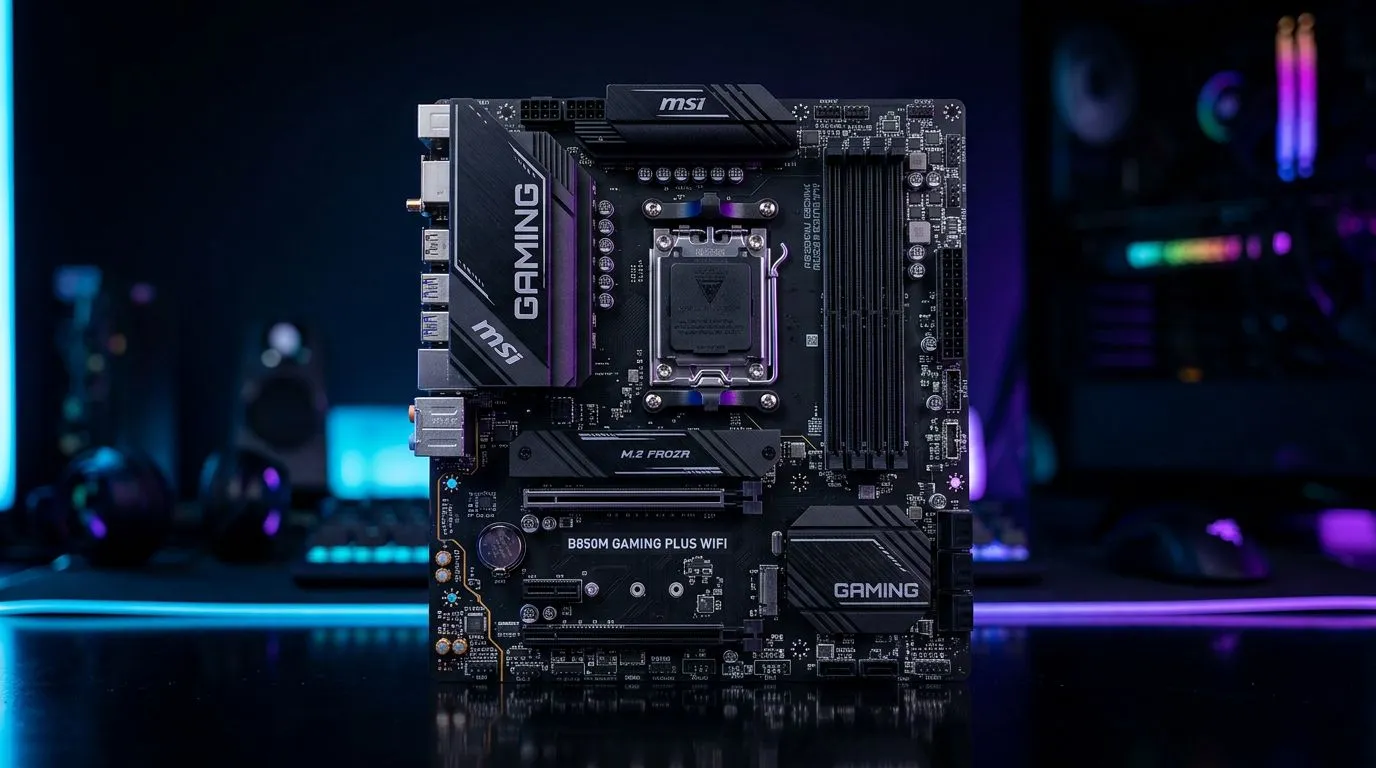
Best Micro-ATX Cases for MSI B850M Gaming Plus WiFi Builds: the 70-word reality check (SA edition) 🎮
If you’re building around the MSI B850M Gaming Plus WiFi, the case you pick decides how easy your build feels… and how well it performs. In South Africa, we also care about practical things: airflow for long sessions, cable room for tidy routing, and price value that won’t haunt you later. The “best” micro-ATX case is the one that fits your parts, cools them properly, and looks clean under your desk. Let’s choose wisely. ✨
Best Micro-ATX Cases for MSI B850M Gaming Plus WiFi Builds: what to prioritise before you buy 🔧
Micro-ATX builds can be awesome, but cramped cases punish messy planning. Before you add an MSI B850M board to your cart, check these basics:
Cooling layout (not just “supports fans”)
Look for:
- Front intake support (120/140mm)
- A clear path for the CPU cooler to breathe
- Enough exhaust space near the rear/top
Why it matters: a mid-tower can “hide” poor airflow. A compact micro-ATX case doesn’t have that luxury. Even budget GPUs run warmer when exhaust is blocked.
GPU clearance and length
Your MSI B850M Gaming Plus WiFi build might pair with a dual or triple-fan card. Measure twice (especially if you plan a newer, longer model). If your case claims GPU support, still confirm clearance in the product listing or manual. If you can’t find it, don’t guess.
Storage and cable management
Even casual gamers end up with:
- One or two NVMe SSDs
- Optional SATA drives
- Fan/RGB cables
Pick a case with decent routing space behind the motherboard tray. It makes troubleshooting easier and keeps airflow paths cleaner.
Productivity Pro Tip ⚡
On Windows, use the PowerToys FancyZones utility to create custom snap layouts for your windows. It's a lifesaver for managing multiple apps on an ultrawide monitor, letting you organise your timeline, preview window, and asset folders perfectly for video editing.
Best Micro-ATX Cases for MSI B850M Gaming Plus WiFi Builds: build-lab checklist for a clean install 🚀
When you’re working with a micro-ATX board, the “fit” details matter more than most people expect.
Step 1: Match the motherboard platform early
The MSI B850M Gaming Plus WiFi uses AMD B850M-family platform features for modern builds. If you’re still comparing platforms and want the same board family direction, browse Evetech’s AMD motherboard selection to see what’s available and compatible with your part choices: Explore AMD motherboards for your build here
If your plan is Intel instead (or you’re cross-shopping), Evetech also has an Intel board range worth checking for case fit and modern features: View Intel motherboards
Step 2: Choose a case that matches your cooling style
Ask yourself honestly:
- Are you using stock cooling?
- Planning an air cooler with a larger heatsink?
- Or going liquid (AIO)?
For air coolers, tall heatsinks can clash with side panels and front fan positions. For AIOs, the radiator mount position matters for both temps and clearance around the GPU.
Step 3: Plan your “cable reality”
Micro-ATX cases often limit slack. If you want a tidy build:
- Route main power and PCIe power to the shortest path
- Bundle loose fan cables with soft ties
- Keep the PSU cables away from the fan intake zone
Small wins add up after hours of gaming. Your PC will look better, run quieter, and be easier to upgrade later.
Best Micro-ATX Cases for MSI B850M Gaming Plus WiFi Builds: value guidance for South Africa (without cutting corners) 💡
In SA, it’s tempting to chase the cheapest case… until you’re struggling to fit your GPU, or your fans cannot pull air efficiently. A better approach is to balance:
- airflow support
- clearance for your GPU and cooler
- availability of replacement fans if one fails
If you’re building on a tighter budget but still want a solid foundation, consider looking at cost-focused motherboard options on Evetech first, so your case plan doesn’t get derailed later: Cheap Intel & AMD-based motherboards from Evetech
Quick “buyer’s test” before you check out
If you’re on the product page, scan for these words or images:
- “Supports front fans”
- “Max GPU length”
- “CPU cooler height”
- “Radiator support (front/top)”
- Ventilation mesh or removable dust filters
If the listing is vague, move on. Clear specifications save money in the long run.
Ready to Find Your Perfect Match? (CALLTOACTION) ✨
Ready to Find Your Perfect Match? The Mac vs Windows debate is complex, but for maximum power, choice, and value in South Africa, Windows is hard to beat. Explore our massive range of laptop specials and find the perfect machine to conquer your world.











