


Best Intel Keyboard Under R3000 in SA 2026
Top Intel Keyboard Under R3000 picks evaluated on performance, value & SA availability with current Rand pricing from Evetech.
Read moreFind the best motherboard for your R15000 gaming PC build in South Africa! Our guide breaks down top AM5 and LGA1700 options, balancing features like DDR5, PCIe 5.0, and connectivity to maximize your budget. Build a powerful, future-proof rig without overspending. 🚀💻
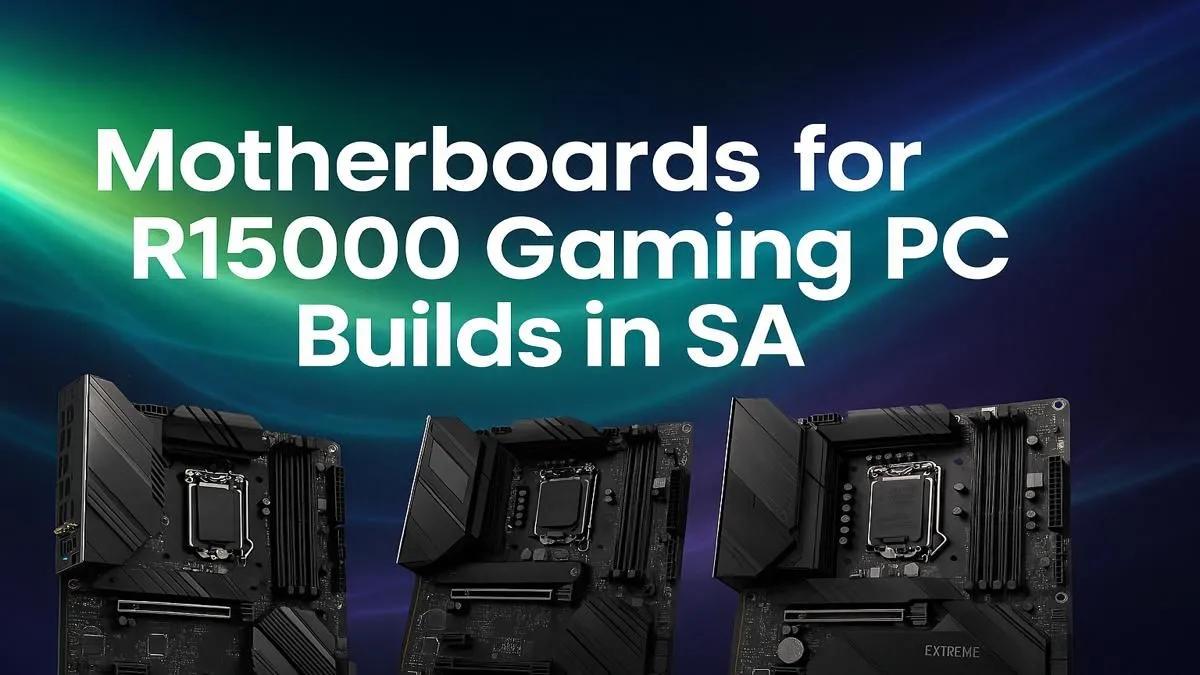
So, you’ve saved up your hard-earned cash and have a cool R15,000 ready for a new gaming rig. Lekker! But before you blow the budget on a flashy GPU, let’s talk about the unsung hero of every great PC: the motherboard. Choosing the best motherboard for your R15000 gaming PC build is the difference between a stable, upgradeable machine and a future headache. It’s the foundation holding everything together.
Think of your motherboard as the central nervous system of your PC. It connects your CPU, graphics card, RAM, and storage, allowing them to communicate. Skimping here can cripple your expensive components. A cheap, low-quality board might overheat, deliver unstable power to your CPU, or lack the features you need for future upgrades, forcing you to buy a whole new one sooner than you'd like.
Getting this choice right is fundamental to creating one of the best budget gaming PCs that punches well above its weight class. A well-chosen motherboard for an R15k gaming PC ensures every component can perform at its peak. ⚡
When you're on a tight budget, you need to focus on what truly matters. Forget flashy RGB lighting (for now) and prioritise these core features.
The chipset dictates your motherboard's compatibility and core features. For a modern R15,000 build, you're likely looking at these sweet spots:
Always double-check that your motherboard's socket type matches your chosen CPU. For example, an AMD Ryzen 7000 series CPU requires an AM5 socket, while an Intel Core i5-13400 needs an LGA 1700 socket. A quick check on the product page can save you a massive amount of frustration.
VRMs (Voltage Regulator Modules) are crucial for delivering clean, stable power to your CPU. Better VRMs, often covered by chunky metal heatsinks, mean better system stability and even some potential for overclocking. You don't need a top-of-the-line VRM setup for a budget build, but avoid boards with no heatsinks on the VRMs at all.
Check the rear I/O panel for the ports you need. How many USB ports do you use? Do you need onboard Wi-Fi, or will a wired connection do? Most importantly, ensure it has at least one M.2 slot for a super-fast NVMe SSD—this is non-negotiable for a modern gaming PC. Focusing on essentials here helps keep your build within the price range of most PCs under R20k, where value is king.
So, what's the final verdict? The best motherboard for your R15000 gaming PC build is one that doesn't compromise on the fundamentals. It should have a suitable chipset like a B550 or B760, decent VRM cooling, and the essential connectivity for your needs.
Instead of chasing a single "best" model, focus on reputable brands and find a board that ticks these boxes without unnecessary extras. This smart approach ensures more of your R15,000 budget goes towards the components that directly impact your frame rates, like the GPU and CPU. You can browse some of our best gaming PC deals to see how we balance components in our builds. ✨
Feeling a bit overwhelmed? That’s completely normal. Picking parts can be a mission. This is where a pre-built system shines. You get a professionally assembled, tested PC with a full warranty, and all the component-matching stress is handled for you. While some enthusiasts prefer the customisation of building, our pre-built PC deals often provide incredible value.
It allows you to get straight to gaming on a balanced machine, whether it's a budget-focused rig or one of the more powerful PCs above R20k for those with more to spend.
Ready to Build Your Rig? Choosing the right motherboard is the first step to a legendary PC. Whether you build it yourself or opt for a professionally assembled rig, the perfect machine is waiting. Explore our awesome gaming PC deals and find the perfect build to dominate the competition.
For an R15000 build, AMD's B650 or Intel's B760 chipsets offer the best balance of features and price, supporting modern CPUs and DDR5 RAM without unnecessary costs.
While not essential if you use an Ethernet connection, a motherboard with built-in Wi-Fi 6 offers convenience and future-proofing for a clutter-free setup.
Yes, for a new R15000 gaming PC build, choosing a DDR5 motherboard is a smart investment. It provides better performance in modern games and ensures your system is future-proof.
Both platforms offer great value. An AMD Ryzen 5 with a B650 board or an Intel Core i5 with a B760 board are excellent combos for this price point in South Africa.
For a mid-range gaming PC, look for a motherboard with at least two M.2 slots. This allows for a fast NVMe SSD for your OS and games, plus room for future storage expansion.
Some budget-friendly motherboards, particularly AMD B650 models, support CPU and memory overclocking. However, ensure the board has adequate VRMs to handle the extra power.
Top Intel Keyboard Under R3000 picks evaluated on performance, value & SA availability with current Rand pricing from Evetech.
Read more
Top Budget Hall Effect Keyboards Under R2,000 picks evaluated on performance, value & SA availability with current Rand pricing from Evetech.
Read more
Top Nvidia Keyboard Under R5000 picks evaluated on performance, value & SA availability with current Rand pricing from Evetech.
Read more
Top ASUS Keyboard Under R3000 picks evaluated on performance, value & SA availability with current Rand pricing from Evetech.
Read more
Top Wireless Keyboard Under R3000 picks evaluated on performance, value & SA availability with current Rand pricing from Evetech.
Read more
Top Samsung Keyboard Under R5000 picks evaluated on performance, value & SA availability with current Rand pricing from Evetech.
Read more
Snapdragon X2 NPU Explained: How 80 TOPS Changes. Plain-English explanation of what it means, why it matters & how it affects your buying decisions in SA.

HBM? High Bandwidth Memory Used in GPUs and AI. Plain-English explanation of what it means, why it matters & how it affects your buying decisions in SA.

How much should you spend on sim racing accessories in South Africa for a realistic setup? We break down budgets by quality tiers, so you buy smart gear and avoid overspending 🎮💸

G-Sync and FreeSync? Variable Refresh Rate. Plain-English explanation of what it means, why it matters & how it affects your buying decisions in SA.

AMD Laptop: Value. SA-focused analysis with local pricing data, real-world insights & actionable buying advice.

How MacBook Neo Handles 30+ Chrome Tabs with Only. SA-focused analysis with local pricing data, real-world insights & actionable buying advice.

Why Apple Put 8GB RAM in MacBook Neo: The A18 Pro. SA-focused analysis with local pricing data, real-world insights & actionable buying advice.

Upgrade your work laptop with a New Motherboard. Step-by-step instructions with SA-specific tips, common pitfalls to avoid & expert recommendations.

Glorious Keyboard Switches Explained: Which. Plain-English explanation of what it means, why it matters & how it affects your buying decisions in SA.

Winter Keyboard Buying Guide. Everything you need to know with SA pricing, step-by-step instructions & expert recommendations.

Keyboard Buying Guide. Everything you need to know with SA pricing, step-by-step instructions & expert recommendations.

LGBTQ+ Gamers Keyboard Guide: January Edition. Everything you need to know with SA pricing, step-by-step instructions & expert recommendations.