

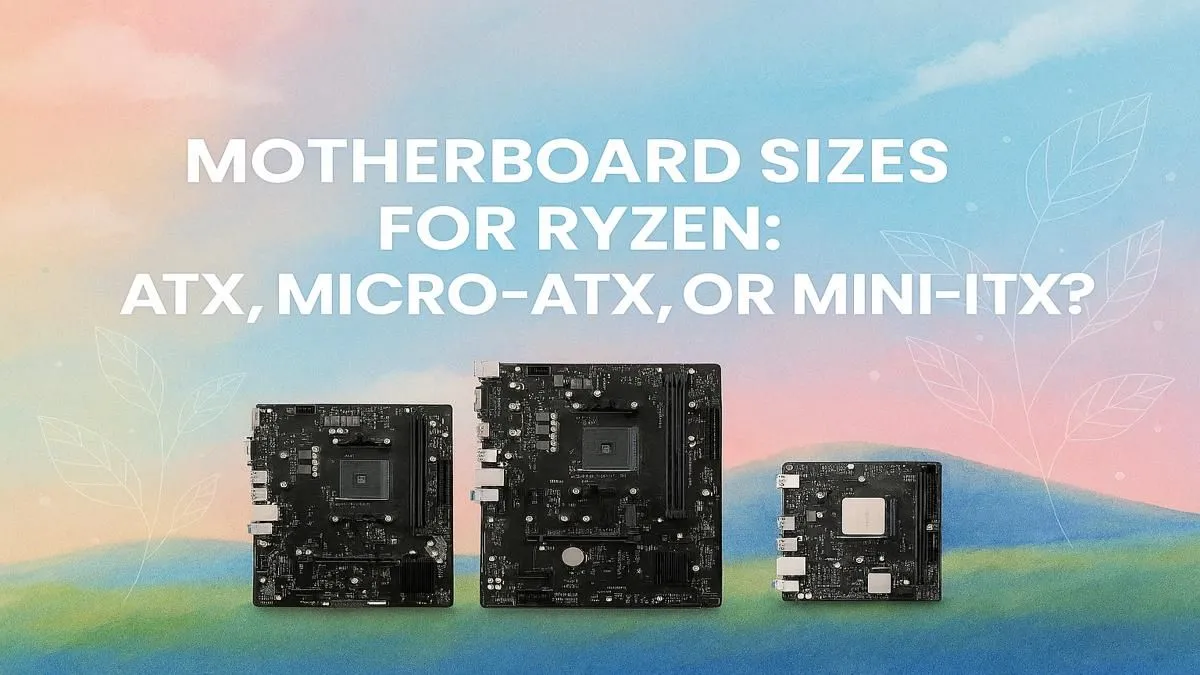
So, you’ve decided on a powerful AMD Ryzen CPU for your new rig. Lekker choice! But before you dream of frame rates, there’s a crucial decision that shapes your entire build: the motherboard size. Choosing between ATX, Micro-ATX (mATX), or Mini-ITX isn't just about space. It dictates your case, cooling, expansion options, and even your budget. Let’s find the best motherboard size for your Ryzen setup right here in South Africa. 🚀
Why Motherboard Size is a Big Deal
Think of the motherboard as the central nervous system of your PC. Its size, or "form factor," determines the physical dimensions and the number of features it can pack. A bigger board generally means more slots for RAM, more ports for storage drives (like M.2 SSDs), and more PCIe lanes for graphics cards and other expansion cards.
Choosing the right size from the start ensures you don't run out of space for a future upgrade or end up with a massive case you don't actually need.
The Full-Featured Powerhouse: ATX
The Advanced Technology eXtended (ATX) form factor is the long-standing champion for PC builders who want it all. It’s the largest of the three common sizes, offering maximum real estate for components and features.
Who is ATX for?
If you're building a high-end gaming rig, a streaming setup, or a content creation workstation around a top-tier Ryzen 7 or Ryzen 9 CPU, ATX is almost always the answer. The extra space allows for better airflow and more robust power delivery (VRMs) to keep those powerful chips running cool and stable. You get the most PCIe slots, meaning you can easily add a sound card, capture card, or extra storage without compromise. For those looking at the absolute peak of performance, exploring the features on powerful X870 motherboards shows what the ATX form factor is truly capable of.
- Pros: Maximum expansion slots, superior cooling potential, ideal for overclocking.
- Cons: Requires a mid-tower or full-tower case, can be more expensive.
The Sweet Spot Contender: Micro-ATX (mATX)
Micro-ATX is the savvy builder's choice. It strikes a fantastic balance between features and a more compact footprint, making it arguably the best motherboard size for Ryzen builds on a reasonable budget. It’s shorter than a standard ATX board but typically just as wide, meaning it retains four RAM slots while trimming down the number of PCIe slots.
Who is mATX for?
For the vast majority of South African gamers, an mATX board is the perfect fit. It has enough features for a powerful single-GPU gaming PC, fits into more compact and affordable cases, and often delivers the best bang-for-your-buck. You can still build an incredibly capable machine without paying for extra slots you’ll never use. You'll find some of the best deals in this category, especially among the great value B550 options still on the market.
- Pros: Great value, fits in smaller cases, usually has all the core features a gamer needs.
- Cons: Fewer expansion slots, can feel a bit cramped when building.
Measure Twice, Build Once 🔧
Before buying your case, double-check its motherboard compatibility (ATX, mATX, ITX). Also, check the maximum GPU length and CPU cooler height the case supports. There's nothing worse than getting all your new parts and discovering your massive graphics card won't fit! A little planning saves a lot of frustration.
The Compact Giant: Mini-ITX
Don't let the small size fool you. Mini-ITX boards are engineering marvels, designed to pack a serious punch in a tiny package. These square boards are perfect for Small Form Factor (SFF) builds that can fit in a backpack or sit discreetly in your living room.
Who is Mini-ITX for?
If you value portability for LAN parties or want a minimalist, clean desk setup, Mini-ITX is your go-to. The trade-off is significant, though. You’re limited to one PCIe slot (for your graphics card), two RAM slots, and fewer storage ports. Cooling a high-end Ryzen CPU in a cramped Mini-ITX case requires careful planning and specific SFF components. As technology advances, we're seeing more powerful features on smaller boards, so keeping an eye on next-gen AMD B850 boards will be interesting for future compact builds. ✨
- Pros: Extremely small and portable, perfect for minimalist setups.
- Cons: Limited expansion, more challenging to build and cool, can be surprisingly expensive.
So, What’s the Verdict?
Ultimately, the best motherboard size for your Ryzen build depends entirely on your personal needs and budget.
- For maximum power and future-proofing: Go with ATX.
- For the best all-round value and performance: Micro-ATX is the winner for most gamers.
- For the smallest possible PC: Mini-ITX is the only choice.
No matter which path you choose, the foundation of a great PC starts with the right motherboard. Take a moment to think about what you truly need from your build, and you'll make the perfect choice.
Ready to Build Your Ryzen Rig? The right motherboard is the foundation of a stable, high-performance PC. From compact powerhouses to full-featured beasts, we've got the perfect board for your build. Explore our full range of AMD motherboards and start planning your dream machine today.








