


Best AMD Monitor Under R2000 in SA 2026
Top AMD Monitor Under R2000 picks evaluated on performance, value & SA availability with current Rand pricing from Evetech.
Read moreFind the best PC build pairings for Intel Core Ultra 5 245K in South Africa’s pricing tiers—CPU cooling, RAM, SSD, PSU, and GPUs included. Upgrade-ready picks for gamers and creators 🧩🇿🇦
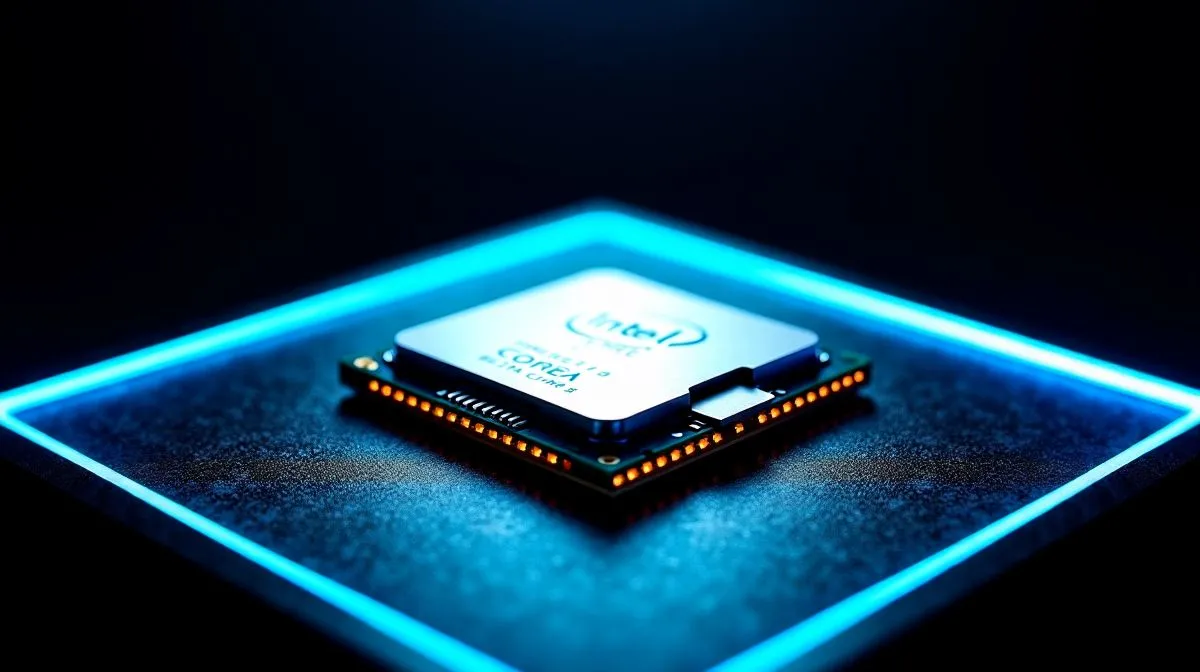
Looking to build a new gaming rig that won't destroy your budget? You are not alone. Finding the best PC build pairings for Intel Core Ultra 5 245K in SA is essential for getting maximum frames per ZAR. Whether you are upgrading an old system or starting fresh... let us look at the ultimate components to match this brilliant processor.
When you browse the latest Intel CPUs, the Core Ultra 5 245K stands out for its incredible balance of price and performance. It features a modern architecture that delivers excellent single-thread speeds for competitive gaming, while keeping enough multi-threaded power handy for streaming or light productivity. You do not need to spend tens of thousands of Rands to get a premium desktop experience. It handles demanding modern titles with ease... making it a top choice for value-conscious builders.
To unlock the full potential of your new processor, you need a solid Z890 motherboard. Look for boards with robust VRMs and good rear connectivity options. Pairing this chip with fast DDR5 memory... ideally around 6000MHz... ensures you do not bottleneck your system. If you are currently buying CPU processors online for a brand-new build, always double-check your motherboard compatibility first. A well-matched board and memory combo provides a stable foundation for years of gaming.
Always remember to enable XMP in your BIOS after installing your DDR5 RAM. Without it turned on, your memory will run at slower default speeds, and you will miss out on the performance you paid for.
The best PC build pairings for Intel Core Ultra 5 245K in SA must include a graphics card that perfectly matches its capabilities. For flawless 1440p gaming, an RTX 4070 Super or a Radeon RX 7800 XT makes perfect sense. These GPUs provide enough horsepower to push high frame rates without severe bottlenecks. Interestingly, some builders who usually prefer AMD CPUs are looking at this specific Intel chip because it pairs so exceptionally well with mid-range graphics cards at a very competitive price point.
Modern processors can generate a fair amount of heat when pushed to their absolute limits. To keep your system running smoothly, investing in a high-quality 240mm AIO liquid cooler or a robust dual-tower air cooler is a highly recommended move. You want to ensure your CPU maintains optimal boost clocks during long gaming sessions without any thermal throttling. Additionally, do not skimp on your power supply. A reliable 750W or 850W Gold-rated PSU will give you plenty of headroom for your processor and graphics card... while also leaving the door open for future hardware upgrades.
While the Ultra 5 245K is fantastic for the average gamer, heavy content creators might need more processing threads. If your daily workflow involves intense 4K video rendering or heavy 3D modelling, you might want to step up to an Intel Core Ultra 9 processor. Alternatively, the top-tier AMD Ryzen 9 series offers incredible multi-core performance for massive workloads. However... for pure gaming value in ZAR, the Ultra 5 245K remains incredibly difficult to beat.
Ready to Build Your Dream Rig? Getting the perfect balance of performance and value in South Africa is easier than ever. Explore our massive range of PC components and find the perfect hardware to conquer your favourite games.
The best pairings balance GPU, RAM, SSD, and PSU against SA pricing tiers. Choose compatible motherboards, efficient cooling, and a value-focused power supply.
For 1080p, target strong midrange GPUs; for 1440p, step up based on tier. Match GPU class to your monitor and PSU headroom.
Most builds do best with 32GB for gaming and multitasking, while creators may prefer higher capacity. Prioritise stable speed supported by your motherboard.
Pick a PCIe Gen4 NVMe SSD for fast load times. Use enough capacity for games and projects, and ensure reliable TLC/DRAM guidance.
Air coolers can be enough for many tiers, while an AIO suits tighter acoustics or sustained workloads. Choose cooler capacity for your case and airflow.
Use PSU headroom based on your GPU tier. Quality matters: choose an efficient unit with proper protections to keep upgrades safe.
Select a motherboard that matches the chipset and offers the features you need: enough M.2 slots, stable memory support, and solid VRM for your tier.
Start with a PSU and case that support future GPUs, choose a motherboard with extra M.2/expansion, and avoid overspending on parts you will replace quickly.
Top AMD Monitor Under R2000 picks evaluated on performance, value & SA availability with current Rand pricing from Evetech.
Read more
UJ Eng: Monitor Setup Under R15000. Clear setup instructions with SA-specific considerations, troubleshooting tips & recommended components.
Read more
Top NZXT Monitor Under R15000 picks evaluated on performance, value & SA availability with current Rand pricing from Evetech.
Read more
Top 240Hz Monitor Under R20000 picks evaluated on performance, value & SA availability with current Rand pricing from Evetech.
Read more
Top Budget 4K monitor Under R5000 Gamers picks evaluated on performance, value & SA availability with current Rand pricing from Evetech.
Read more
Stellenbosch Arch: Monitor Setup Under R15000. Clear setup instructions with SA-specific considerations, troubleshooting tips & recommended components.
Read more
When Will the RTX 6090 Launch in South Africa Detailed answer with SA data, expert analysis & practical recommendations for local buyers.

Top Valorant Settings for RTX 5070: FPS Optimisation picks evaluated on performance, value & SA availability with current Rand pricing from Evetech.

RDNA 3.5 Graphics in Ryzen AI 400? Can You Game. Plain-English explanation of what it means, why it matters & how it affects your buying decisions in SA.

GPU Price Index : December Report. Current stock data & price tracking for SA buyers. See what is available and where prices are heading.

Can the RX 7700 XT Handle 1440p 144Hz Gaming. Performance testing verdict with real data & practical recommendations for SA buyers.

Top Laptop with Core i7 + RX 7700S: Picks picks evaluated on performance, value & SA availability with current Rand pricing from Evetech.

RX 7700 XT Black Myth Wukong 2 FPS: Performance. Real-world benchmark data, FPS numbers & performance analysis. What SA gamers can actually expect.

RTX 6080 Gran Turismo 7 PC Performance: FPS Test. Real-world benchmark data, FPS numbers & performance analysis. What SA gamers can actually expect.

Setting Up Monitor Light. Tested & verified settings for best FPS and visual quality on SA hardware budgets.

Assassins Creed Shadows Ultrawide Support: 21:9. Clear setup instructions with SA-specific considerations, troubleshooting tips & recommended components.

Complete Gaming Setup Guide for the Collector. Clear setup instructions with SA-specific considerations, troubleshooting tips & recommended components.

Will the Steam Deck 2 Have an OLED Screen? Leaked. Plain-English explanation of what it means, why it matters & how it affects your buying decisions in SA.