


Best AMD GPU Under R40000 in SA 2026
Top AMD GPU Under R40000 picks evaluated on performance, value & SA availability with current Rand pricing from Evetech.
Read moreBuilding a budget editing PC in South Africa feels impossible with high costs. This guide reveals smart strategies, component picks, and tips to build a powerful video editing rig without breaking the bank. Discover how to save money on your dream setup! 💻💰
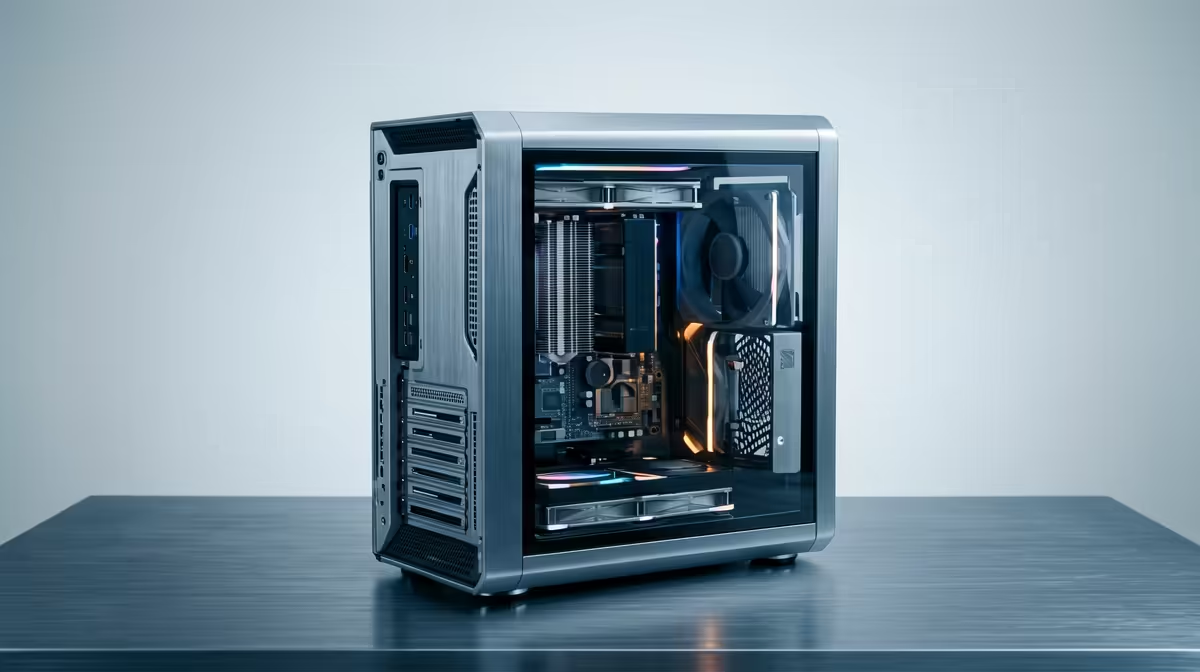
So, you’re a creator in South Africa. You’ve got the vision, the skills, and a timeline full of clips… but your PC sounds like a jet engine and chugs through every render. Building or buying a budget editing PC in South Africa feels like a daunting task, especially when every rand counts. Don’t stress. You don’t need a Hollywood-tier budget to build a machine that can handle your creative workflow smoothly. Let's get it done. 🚀
Building an affordable editing PC is all about balance. You need to know where to invest your money for the biggest performance gains in programs like Adobe Premiere Pro, DaVinci Resolve, or Final Cut. It’s not just about raw gaming power; it’s about smart, targeted performance.
The Central Processing Unit (CPU) is the heart of your editing rig. For video editing, more cores and threads generally mean faster rendering and smoother timeline scrubbing.
For a budget build, a modern 6-core, 12-thread CPU from either camp is the perfect starting point.
Random Access Memory (RAM) is like your computer's short-term memory. Editing software loves to use a lot of it, especially when you're working with 4K footage or complex effects.
Your storage drive affects everything from boot times to how quickly your video clips load in the timeline. A fast NVMe Solid-State Drive (SSD) is non-negotiable.
On Windows, use the PowerToys FancyZones utility to create custom snap layouts for your windows. It's a lifesaver for managing multiple apps on an ultrawide monitor, letting you organise your timeline, preview window, and asset folders perfectly for video editing.
Building on a budget means making smart choices. You can’t have the best of everything, so prioritise what matters most for editing.
Building your own PC is a rewarding experience, but it comes with its own challenges… compatibility checks, cable management, and troubleshooting can be a headache. For many South African creators, a professionally assembled PC offers the best of both worlds. You get to pick your parts, but you also get a warranty, expert support, and the peace of mind that it's built to last.
Evetech offers a fantastic selection of powerful pre-built PCs under R20,000 that are perfectly optimised for both gaming and content creation, giving you a reliable starting point for your creative journey.
Ready to Create Without Compromise? Building a budget editing PC in South Africa doesn't mean you have to settle for slow renders. With the right components, you can get a powerful machine without emptying your wallet. Explore our expertly configured PC deals and start your build today!
A solid entry-level editing PC can be built for R15,000-R20,000. This focuses on a balanced CPU/GPU combo, 16GB RAM, and fast SSD storage for a smooth workflow.
Yes! Many gaming PCs are excellent for editing. Prioritize a strong multi-core CPU and at least 16GB of RAM. A powerful gaming GPU also accelerates rendering tasks.
Both offer great value. AMD's Ryzen 5 series often provides more cores for your money, which is great for rendering. Intel's Core i5s offer strong single-core speed.
For 4K editing, 32GB of RAM is recommended for a smooth experience without lag. 16GB is the minimum, but you may encounter bottlenecks with complex projects.
Look for sales at trusted retailers like Evetech. Also, consider buying last-generation parts or exploring the certified second-hand pc parts market for great deals.
While you can edit with integrated graphics, a dedicated GPU drastically speeds up rendering, effects, and playback performance, saving you significant time on every project.
Top AMD GPU Under R40000 picks evaluated on performance, value & SA availability with current Rand pricing from Evetech.
Read more
Top RTX 4090 Under R12000 () picks evaluated on performance, value & SA availability with current Rand pricing from Evetech.
Read more
Ryzen 5 5600X + B550 + RTX 4060 Build Under. Full parts list, Rand pricing & expected performance. Build confidently with SA-available components.
Read more
Ryzen 5 5600X + B550 + RTX 4060 Build Under. Full parts list, Rand pricing & expected performance. Build confidently with SA-available components.
Read more
Top AMD GPU Under R25000 picks evaluated on performance, value & SA availability with current Rand pricing from Evetech.
Read more
Top Crucial GPU Under R15000 picks evaluated on performance, value & SA availability with current Rand pricing from Evetech.
Read more
Can RTX 4080 Super Run AI Workloads for SA Developers Detailed answer with SA data, expert analysis & practical recommendations for local buyers.

Can RTX 4090 Run AI Workloads for SA Developers Detailed answer with SA data, expert analysis & practical recommendations for local buyers.

Top Settings for Intel Arc B580 at Ultrawide 1440p picks evaluated on performance, value & SA availability with current Rand pricing from Evetech.

RX 7600 Overclocking Guide: Safe OC Settings for. Real-world benchmark data, FPS numbers & performance analysis. What SA gamers can actually expect.

RTX 4060 CS2 Low Settings at 1080p: FPS Results. Real-world benchmark data, FPS numbers & performance analysis. What SA gamers can actually expect.

Visual Artifacts: Possible GPU Issue Issue #1. Diagnosis steps, proven fixes & when to seek professional help. SA-specific support info included.

Can the RTX 4090 Handle 1440p 144Hz Gaming. Performance testing verdict with real data & practical recommendations for SA buyers.

Top ASUS GPU Under R15000 picks evaluated on performance, value & SA availability with current Rand pricing from Evetech.

RTX 4060 Ti Throttling Under Load: Temperature. Everything you need to know with SA pricing, step-by-step instructions & expert recommendations.

Apex Legends Max Settings on RTX 4080. Tested & verified settings for best FPS and visual quality on SA hardware budgets.

GPU Buying Guide. Everything you need to know with SA pricing, step-by-step instructions & expert recommendations.

GPU Terms Guide. Everything you need to know with SA pricing, step-by-step instructions & expert recommendations.