


Best RTX 5090 Under R5000 in South Africa 2026
Top RTX 5090 Under R5000 picks evaluated on performance, value & SA availability with current Rand pricing from Evetech.
Read moreBudget home office setup with legacy monitors in South Africa—save money, keep productivity, and avoid adapter headaches. ✅🔧 Use the right video adapters and power basics.
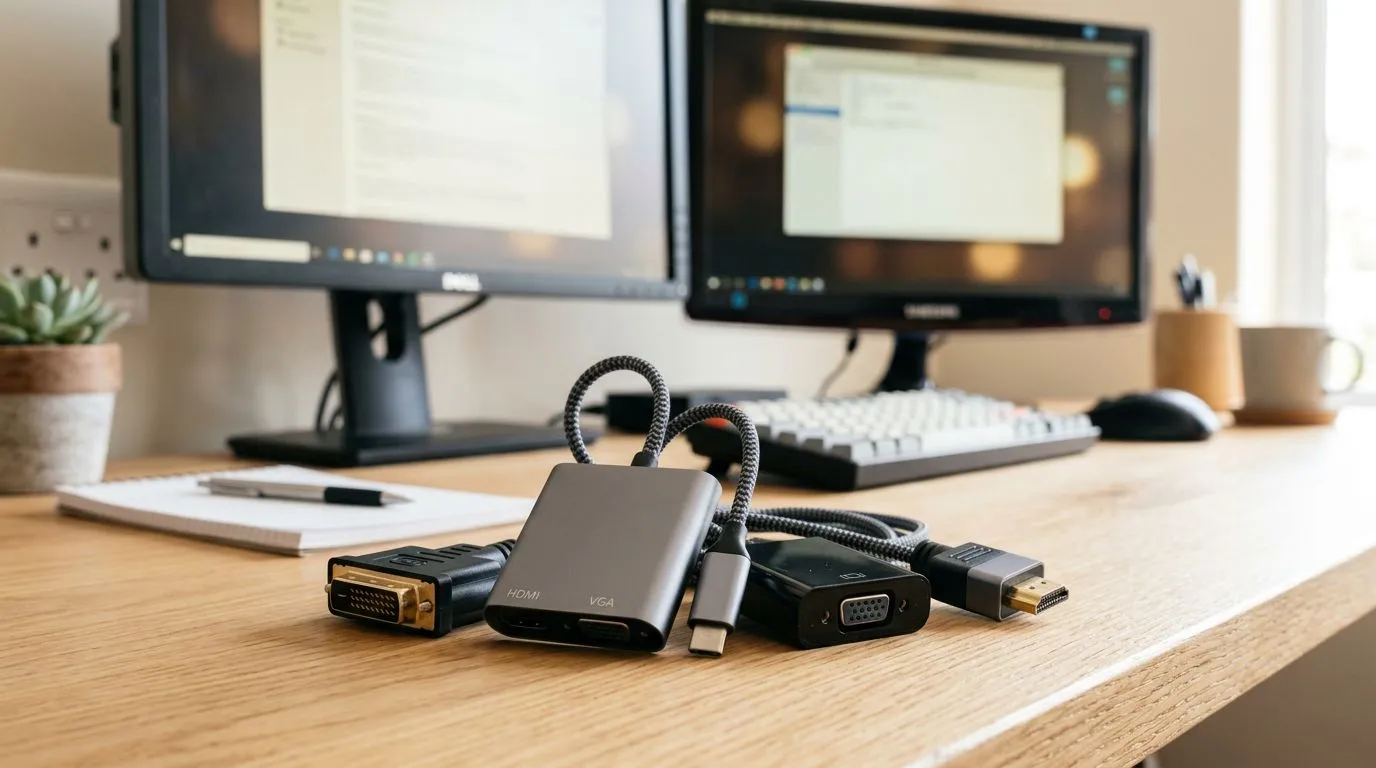
Staring at that dusty 1080p monitor gathering cobwebs in your spare room? You aren’t alone. Many South Africans are sitting on perfectly functional hardware that just needs the right partner to become a productivity powerhouse. Building a budget home office setup with legacy monitors in South Africa doesn't mean compromising on performance; it means being smart about how you bridge the gap between old displays and modern computing power. 🔧
The secret to a functional workstation isn't always buying the latest 4K panel. Often, it's about how you connect your existing gear. If your older screen only supports VGA or DVI, don’t panic. You can easily integrate these into a modern build by grabbing some high-quality gaming accessories like active adapters. This keeps your initial investment low, leaving more budget for a solid CPU or extra RAM.
On Windows, use the PowerToys FancyZones utility to create custom snap layouts for your windows. It's a lifesaver for managing multiple apps on an ultrawide monitor, letting you organise your timeline, preview window, and asset folders perfectly for video editing.
When you're building out a home office on a budget, every Rand counts. Instead of splurging on new monitors immediately, focus your spend on the peripherals that improve your daily comfort and workflow efficiency. Check out our latest gaming accessories deals to find mechanical keyboards or ergonomic mice that make long shifts feel like a breeze. 🚀
Proper cable management is another way to make legacy hardware look professional. A cluttered desk makes even the best monitors look outdated. By investing in basic gaming accessories, you can tidy up your space, improve airflow, and focus purely on your work or play. ✨
There is something satisfying about repurposing tech. A secondary legacy monitor is perfect for hosting chat windows, Spotify playlists, or reference documents while your primary screen handles the heavy lifting. By keeping these screens in the ecosystem, you reduce e-waste and keep your setup costs well below the R10 000 mark. It is a win for your wallet and the planet.
Ready to Find Your Perfect Match? The Mac vs Windows debate is complex, but for maximum power, choice, and value in South Africa, Windows is hard to beat. Explore our massive range of laptop specials and find the perfect machine to conquer your world.
Use legacy monitor video adapters (like HDMI to VGA), check ports first, then match power and refresh settings for stable daily work.
It depends on your ports. Common options include HDMI to VGA, DVI to HDMI, or DisplayPort to HDMI for legacy monitor setups.
Yes, if you set the right resolution and refresh rate in your OS and use the correct adapter to avoid scaling issues.
Identify the monitor output and input ports, then confirm your PC supports the needed video format and resolution for the adapter.
Verify the monitor’s required voltage and use the correct power adapter or cable. Avoid universal adapters that don’t match specs.
Yes—video works via the right adapter. For audio, use your PC speakers or a separate audio solution since many monitors lack speakers.
Plan cable routes early, use short certified cables, add Velcro ties, and keep power and video lines separated for cleaner desk routing.
Top RTX 5090 Under R5000 picks evaluated on performance, value & SA availability with current Rand pricing from Evetech.
Read more
Top Value RX 9070 XT Under R10,000 picks evaluated on performance, value & SA availability with current Rand pricing from Evetech.
Read more
Top RTX 5090 Under R4000 picks evaluated on performance, value & SA availability with current Rand pricing from Evetech.
Read more
Top RTX 5080 Under R15000 picks evaluated on performance, value & SA availability with current Rand pricing from Evetech.
Read more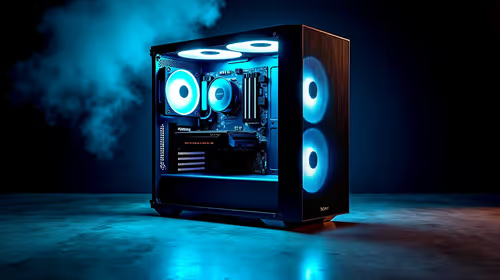
Core i5-14400F + B760 + RX 7800 XT Build Under. Full parts list, Rand pricing & expected performance. Build confidently with SA-available components.
Read more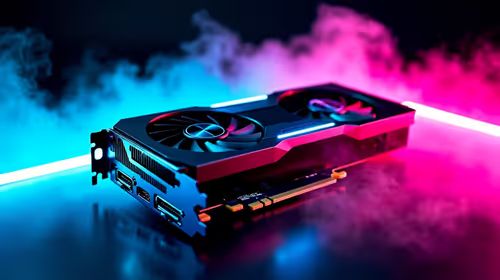
Top Budget RTX 5070 Ti Under R20,000 Gamers picks evaluated on performance, value & SA availability with current Rand pricing from Evetech.
Read more
AMD RX 9050 XT: Rumoured Specs, Price & Release. SA-focused analysis with local pricing data, real-world insights & actionable buying advice.

Can RTX 4080 Super Run AI Workloads for SA Developers Detailed answer with SA data, expert analysis & practical recommendations for local buyers.

Can RTX 4090 Run AI Workloads for SA Developers Detailed answer with SA data, expert analysis & practical recommendations for local buyers.

Top Settings for Intel Arc B580 at Ultrawide 1440p picks evaluated on performance, value & SA availability with current Rand pricing from Evetech.

RTX 4060 CS2 Low Settings at 1080p: FPS Results. Real-world benchmark data, FPS numbers & performance analysis. What SA gamers can actually expect.

Visual Artifacts: Possible GPU Issue Issue #1. Diagnosis steps, proven fixes & when to seek professional help. SA-specific support info included.

Can the RTX 4090 Handle 1440p 144Hz Gaming. Performance testing verdict with real data & practical recommendations for SA buyers.

Top ASUS GPU Under R15000 picks evaluated on performance, value & SA availability with current Rand pricing from Evetech.

GTA 6 Max Settings on RTX 5070. Tested & verified settings for best FPS and visual quality on SA hardware budgets.

Cyberpunk 2077 Max Settings on RTX 5080. Tested & verified settings for best FPS and visual quality on SA hardware budgets.

Starfield Max Settings on RTX 5070 Ti. Tested & verified settings for best FPS and visual quality on SA hardware budgets.
Top RTX 5090 Under R5000 picks evaluated on performance, value & SA availability with current Rand pricing from Evetech.