


Should You Buy a 240Hz monitor or Build a PC in South Africa?
Should You Buy a 240Hz monitor or Build a PC. Full parts list, Rand pricing & expected performance. Build confidently with SA-available components.
Read moreMastering budget PC cable management is more than just looks; it’s key to better airflow, lower temps, and easier upgrades. Discover simple, cheap tricks to transform your build from a tangled mess into a clean, high-performing machine. Maximize airflow 💨 and peak performance without breaking the bank! 💰
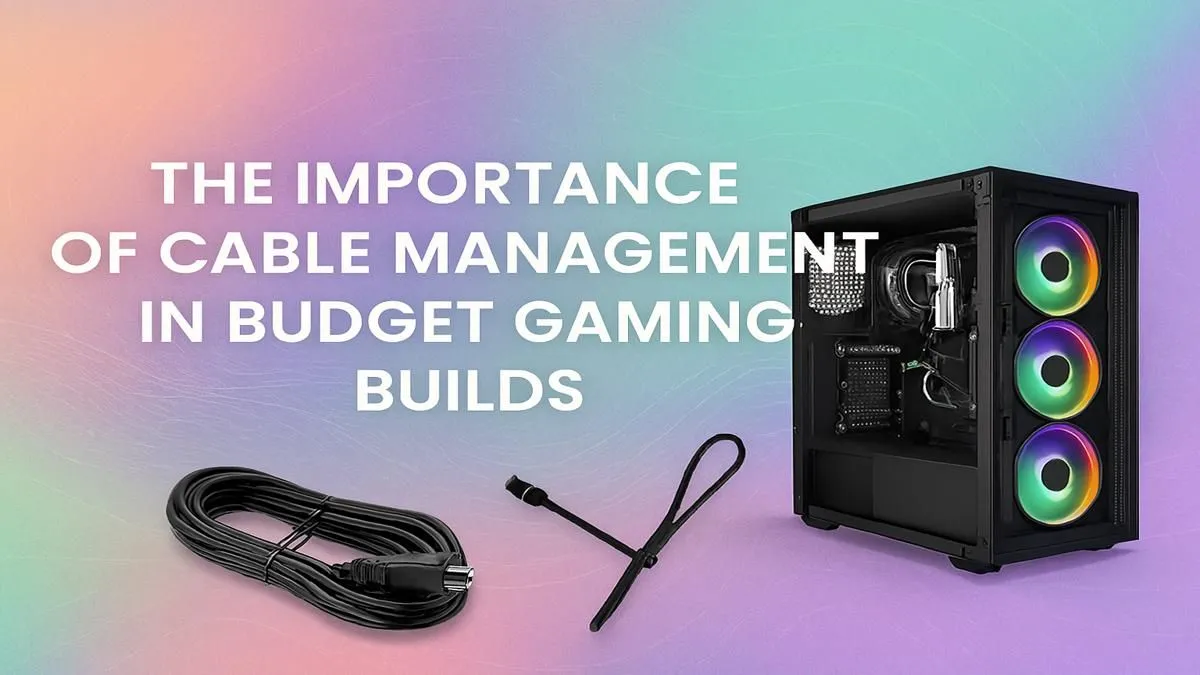
You’ve spent weeks researching, hunting for deals, and finally, all the parts for your new gaming rig are sitting in front of you. The excitement is real! But hold on… before you start building, let’s talk about the one step many builders overlook: cable management. It’s not just for making your PC look lekker. Excellent budget PC cable management is the secret sauce that boosts performance, simplifies upgrades, and makes your build truly yours.
A tangled mess of cables, often called a "rat's nest," does more than just look untidy. It actively harms your PC's potential. Prioritising cable management, even in a budget build, pays off in several crucial ways.
This is the big one. Cluttered cables obstruct the path of air flowing from your intake fans to your critical components like the CPU and GPU. By neatly routing and tying down cables, you create clear channels for cool air to travel, resulting in lower temperatures. Lower temps mean your components can run at their peak speeds for longer without thermal throttling, giving you smoother frame rates in the latest titles.
Picture this: six months from now, you want to add another SSD or upgrade your RAM. If you have to fight a web of tangled wires just to reach the slots, a simple five-minute job turns into a frustrating hour-long puzzle. Good budget PC cable management means every component is accessible. It saves your future self a massive headache and makes keeping your PC dust-free a breeze. For inspiration, just look at the clean interiors of high-end systems above R20k—the principles are the same.
Let's be honest, looks matter. A clean build with thoughtfully routed cables is a source of pride. It shows attention to detail and care for your hardware. Whether you have a tempered glass side panel or not, knowing your PC is as clean on the inside as it is on the outside is incredibly satisfying.
You don't need custom-sleeved cables or expensive tools to achieve a clean look. The best techniques for managing cables in a budget build rely on planning and patience, not your wallet.
Before installing a single component, take a good look at your case. Identify the cable cutouts, tie-down points, and the space behind the motherboard tray. Plan the path for your main cables—the 24-pin motherboard power, 8-pin CPU power, GPU power, and SATA cables. This little bit of foresight prevents you from having to unplug everything later.
Most modern PC cases, even affordable ones, are designed with cable management in mind. That space behind the motherboard isn't just for show; it's your primary workspace for stashing excess cable length. Use the built-in loops and channels to secure your cables with the zip ties that likely came with your case. This is the key to getting a professional look in many of our most popular budget gaming PCs.
Always route and plug in the 8-pin CPU power cable before you screw the motherboard into the case. This connector is usually tucked into a top-left corner that becomes almost impossible to reach once the motherboard and CPU cooler are installed. Doing it first will save you from scraped knuckles and a lot of frustration!
Work in sections. Start with the thickest cables, like the 24-pin ATX, and route them first. Then, move on to smaller cables. Bundle cables that are heading in the same direction together using zip ties or velcro straps. Secure these bundles to the case's tie-down points. The goal is to have nothing loose or dangling in the main chamber. The result is a build that looks as good as any of these powerful rigs under R20k.
DIY building is an amazing experience. But let's be real—it takes time, patience, and a steady hand, especially when it comes to the finishing touches like perfect cabling. Sometimes, you just want to get straight to gaming on a machine that’s guaranteed to be cool, quiet, and professionally assembled.
If you value your time or feel a bit nervous about the process, exploring pre-built PC deals is a smart move. You get the benefit of expert assembly, component testing, and of course, immaculate cable management, all backed by a full warranty. 🚀
Ready for a Flawlessly Built PC? Taming the cable monster is a rewarding challenge. But if you'd rather jump straight into the game with a perfectly optimised, cool, and quiet rig, we've got your back. Explore our best gaming PC deals and get a system with pro-level cable management right out of the box.
Yes, especially in budget builds. Good cable management improves airflow, helping components like your CPU and GPU stay cooler. This prevents thermal throttling and maintains peak performance.
You don't need expensive kits. Use the zip ties or velcro straps included with your components. Hiding excess cables behind the motherboard tray is a free and effective trick.
Cluttered cables obstruct the path of air from intake fans to your components. Tidy cables create a clear channel, allowing for more efficient cooling and lower temperatures.
Not at all. Start by routing essential cables before installing all components. Use your case's built-in tie-down points. Patience is the key for easy cable management for beginners.
While it won't directly cause damage, the resulting poor airflow leads to higher temperatures, which can shorten the lifespan of your components over time due to thermal stress.
Most modern budget cases have a PSU shroud at the bottom. Tuck all unused and excess power supply cables into this shroud for a clean look and unobstructed airflow.
Should You Buy a 240Hz monitor or Build a PC. Full parts list, Rand pricing & expected performance. Build confidently with SA-available components.
Read more
Should You Buy a VA monitor or Build a PC. Full parts list, Rand pricing & expected performance. Build confidently with SA-available components.
Read more
Every spec on PCIe 5.0 explained in plain English. What matters for gaming and creator work in 2026, what's marketing fluff, and how each number translates to real-world performance.

A head-to-head look at WiFi 7: real-world performance, ZAR pricing and which option delivers better value for SA builders. The clear answer — no fluff.

Everything you need to set up and tune PCIe 5.0 properly: the prep work, the settings that actually matter, and the mistakes to skip. Written for SA builders in 2026.

Everything you need to set up and tune X870E Motherboard properly: the prep work, the settings that actually matter, and the mistakes to skip. Written for SA builders in 2026.

Wondering what a 512GB SSD capacity really holds? This guide breaks down how many games, photos, and documents fit on 512GB, with real-world ranges 📦💾

Every spec on vrm explained in plain English. What matters for gaming and creator work in 2026, what's marketing fluff, and how each number translates to real-world performance.

Every spec on motherboard explained in plain English. What matters for gaming and creator work in 2026, what's marketing fluff, and how each number translates to real-world performance.

Premium vs Midrange Motherboards in South Africa: real-world performance, SA pricing, power draw and which one delivers better value for your build for SA buyers. The clear answer — without the fluff.
Wondering what a 512GB SSD capacity really holds? This guide breaks down how many games, photos, and documents fit on 512GB, with real-world ranges 📦💾
Every spec on PCIe 5.0 explained in plain English. What matters for gaming and creator work in 2026, what's marketing fluff, and how each number translates to real-world performance.
A head-to-head look at WiFi 7: real-world performance, ZAR pricing and which option delivers better value for SA builders. The clear answer — no fluff.

Every spec on USB4 explained in plain English. What matters for gaming and creator work in 2026, what's marketing fluff, and how each number translates to real-world performance.