

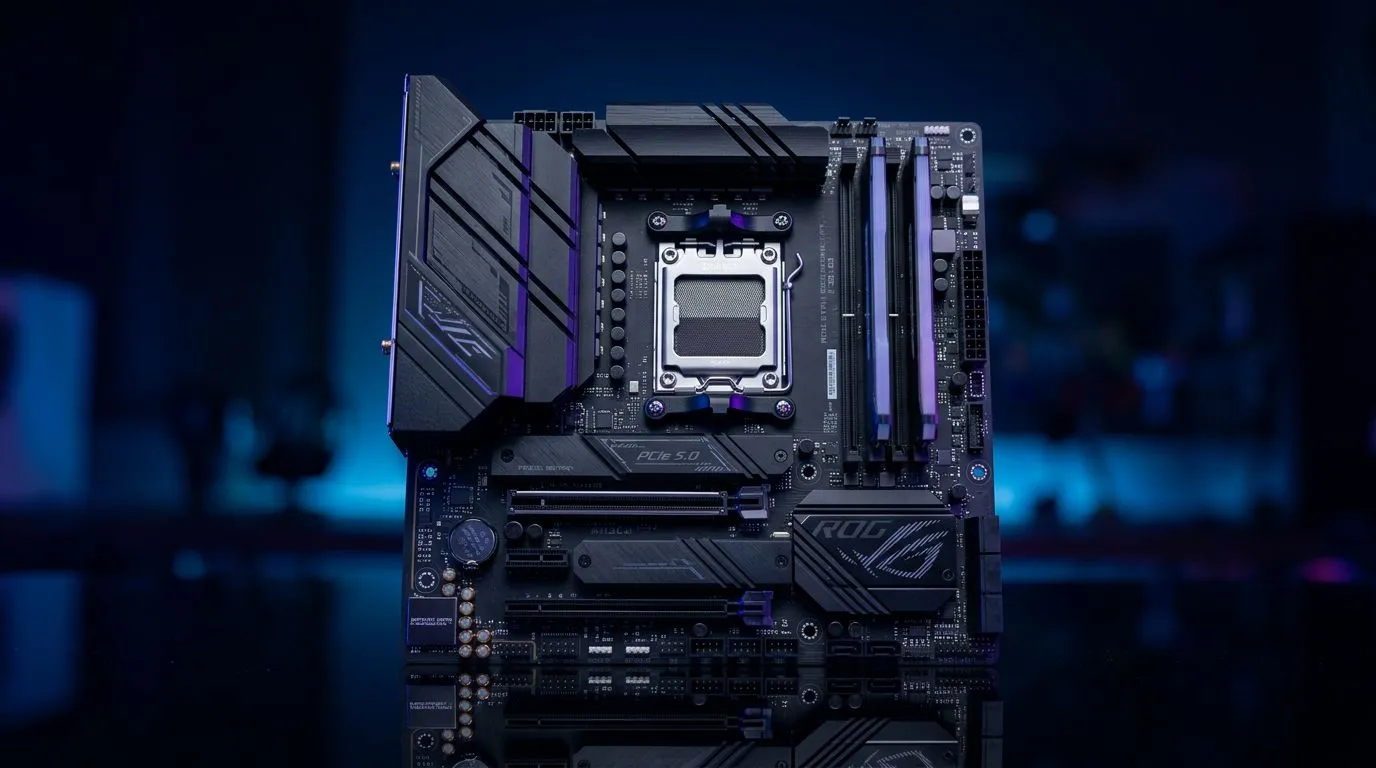
How to Build a Compact Gaming PC with an mATX AMD Motherboard (That Doesn’t Feel “Small”)
If you’re building for LAN days, tight desks, or just want a clean setup… compact is a win. But “compact” also means every choice matters: cooling, airflow, PSU sizing, and the motherboard layout. The good news? An mATX AMD motherboard can give you the performance you want without wasting space or budget. 🔧
In this guide, you’ll learn how to plan your parts, avoid common fitment mistakes, and dial in BIOS settings so your rig runs smooth. ⚡
Start With the Right mATX AMD Motherboard for Your Build Lab Setup
Before you buy a case or GPU, lock your foundation: the motherboard. With mATX AMD motherboards, you’ll typically get the sweet spot of features and price, while keeping your build compact.
When shopping, focus on:
- Socket compatibility with your chosen AMD CPU (AM4 vs AM5 matters).
- VRM quality (more stable under load).
- I/O you actually use: M.2 slots, USB ports, and audio outputs.
- Form factor: mATX keeps you flexible for small cases and budget-friendly builds.
If you’re considering AMD options, start here:
Pairing AMD CPUs With mATX Boards (The Practical Way)
A compact gaming PC lives and dies by thermals. So pick a CPU you can cool confidently in a smaller case. If you’re unsure what combinations make sense for your budget, compare the motherboard listings and match them with your CPU requirements.
Build a Compact Case Plan Around Airflow (Not Just Size) ✨
A smaller PC means warm air has less space to escape. Your goal is simple: front intake, rear and top exhaust (if your case supports it). Even great parts will throttle if airflow is wrong.
Use this checklist:
- Measure first: GPU length and CPU cooler height.
- Plan your fan layout: intake and exhaust balanced.
- Keep cables tidy: less obstruction near the GPU and PSU shroud.
- Prioritise an M.2 with airflow if your board supports heatsinks.
Don’t Guess on Clearance
GPUs vary wildly by model. Two “same card” listings can have different lengths. Same story with coolers. Measure your case spec before ordering.
Compact Build Productivity Pro Tip ⚡
a compact build, create a quick parts-fit checklist before checkout: write down your case’s max GPU length, max CPU cooler height, and whether it supports top exhaust fans. Then compare each product’s dimensions in the store listing. This prevents the most common “it doesn’t fit” returns in Build Lab.
Choose the Right GPU and PSU for a Compact mATX AMD Gaming PC
For most gamers, the GPU is the real performance driver. In a compact case, you also need to consider PSU form factor and cable management.
GPU tips for small builds:
- If your case is narrow, avoid “3-fan flagship” cards that are long.
- Look for models that fit your case length spec.
- Make sure you can still route PCIe power cables without crushing airflow.
PSU tips:
- Select wattage based on your GPU class and CPU needs.
- Modular PSUs help keep cable clutter down in tight spaces.
If you’re tempted to compare motherboard ecosystems, you can also explore Intel mATX options for pricing and feature comparisons:
Where Cheaper Boards Work… and Where They Don’t (Budget Reality Check) 🚀
Not every “cheap mATX board” is a bad choice. In fact, many compact builds succeed on cost-effective hardware, as long as you buy with intent. The risk is usually around feature gaps and stability under sustained load.
A good budget strategy:
- Spend more on GPU and cooling.
- Spend enough on motherboard VRM and storage options to support your usage.
- Don’t ignore M.2 slot count if you plan to add games and a second drive.
If you’re building around value, use Evetech’s guides to find cost-focused options:
Assemble Like a Pro: Compact Build Steps That Save Time 🔧
Follow this flow to avoid rework:
- Test fit the motherboard in the case before installing everything.
- Install CPU + RAM + M.2 first. Then mount the board.
- Add the CPU cooler early so you can adjust without blocking access.
- Install the rear exhaust fan before the GPU if cable routing gets tight.
- Install the GPU last, then confirm PCIe power cable clearance.
BIOS Setup Quick Start (So It Boots and Runs Well)
After first boot:
- Update BIOS if Evetech listed a compatible support path for your board revision (use the board’s product page details).
- Enable XMP/DOCP for RAM speed only if the kit is rated for it.
- Set a fan curve based on temperatures, not noise.
- Confirm your boot drive is detected in BIOS.
Don’t chase settings you don’t understand. Stable first. Then tweak.
Make Your Compact PC Feel “Full Size” With Good Software Settings
Once you’re in Windows:
- Run a quick drive health check for your SSD.
- Keep chipset drivers current (they matter for stability).
- Use a monitoring tool so you learn your temperatures after 10 to 20 minutes of gaming.
That’s how you avoid guesswork… and build confidence for every future upgrade.
Ready to Find Your Perfect Match? The Mac vs Windows debate is complex, but for maximum power, choice, and value in South Africa, Windows is hard to beat. Explore our massive range of laptop specials and find the perfect machine to conquer your world.











