


Best RTX 5070 Under R25,000 in South Africa 2026
Top RTX 5070 Under R25,000 picks evaluated on performance, value & SA availability with current Rand pricing from Evetech.
Read moreWant cable-free daisy-chained 120mm PWM ARGB fans? Learn the clean setup steps, wiring checks, and controller settings for smooth sync and better airflow. ✨🔧
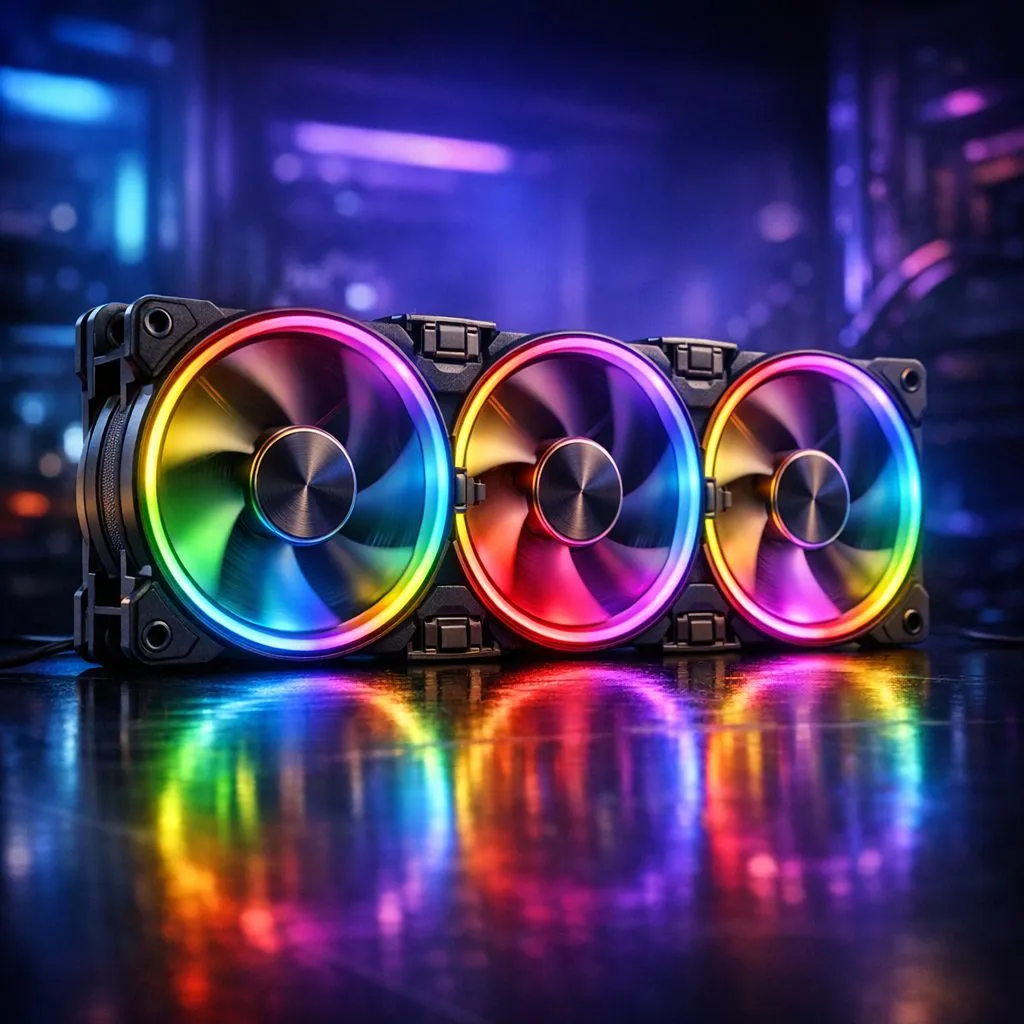
If your PC looks like it’s been through a raid… cable spaghetti included… you’re not alone. South African gamers love clean builds, especially when the RGB is actually synced. And 120mm PWM ARGB fans are often the sweet spot for airflow without turning your case into a wind tunnel. 🔧
In this guide, we’ll walk you through a Cable-Free Daisy-Chained 120mm PWM ARGB Fans Setup Guide you can trust. We’ll cover what to connect, how to avoid sync headaches, and how to get smooth lighting effects without guessing.
Daisy-chaining is basically connecting multiple fans to a single control channel so you reduce extra wiring. On typical PWM ARGB setups, you’ll have two separate signals:
Even when the fans are “cable-free” in spirit, you’ll still manage connections to your motherboard (or a fan hub/controller). That’s the part that matters most.
If you want to browse options, Evetech’s case fan range is a great place to start:
Before you mount anything, check your motherboard manual for:
If your board has no 5V ARGB header, you’ll need an ARGB controller or hub. Some cases also include pre-wired hubs, but don’t assume.
A common mistake? Fans spinning the right direction, but fighting each other. Aim for:
For 120mm fans, you generally get solid static pressure for typical heatsinks and dust filters. If you’re shopping specifically around 120mm, Evetech lists the size options clearly:
Most fans have an arrow on the frame showing airflow direction. Mount them so arrows point the way air should travel. Tighten screws evenly to avoid wobble.
Connect the first fan’s PWM input to your motherboard PWM header. Then connect the subsequent fans to the fan-to-fan PWM output (daisy chain). This keeps fan speed control consistent.
If you’re buying fan kits from popular brands, Evetech also filters by brand:
Now the lighting. The first fan’s ARGB input goes to your motherboard 5V ARGB header. Then daisy chain the ARGB outputs to the next fans.
If you want to compare effects or availability:
And if you prefer a minimal look:
ARGB syncing usually depends on motherboard RGB software (or brand control). If the fans won’t sync, it’s often a wrong header type (5V vs 12V) or a mismatched data order.
For Deepcool options, check:
After boot:
On Windows, keep motherboard lighting software and fan control apps in one place (disable anything you do not use). That way, you avoid conflicting effects and your ARGB sync stays consistent after restarts. If you change fan headers, reboot once to confirm the chain order.
PWM speed can get messy if you’re using inconsistent settings across headers. Set a single profile in your BIOS or software and test.
If you’re considering different sizes for your case layout:
Before you cable-manage and shut it down, confirm:
Once that’s done… enjoy the clean look. Your rig will feel faster, even if the FPS depends on your GPU.
Ready to Find Your Perfect Match? The Mac vs Windows debate is complex, but for maximum power, choice, and value in South Africa, Windows is hard to beat. Explore our massive range of laptop specials and find the perfect machine to conquer your world.
They use daisy-chaining so you connect one fan control path to multiple 120mm fans, reducing cable clutter while keeping PWM and ARGB sync.
Often yes. Many setups require a compatible ARGB hub/controller that supports PWM signal passthrough and 5V ARGB 3-pin addressing.
Match the 5V 3-pin ARGB header correctly, keep polarity aligned, and use the fan’s labeled data input/output so the chain transmits data reliably.
It depends on your controller and header type. Check the hub/controller rating for maximum fan count before adding more to avoid signal drop.
Common causes include wrong header type, mismatched 5V ARGB support, incorrect software mode, or exceeding daisy-chain capacity.
Yes if the motherboard header supports the needed PWM input and the fan/hub supports passthrough. Verify your BIOS/software recognizes the fan channel.
Re-seat the 3-pin ARGB connector, confirm 5V vs 12V compatibility, test with fewer fans, and ensure the daisy-chain data direction matches the labels.
Indirectly. Cleaner routing can improve airflow and access, while PWM control still determines fan curves for quieter, efficient cooling.
Top RTX 5070 Under R25,000 picks evaluated on performance, value & SA availability with current Rand pricing from Evetech.
Read more
Core i5-14600K + B760 + RTX 5060 Build Under. Full parts list, Rand pricing & expected performance. Build confidently with SA-available components.
Read more
Top Valorant Settings for RTX 5070: FPS Optimisation picks evaluated on performance, value & SA availability with current Rand pricing from Evetech.

RDNA 3.5 Graphics in Ryzen AI 400? Can You Game. Plain-English explanation of what it means, why it matters & how it affects your buying decisions in SA.

GPU Price Index : December Report. Current stock data & price tracking for SA buyers. See what is available and where prices are heading.

RX 9070 XT Elden Ring Nightreign at 4K: FPS. Real-world benchmark data, FPS numbers & performance analysis. What SA gamers can actually expect.
Core i5-14600K + B760 + RTX 5060 Build Under. Full parts list, Rand pricing & expected performance. Build confidently with SA-available components.

RX 7600 Apex Legends at 4K: FPS Benchmark. Real-world benchmark data, FPS numbers & performance analysis. What SA gamers can actually expect.

RX 7900 XTX GTA 6 at 4K: FPS Benchmark & Optimal. Real-world benchmark data, FPS numbers & performance analysis. What SA gamers can actually expect.

Head-to-head comparison of RTX 5070 vs RX 9070 XT: Gaming Performance for SA gamers. Performance benchmarks, Rand pricing & which delivers better value.
Top RTX 5070 Under R25,000 picks evaluated on performance, value & SA availability with current Rand pricing from Evetech.
Core i5-14600K + B760 + RTX 5060 Build Under. Full parts list, Rand pricing & expected performance. Build confidently with SA-available components.

Top Monitor for RX 9070: Resolution & Refresh Rate picks evaluated on performance, value & SA availability with current Rand pricing from Evetech.

Valorant Settings on RX 9060 XT: Performance. Real-world benchmark data, FPS numbers & performance analysis. What SA gamers can actually expect.