

Best Intel Keyboard Under R3000 in SA 2026
Top Intel Keyboard Under R3000 picks evaluated on performance, value & SA availability with current Rand pricing from Evetech.
Read moreStep-by-step: Common DDR5 Compatibility Issues on AM5 and How to Resolve Them. The prep, the settings that actually matter, and the common mistakes SA builders make — solved in 2026.
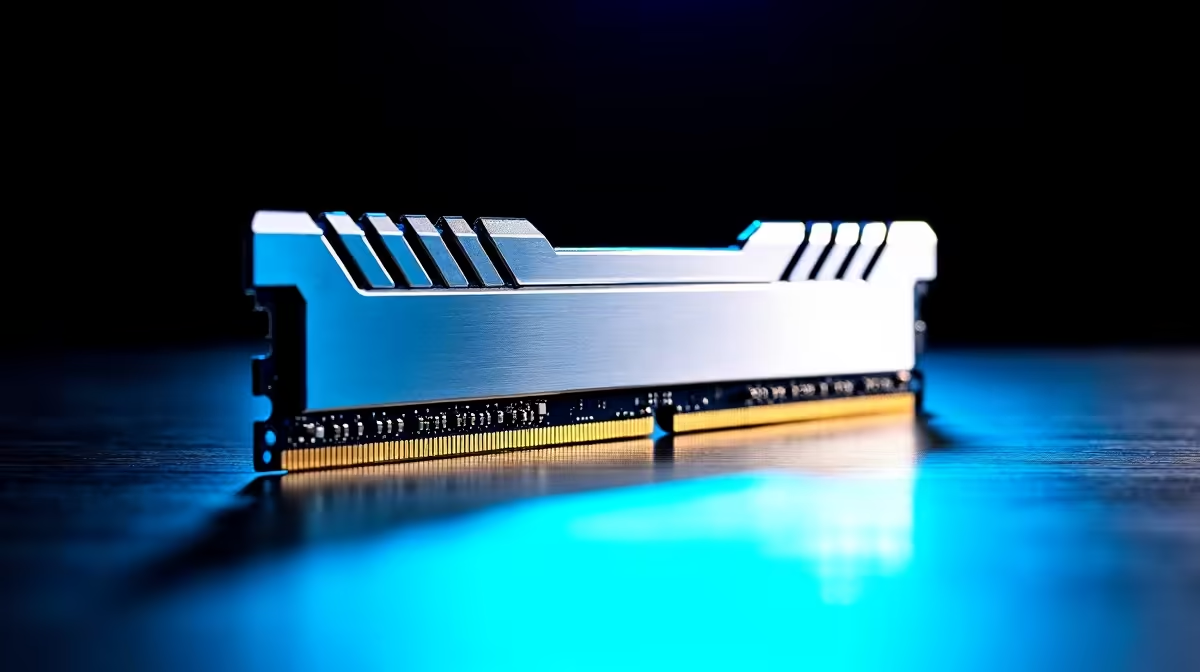
Building a new AMD Ryzen 7000 rig in South Africa is thrilling... until your PC refuses to boot. The latest platform brings incredible power, but common DDR5 compatibility issues on AM5 can quickly turn a dream build into a frustrating troubleshooting session. If your system is stuck on a black screen or throwing memory errors, do not panic. Let us help you resolve these teething problems.
The jump to DDR5 memory brought massive speed boosts and bandwidth improvements. However, the architecture behaves quite differently on AMD systems. When you first install your RAM, the motherboard undergoes an automated process called memory training. This initial setup can take several minutes to complete.
Many users mistake this long boot time for a system failure and force a restart... which only corrupts the process. If you are currently shopping for high-speed memory kits, remember that patience during that very first boot is your primary troubleshooting tool. ⚡
Early BIOS versions for the AM5 socket were notoriously picky about memory stability. Thankfully, motherboard manufacturers have since released numerous updates that dramatically improve compatibility and boot times.
Before you even try to enable EXPO profiles, flash your BIOS to the latest version. Even if you just dropped R4,000 on premium RAM, outdated firmware will cause unpredictable crashes. This golden rule applies whether you are buying a budget board or browsing premium motherboards for an extreme overclocking setup.
Not all RAM plays nicely with every board. When selecting ASUS AMD motherboards, for example, you should always check the Qualified Vendor List. This list confirms which specific RAM sticks have been officially tested by the manufacturer. Taking five minutes to verify this compatibility can save you hours of troubleshooting later.
While Intel XMP profiles might work on AMD systems, it is always safer to buy EXPO-certified RAM for AM5 builds. If you happen to be building on Team Blue instead, you would naturally pair XMP memory with ASUS Intel motherboards to avoid similar headaches. 🔧
Always install your DDR5 sticks in slots A2 and B2 first. Using the wrong slots is a leading cause of instability on AM5 boards and will almost certainly prevent your system from posting at advertised speeds.
Troubleshooting hardware is not for everyone, especially when you just want to play the latest titles. If tweaking BIOS settings and checking QVL lists sounds like a chore, you can bypass these common DDR5 compatibility issues on AM5 entirely.
Our technicians test, update, and optimise every single component before shipping. You can simply explore our best gaming PC deals and get a rig that works perfectly right out of the box... saving you both time and stress. Let us handle the technical heavy lifting so you can focus on gaming.
Ready to Upgrade Your Setup? Overcoming AM5 memory quirks is easy with the right parts and a little patience. Whether you are building from scratch or looking for a pre-tested powerhouse, Evetech has the best components in South Africa. Explore our massive range of PC components and build your ultimate gaming rig today.
The motherboards, tools and accessories referenced in this article are stocked at Evetech.co.za with local SA warranty, ZAR pricing and nationwide delivery.
The article lists the exact parts, tools and BIOS prep steps needed. Nothing exotic — most SA builders will already have everything on hand.
For a clean setup, expect 30–60 minutes end-to-end. The guide is written so you can pause between steps without losing your place.
We call out the mistakes that trip up most first-time builders — from BIOS defaults to memory training and storage layout — so you can avoid them upfront.
The core workflow is platform-agnostic. The article notes the specific Intel and AMD differences where they actually change the process.
Top Intel Keyboard Under R3000 picks evaluated on performance, value & SA availability with current Rand pricing from Evetech.
Read more
Top Budget Hall Effect Keyboards Under R2,000 picks evaluated on performance, value & SA availability with current Rand pricing from Evetech.
Read more
Top Nvidia Keyboard Under R5000 picks evaluated on performance, value & SA availability with current Rand pricing from Evetech.
Read more
Top ASUS Keyboard Under R3000 picks evaluated on performance, value & SA availability with current Rand pricing from Evetech.
Read more
Top Wireless Keyboard Under R3000 picks evaluated on performance, value & SA availability with current Rand pricing from Evetech.
Read more
Top Samsung Keyboard Under R5000 picks evaluated on performance, value & SA availability with current Rand pricing from Evetech.
Read more
Snapdragon X2 NPU Explained: How 80 TOPS Changes. Plain-English explanation of what it means, why it matters & how it affects your buying decisions in SA.

HBM? High Bandwidth Memory Used in GPUs and AI. Plain-English explanation of what it means, why it matters & how it affects your buying decisions in SA.

How much should you spend on sim racing accessories in South Africa for a realistic setup? We break down budgets by quality tiers, so you buy smart gear and avoid overspending 🎮💸

G-Sync and FreeSync? Variable Refresh Rate. Plain-English explanation of what it means, why it matters & how it affects your buying decisions in SA.

AMD Laptop: Value. SA-focused analysis with local pricing data, real-world insights & actionable buying advice.

How MacBook Neo Handles 30+ Chrome Tabs with Only. SA-focused analysis with local pricing data, real-world insights & actionable buying advice.

Why Apple Put 8GB RAM in MacBook Neo: The A18 Pro. SA-focused analysis with local pricing data, real-world insights & actionable buying advice.

Upgrade your work laptop with a New Motherboard. Step-by-step instructions with SA-specific tips, common pitfalls to avoid & expert recommendations.

Glorious Keyboard Switches Explained: Which. Plain-English explanation of what it means, why it matters & how it affects your buying decisions in SA.

Winter Keyboard Buying Guide. Everything you need to know with SA pricing, step-by-step instructions & expert recommendations.

Keyboard Buying Guide. Everything you need to know with SA pricing, step-by-step instructions & expert recommendations.

LGBTQ+ Gamers Keyboard Guide: January Edition. Everything you need to know with SA pricing, step-by-step instructions & expert recommendations.