Your screen freezes. The thought of hauling it to a repair shop, the uncertain costs, and the weeks of waiting is enough to make any gamer sigh. But what if you could fix it yourself, right now? More and more South African gamers are embracing DIY PC repair, saving time and money while getting back into their favourite worlds faster. It's about taking control, and it's easier than you think.
The Rise of DIY PC Repair in South Africa
Why is fixing your own rig becoming so popular across Mzansi? Three big reasons: cost, speed, and satisfaction. Paying a technician's call-out fee can easily run into hundreds of rands before any work even begins. A formal repair shop might hold onto your PC for weeks, leaving you without your primary source of entertainment. For many, that's just not an option.
Learning to handle basic DIY PC repair means you can diagnose and solve common issues in an afternoon. There's also a massive sense of achievement in understanding the machine you spend so much time with. Keeping a simple rig ready for a few rounds of Fortnite becomes a straightforward weekend task, not a costly chore.
Your First-Aid Kit for Common PC Problems 🔧
Before you panic, remember that most PC issues are surprisingly simple. You don't need to be a hardware guru to tackle these common culprits.
The Dreaded "No Signal" or Failure to Boot
This is the classic. Your PC lights up, fans spin, but your monitor stays black.
- Check Your Cables: It sounds basic, but make sure your monitor cable is securely plugged into both the monitor and your graphics card (not the motherboard port!).
- Reseat Your RAM: Power down completely, open the case, and unclip your RAM sticks. Give them a gentle wipe with a clean cloth, blow out the slots with compressed air if you have it, and click them firmly back into place. You should hear a solid 'click'.
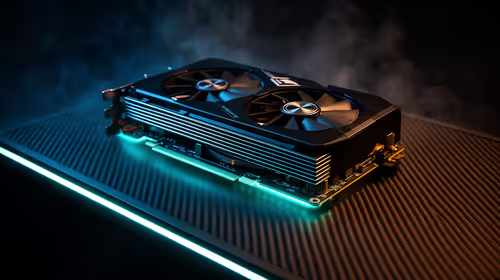
- Reseat Your GPU: The same principle applies to your graphics card. Ensure it's pushed all the way into its slot.
The Overheating Beast
If your PC sounds like a jet engine and your frame rates are dropping mid-game, it's likely overheating. Demanding games like Call of Duty: Warzone 2.0 can quickly expose a system struggling with high temperatures. Cleaning out dust from your case fans, CPU cooler, and GPU fans can make a world of difference.
Safety First! ⚡
Before you open your PC case, always switch off the power supply at the back and unplug it from the wall. Press the power button a few times to discharge any remaining electricity. To be extra safe, touch a metal part of the case before handling components to ground yourself and prevent static damage.
Knowing When to Call for Backup
Empowerment is great, but so is knowing your limits. A failed DIY PC repair can turn a small problem into a big, expensive one. It's best to leave these issues to the pros or consider an upgrade:
- Power Supply (PSU) Failure: A faulty PSU can be dangerous and can damage every other component in your PC. If you suspect it's the problem (e.g., a popping sound, a smell of burning plastic), don't try to fix it.
- Motherboard or CPU Issues: Diagnosing a dead motherboard or replacing a CPU requires a delicate touch and experience. You don't want to risk frying the heart of a high-end system built for the complexities of Microsoft Flight Simulator.
- Persistent Crashing: If you've tried all the simple software and hardware fixes but still get random crashes, it could be a deeper hardware conflict. This is especially true in fast-paced shooters like Counter-Strike 2, where stability is everything.
- Physical Drive Failure: Strange clicking or grinding noises from your hard drive are a final warning. Back up your data immediately. You don't want to lose years of GTA V progress because you tried to open a sealed drive.
From Repair to Radical Upgrade 🚀
Sometimes, a broken component isn't a setback… it's an opportunity. That graphics card that can no longer handle the ray-traced streets of Night City? Its failure might be the perfect excuse to finally get a machine properly optimised for Cyberpunk 2077.
If your old CPU is bottlenecking you in chaotic team fights, a new rig designed for Overwatch 2 could be the competitive edge you need. Even a simple-looking game can benefit from a rock-solid system; don't let a faulty RAM stick corrupt your incredible world in Minecraft. And if you're dropping frames in the final circle due to a slow, old hard drive? A new PC with a lightning-fast SSD, perfect for PUBG, will help you secure that chicken dinner.
From DIY Fix to Dream Rig?
Fixing your own PC is rewarding, but sometimes the best repair is a full upgrade. If your rig has fought its last battle, don't stress. Explore Evetech's massive range of gaming PCs and find the perfect pre-built machine to get you back in the game, stronger than ever.