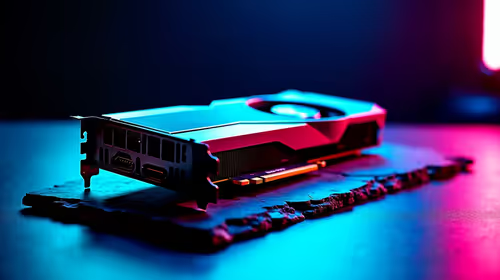
Building a heavy-duty rig in South Africa means making every single Rand count. Whether you are rendering complex 3D environments, training intensive AI models, or compiling massive codebases, your GPU is the beating heart of your system. But what are the best feature priorities when choosing a PCIe 5.0 graphics card for workstation-grade builds? Let us break down exactly what you need to look for to maximise your daily productivity and avoid costly bottlenecks. 🚀
Bandwidth and VRAM Supremacy
The new PCIe 5.0 standard offers double the bandwidth of its predecessor. This massive data pipeline is absolutely crucial for moving gigantic textures and complex datasets quickly. When you explore the latest graphics cards, VRAM capacity should always be your top filter. Modern workstation tasks devour video memory at an astonishing rate. If you run out of VRAM during a render, your system will either crash or slow to an agonising crawl.
If you are finally upgrading from legacy NVIDIA GeForce GTX graphics cards, the modern performance leap is truly staggering. You will want at least 16GB of VRAM for serious 4K video editing or professional 3D modelling. Anything less might severely bottleneck your expensive new architecture.
Thermal Design and Sustained Power
Professional workstations run under heavy loads for hours... sometimes even days on end. This makes cooling an absolute priority for any creator. Finding the best graphics card deals means looking far beyond just raw clock speeds. You need a card with a robust, over-engineered cooler. Look for thick metal heatsinks and efficient triple-fan configurations to prevent annoying thermal throttling.
Sometimes, checking out high-end pre-built gaming PC deals can inspire your own workstation layout. Notice how top-tier systems always prioritise unrestricted airflow. Your new PCIe 5.0 GPU will draw significant power from the wall... so a spacious PC case and a premium high-wattage power supply are simply non-negotiable.
Workstation Pro Tip ⚡
When installing a PCIe 5.0 GPU, always check your motherboard manual to ensure full x16 lane allocation. Sharing lanes with multiple high-speed M.2 NVMe drives can secretly throttle your graphics bandwidth... costing you valuable rendering time!
Stretching Your ZAR for Maximum Value
Building a workstation-grade PC locally requires incredibly smart budgeting. You do not always need the absolute flagship model to get professional, industry-standard results. Instead, focus on the best feature priorities when choosing a PCIe 5.0 graphics card for workstation-grade builds. Match the specific hardware strengths of the card to your primary software applications.
Always keep a close eye on our latest tech specials to stretch your hard-earned budget further. Saving a few thousand ZAR on your GPU purchase means you can comfortably invest more in faster NVMe storage or extra system RAM. True balance is the ultimate key to a highly reliable, long-lasting workstation. ✨
Ready to Build Your Dream Workstation?
Choosing the right components can be complex, but for maximum power and value in South Africa, Evetech has you covered. Explore our massive range of PC components and find the perfect hardware to conquer your creative workloads.