

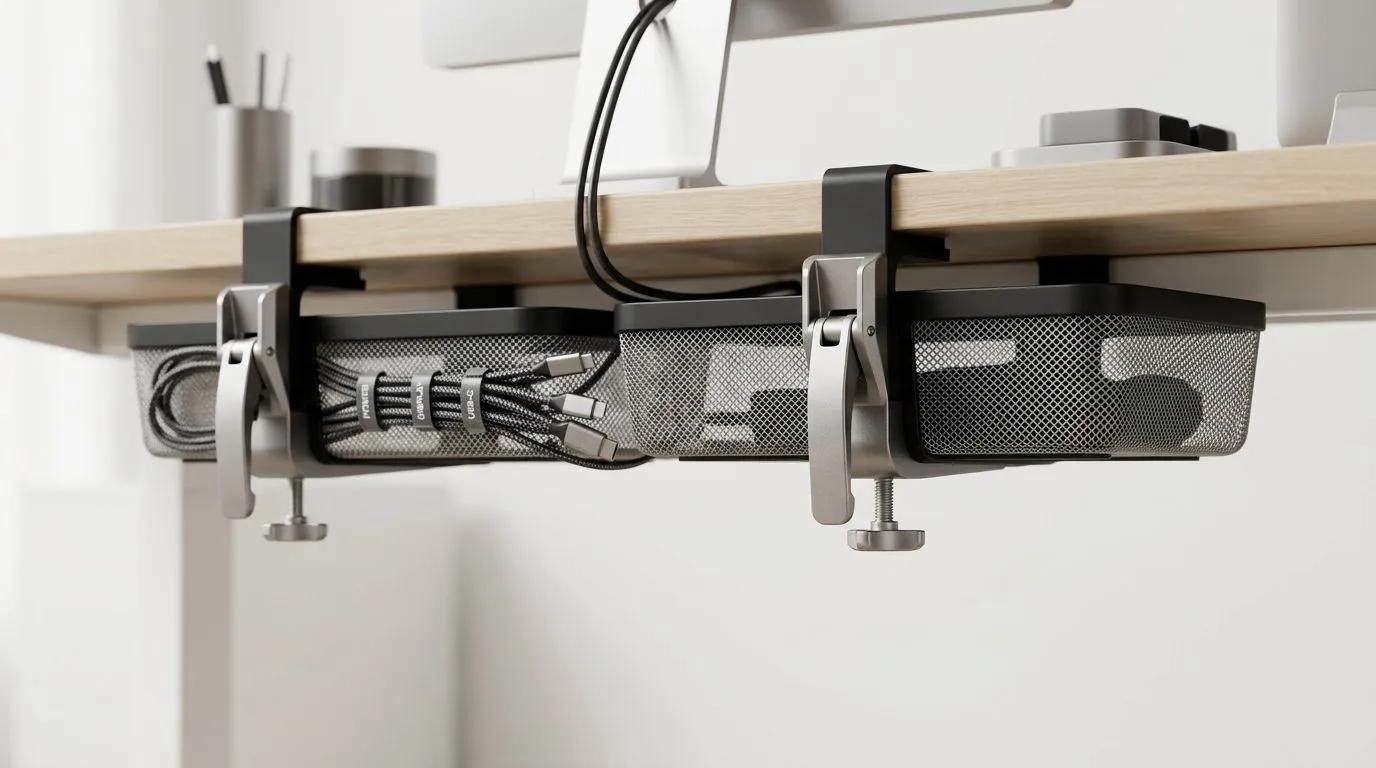
Dual Quick-Release Cable Baskets: The Secret to Clean PC Setups
A messy desk can ruin a great rig. Cables creep off the back, power bricks dangle, and suddenly your tidy battlestation looks like a spaza shop extension lead special. If you game, stream, or work from home in South Africa, a cleaner setup is more than aesthetics... it makes daily use easier, safer, and far less frustrating. That is where dual quick-release cable baskets come in 🔧
A well-planned desk build keeps your monitor, tower, headset, and peripherals exactly where they should be. It also makes upgrades simpler later. Need to swap a PSU, add a capture card, or reroute a charging cable? You do not want to fight tangled wiring first. A cable basket system helps hide the clutter while keeping everything accessible.
Dual Quick-Release Cable Baskets for Cleaner Desk Builds
The real appeal of dual quick-release cable baskets is practical. One basket can hold power strips and the heavier cables. The other can separate USB, display, and accessory lines. That split matters when your setup grows over time. You get better organisation, less strain on connections, and a cleaner look from every angle ⚡
For gamers building around a proper desk, the workspace matters as much as the PC itself. If you are comparing desk options for a full rig, have a look at a dedicated gaming desk and plan your cable routing before the first screw is tightened. It is much easier to hide cables during the build than to fix them afterwards.
Why quick-release matters
Quick-release design is about convenience. Instead of unbolting an entire tray or basket, you can remove sections faster when you need access underneath. That helps during cleaning, cable changes, and hardware swaps. For anyone who upgrades regularly, that small detail saves time.
If you prefer branded desk choices, you can also browse an AutoFull gaming desk option for a more specific setup style. Want something with a different look? An Arozzi gaming desk may suit a more refined room aesthetic. And if you want to compare another popular range, check out a Nitro gaming desk too.
How to use cable baskets in a South African setup
A few simple habits make a big difference:
1. Keep power separate from data
Run power cables on one side and USB or display cables on the other. This reduces visual clutter and makes troubleshooting easier.
2. Leave slack where you need movement
A sit-stand desk or monitor arm needs some extra cable length. Too little slack can pull on ports over time.
3. Label the important bits
A tiny label on a power brick or extension lead saves time when load-shedding forces a quick reset.
4. Think about airflow
Do not block ventilation around your PC case or power supply. Clean looks should never come at the cost of cooling.
Cable Management Tip ⚡
Keep your heaviest power bricks and extension leads in the lower basket, then route lighter USB and accessory cables in the upper basket. It reduces cable pull, keeps the desk feeling neat, and makes future changes far easier.
Clean setups are easier to live with
There is also a psychological side to this. A neat desk feels calmer. It looks more intentional. When you sit down to game after work, you are not greeted by cable chaos... you are greeted by a proper setup. That subtle difference makes the whole room feel more premium ✨
And in a market where every rand matters, buying once and organising properly is smarter than repeatedly patching a messy desk. If you are planning a full build or refresh, choosing the right desk and cable layout together can save money and frustration later. That is especially true if your PC doubles as a gaming station and work hub.
Build smarter, not messier
Dual quick-release cable baskets are not flashy. That is exactly why they work. They solve a real problem without taking over your setup. For South African gamers who want a cleaner desk, easier maintenance, and a more polished finish, they are worth considering early in the build process.
Ready to Find Your Perfect Match? The Mac vs Windows debate is complex, but for maximum power, choice, and value in South Africa, Windows is hard to beat. Explore our massive range of laptop specials and find the perfect machine to conquer your world.










