


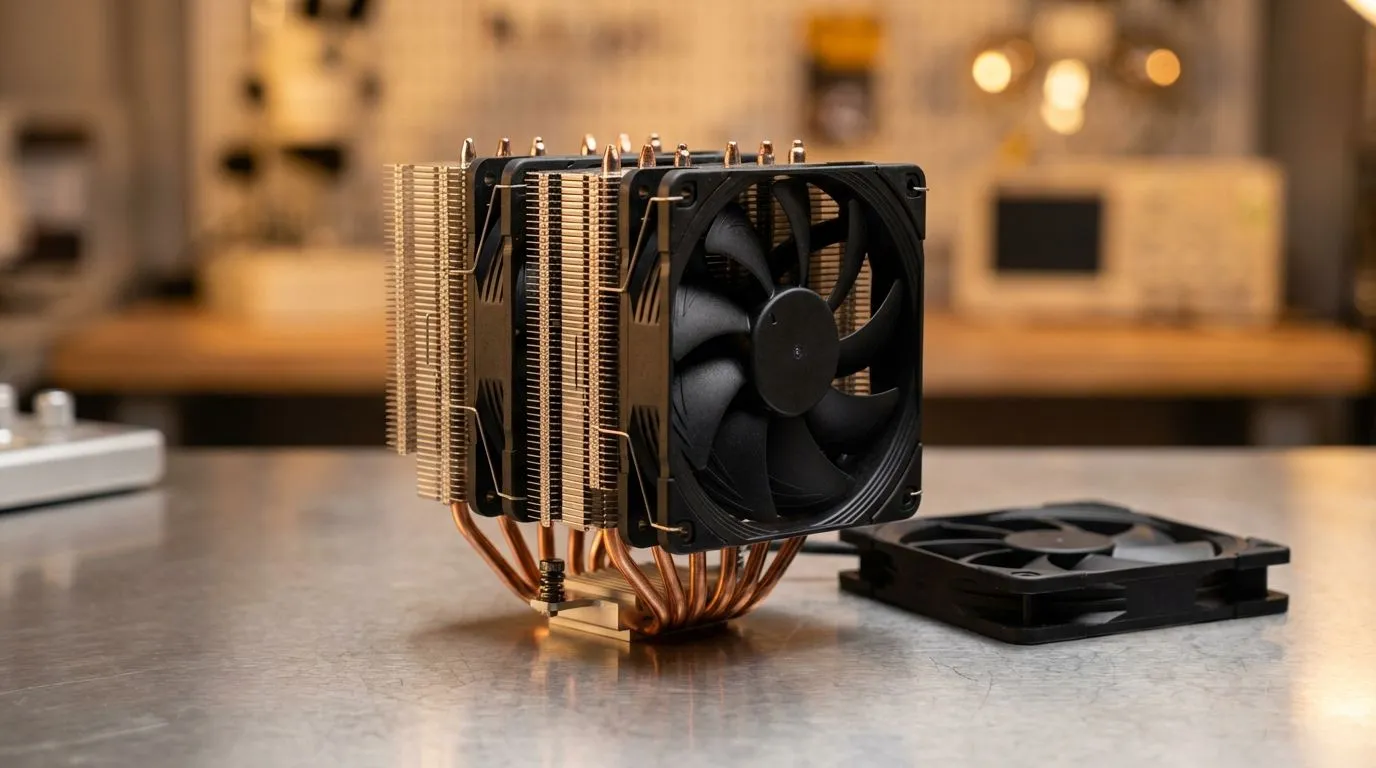
Building a high-end PC in South Africa means battling the heat. Whether you are in Durban's humidity or the Gauteng sun, your CPU needs help. If you have invested in a massive heatsink, getting your dual tower cooler fan placement right is the difference between thermal throttling and peak performance. Let's ensure your airflow is actually working for you to protect your hardware. 🔧
Understanding Dual Tower Cooler Fan Placement for Maximum Airflow
When you look at a massive heatsink, it is easy to feel overwhelmed. Dual tower designs are essentially two separate cooling fins connected by heat pipes. To get the best results, you need a consistent path for the air to travel. If you browse our range of CPU coolers, you will notice that most premium units include two fans.
The standard dual tower cooler fan placement involves a "Push-Pull" configuration. The first fan sits on the outside of the front tower, pushing fresh air into the fins. The second fan sits in the middle, between the two towers. This middle fan pulls air from the first tower and pushes it into the second. This creates a high-pressure stream that carries heat away quickly.
Optimising Your Internal Airflow Direction
It is vital to match your cooler's direction with your case fans. Most South African gamers use a front-to-back airflow setup. Your cooler should follow this logic. If your rear exhaust fan is pulling air out, your CPU fans should be pointing toward the back of the case.
Choosing a high-performance air cooler is only half the battle. If you mount the fans backwards, you create "dead air" zones. This causes heat to build up inside the fin stacks... leading to higher temperatures and louder fan noise as the system tries to compensate.
Pro Cooling Tip ⚡
Always look for the small arrows embossed on the plastic frame of your fans. One arrow shows the direction of blade rotation, while the other shows the direction of airflow. Ensure both fans on your dual tower are pointing toward the rear exhaust of your chassis to maintain a linear thermal path.
Managing RAM Clearance and Fan Size
One common hurdle with dual tower cooler fan placement is RAM clearance. High-profile RGB RAM often sticks out too far. This forces the front fan to sit slightly higher on the heatsink. While this looks a bit odd, it is perfectly safe.
If you are worried about space, many builders opt for 120mm fan air coolers because they offer a better balance between size and compatibility. A 120mm fan is often easier to adjust upward than a 140mm variant.
Best Brands for Dual Tower Efficiency
If you are looking for reliable thermal performance, certain brands have mastered the art of the dual tower. We highly recommend checking out Deepcool air cooling solutions for their excellent mounting systems. They make adjusting your fan height simple. For those on a tighter budget who still want great aesthetics and performance, the EINAREX options provide fantastic value for money in the local market. 🚀
Remember, a well-placed fan can lower your CPU temperature by as much as 5 to 10 degrees Celsius under load. That is the difference between a stable overclock and a system crash during a heated match.
Ready to Chill Your Build? Correct fan placement is the secret to a cool and quiet PC. For the best thermal performance and the widest selection of heatsinks in South Africa, we have you covered. Explore our massive range of CPU coolers and find the perfect match to keep your temperatures low and your frame rates high.











