


Clean Gaming Keyboard: Guide for Dusty & Humid Conditions
Clean gaming keyboard quickly and safely in dusty or humid conditions with step-by-step tips, tool checklist, and maintenance routines to prevent corrosion and switch failure. 🧼💨
Read moreE-ATX vs ATX motherboard support explained: learn how to pick a case that fits your board, cooling, GPU clearance, and future upgrades ✅🧰
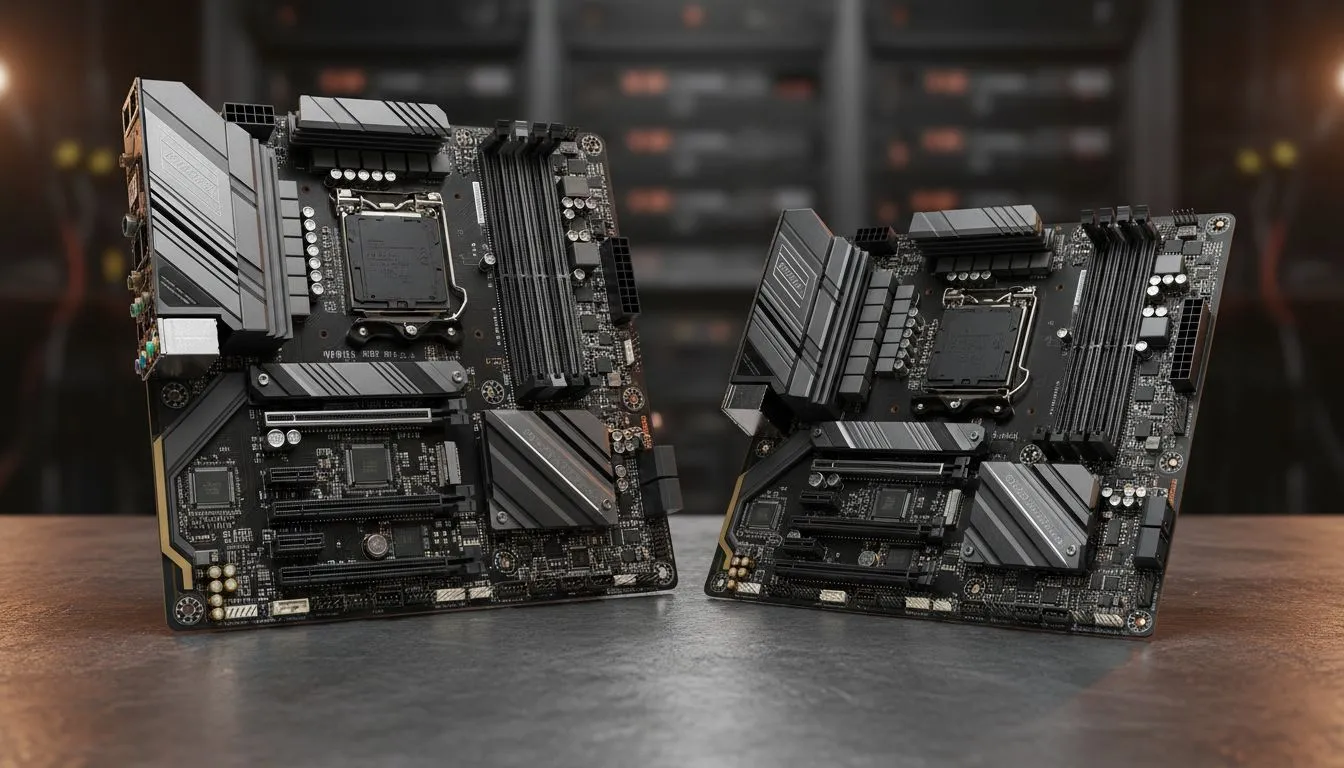
You’ve got your parts list. The CPU is a beast, the GPU is ready to tear through frames, and you’ve found the perfect motherboard. But wait… will it actually fit inside your dream case? This is where the crucial E-ATX vs ATX motherboard support question comes in, a detail that can make or break your PC building experience. Getting this wrong means frustration and returns. Getting it right? That’s the first step to a flawless build. 🔧
Before you can choose the right case, you need to know what you’re working with. Motherboards come in several standard sizes, or "form factors." For most PC builders in South Africa, the choice boils down to two main contenders: ATX and E-ATX.
This is the gold standard for a reason. ATX boards (typically 305mm x 244mm) offer a fantastic balance of features, expansion slots, and connectivity. They have enough space for multiple RAM slots, PCIe slots for your graphics card and other peripherals, and robust power delivery for modern CPUs. For over 90% of gamers and creators, an ATX motherboard is the perfect foundation for a powerful rig.
Think of E-ATX as the big brother. While there's no single strict standard, E-ATX boards are wider than ATX, often around 305mm x 277mm or even larger. This extra real estate is used for more features: additional RAM or M.2 slots, more powerful VRMs for extreme overclocking, and enhanced connectivity. They are designed for enthusiasts who want to push their hardware to the absolute limit.
Here’s the simple truth: a motherboard is useless if it can’t be securely mounted. The core of the E-ATX vs ATX motherboard support debate isn't about which board is "better," but which case is correct for your board. An ATX board will fit in almost any case that supports E-ATX, but the reverse is never true. Trying to squeeze an E-ATX motherboard into a standard ATX case just won't work.
When you're browsing for a new home for your components, the product specifications will always list the supported motherboard form factors. Always check this before you click "add to cart." A quick look at the specs on our massive range of computer cases will save you a massive headache later on.
So, which one is for you? The answer depends entirely on your build goals and budget.
You should consider an E-ATX build if you are:
For these high-end builds, you'll want a premium chassis that provides excellent airflow and build quality. Brands like Fractal Design are renowned for their spacious and well-engineered PC cases that accommodate E-ATX with ease.
Before buying a case, don't just check motherboard support. Also, verify the maximum GPU length and CPU cooler height. A powerful graphics card or a massive tower air cooler might not fit in a smaller mid-tower case, even if the motherboard does. Check the case specs on Evetech against your component dimensions!
For the vast majority of South African gamers, an ATX build is the smarter, more cost-effective choice. It provides:
You can find a huge variety of stylish and functional cases from brands that deliver incredible bang for your buck. The selection of Gamdias gaming cases, for instance, offers fantastic features without breaking the bank. In fact, you can get a brilliant chassis with great airflow and tempered glass for a steal, with many excellent Gamdias gaming cases under R1500.
Ultimately, understanding E-ATX vs ATX motherboard support is about planning. Match your motherboard's form factor to your case specifications, and you're setting yourself up for a smooth, successful, and satisfying PC build.
Ready to House Your Dream Build? Whether you're going for a monster E-ATX machine or a sleek and powerful ATX rig, the perfect chassis is waiting. Explore our huge range of PC cases and find the ideal home for your components today.
E-ATX is wider and offers extra mounting points for high-end motherboards and multi-GPU layouts; ATX is smaller and fits mid towers.
Usually no. Standard ATX cases may lack the width and mounting standoffs needed for E-ATX; check case specs for E-ATX support.
Full towers and many modern full-size mid towers list E-ATX case compatibility. Look for explicit E-ATX support in specs.
Measure motherboard width, rear IO clearance, GPU length, and CPU cooler height. Compare to case GPU and cooler clearance specs.
Yes. E-ATX can block airflow paths and change radiator placement, so confirm cooler and radiator clearance when picking a case.
E-ATX benefits high-end builds needing extra PCIe slots or better power delivery; ATX is typically sufficient for most gaming PCs.
Check supported motherboard sizes, GPU and cooler clearance, PSU length, cable routing, and explicit E-ATX compatibility.
Clean gaming keyboard quickly and safely in dusty or humid conditions with step-by-step tips, tool checklist, and maintenance routines to prevent corrosion and switch failure. 🧼💨
Read more
Best gaming keyboard features to prioritize when building a high-end setup: mechanical switches, low latency, hot-swap, RGB, macros, durability and ergonomics 🎮⌨️
Read more
Custom actuation point keyboard setup guide: learn to set per-key actuation on your analog gaming keyboard for faster, precise inputs and better control 🎮⚙️
Read more
Cable management for home entertainment helps you eliminate cable clutter quickly and safely. Learn routing, concealment, and product picks to tidy your setup fast 📺🔌
Read more
conference room setup Microsoft Teams Zoom: Upgrade AV, camera, mic, and network to ensure seamless meetings, clear audio, and crisp video 🎯🔧
Read more
• Audit setup • Link accounts • Configure ViewBoard • Test workflows Integrate Google Workspace with ViewSonic ViewBoard to enable secure SSO, calendar and Drive sync, and smooth collaborative whiteboarding 🔗📋
Read more
Discover webcams that automatically adjust light and color for crystal-clear video calls 🎥✨. Boost your streaming quality today!
Read more
Discover webcams that blend into your workflow 🎯 Capture moments while you work, stream, or create. Upgrade your setup with smart, multitasking tech!
Read more
Dedicated media keys give streamers one-touch control to mute, switch scenes, clip highlights, and adjust audio — cutting task time and boosting consistency 🎛️⚡
Read more
Checklist: 1) Map keyboard actuation depth to genres 2) Step-by-step adjust settings 3) Test and tune for performance 🎮⌨️ Learn keyboard actuation depth for FPS, MOBA, RTS, and RPG to improve response and accuracy.
Read more
Optical switches deliver faster actuation and lower latency than traditional mechanical switches, using light-based triggers and minimal debounce to boost gaming and typing performance ⚡⌨️
Read more Clean gaming keyboard quickly and safely in dusty or humid conditions with step-by-step tips, tool checklist, and maintenance routines to prevent corrosion and switch failure. 🧼💨
Read more