


Best RTX 5090 Under R5000 in South Africa 2026
Top RTX 5090 Under R5000 picks evaluated on performance, value & SA availability with current Rand pricing from Evetech.
Read moreOur ultimate PC build checklist guides you through every step of your first build. From choosing compatible components to gathering the right tools, we've got you covered. Avoid common mistakes and build your dream rig with confidence! ✅ Get started now and make it perfect. 🖥️
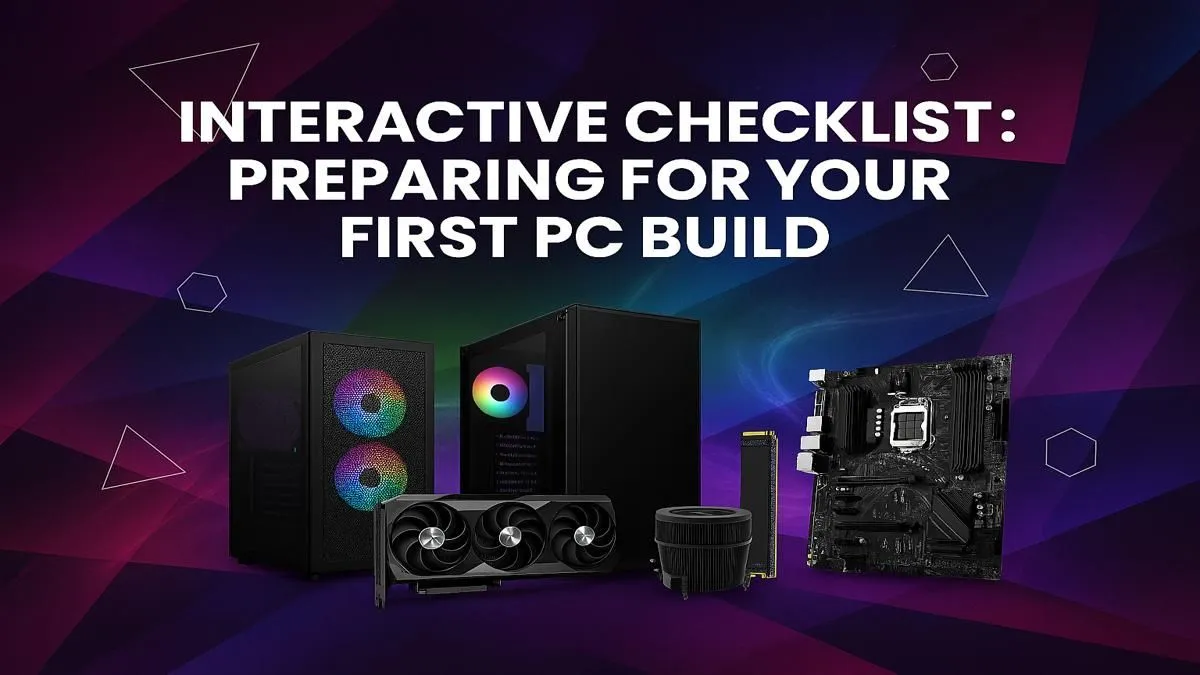
So, you’re ready to build your own PC? Lekker! The thrill of unboxing components and bringing your own gaming rig to life is unmatched. But let's be real, it can also be a bit daunting. One wrong part, one forgotten cable, and your dream machine is a pricey paperweight. That’s where this essential PC build checklist comes in. Follow our guide for a flawless first build, from motherboard to monitor, and avoid the classic rookie mistakes. 🚀
Embarking on your first build is a rite of passage. To make sure it’s a success story, not a troubleshooting nightmare, we’ve broken down the process into a simple, step-by-step guide. Think of this as your co-pilot for the entire journey.
Every great PC starts with the perfect pairing of a processor (CPU) and a motherboard. The CPU is the brain, handling all the calculations, while the motherboard is the central nervous system connecting everything.
Key Consideration: Compatibility is non-negotiable. An AMD CPU needs a motherboard with an AMD socket (like AM5), and an Intel CPU needs an Intel socket (like LGA 1700). Always double-check this before adding to your cart! For those starting out, our range of budget gaming PCs offers perfectly matched combos to get you in the game without breaking the bank.
This is where the magic happens for gamers. Your Graphics Card (GPU) renders the beautiful worlds you explore, while your RAM (Random Access Memory) provides the short-term memory your PC needs to run games and apps smoothly.
You'll find this sweet spot in many of our most popular gaming PCs under R20,000, delivering incredible value and performance.
Slow loading screens are a thing of the past. A Solid State Drive (SSD) is essential for any modern PC build. We recommend an NVMe M.2 SSD as your primary drive for the operating system and your favourite games—the speed difference is massive. You can always add a larger, more affordable SATA SSD or HDD later for bulk storage.
If you want to skip the setup and jump straight into the action, our pre-built PC deals come with expertly installed and configured ultra-fast storage.
Before you install the motherboard, plan your cable routes! Use the cutouts in your PC case to run cables behind the motherboard tray. This doesn't just look clean; it dramatically improves airflow, keeping your components cooler and quieter. A pack of zip ties is your best friend here.
These components aren't as flashy as a GPU, but they are critical to the stability and lifespan of your PC.
High-performance builds, like the machines you'll find in our premium PCs over R20,000 category, demand robust power and cooling solutions to run at their peak.
Your PC case is more than just a box; it’s your system's home. Prioritise cases with good airflow (like a mesh front panel) to keep your components breathing easy. This is the final and most rewarding part of our PC build checklist: putting it all together. Take your time, follow the motherboard manual, and enjoy the process.
If you're looking for inspiration on how a finished build can look, check out the stunning machines in our best gaming PC deals.
Completing your first PC build is an incredible feeling. You've created a machine perfectly tailored to your needs, and you'll know it inside and out. This guide to a flawless first build should give you the confidence to get started. However, if sourcing parts and assembly feels like a mission, there's no shame in getting a pro to handle it.
Ready to Build or Buy? Building a PC is an epic journey. But if this checklist feels like a bit too much homework, our team of experts has already done the hard work. They build, test, and optimise rigs all day, every day. Explore our massive range of PC components or let us build your dream machine for you.
The first step is to define your budget and primary use case (e.g., gaming, video editing, work). This determines which components, like the CPU and GPU, to prioritize.
The seven essential PC components are the CPU, motherboard, RAM (memory), GPU (graphics card), storage (SSD/HDD), power supply unit (PSU), and a case to house them all.
You only need a few basic tools. A Phillips head screwdriver is essential. Zip ties for cable management and an anti-static wrist strap are also highly recommended.
Use a pc build compatibility checklist and online tools like PCPartPicker. Pay close attention to the CPU socket on the motherboard, RAM type, and PSU wattage for your GPU.
For many beginners, cable management and installing the CPU without bending pins are the most challenging parts. Take your time and follow your motherboard's manual carefully.
Absolutely! With a good step-by-step pc build guide and the right checklist, building a PC is like assembling adult LEGOs. It's a rewarding and educational experience.
Top RTX 5090 Under R5000 picks evaluated on performance, value & SA availability with current Rand pricing from Evetech.
Read more
Top Value RX 9070 XT Under R10,000 picks evaluated on performance, value & SA availability with current Rand pricing from Evetech.
Read more
Top RTX 5090 Under R4000 picks evaluated on performance, value & SA availability with current Rand pricing from Evetech.
Read more
Top RTX 5080 Under R15000 picks evaluated on performance, value & SA availability with current Rand pricing from Evetech.
Read more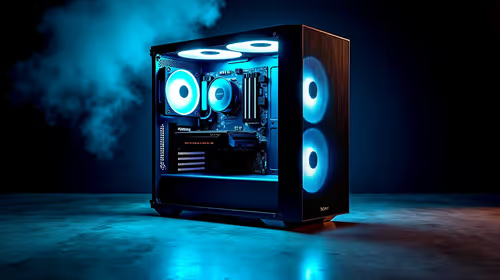
Core i5-14400F + B760 + RX 7800 XT Build Under. Full parts list, Rand pricing & expected performance. Build confidently with SA-available components.
Read more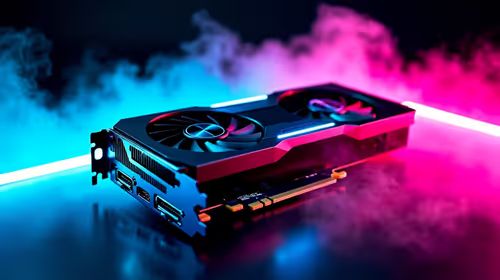
Top Budget RTX 5070 Ti Under R20,000 Gamers picks evaluated on performance, value & SA availability with current Rand pricing from Evetech.
Read more
Can RTX 4080 Super Run AI Workloads for SA Developers Detailed answer with SA data, expert analysis & practical recommendations for local buyers.

Can RTX 4090 Run AI Workloads for SA Developers Detailed answer with SA data, expert analysis & practical recommendations for local buyers.

Top Settings for Intel Arc B580 at Ultrawide 1440p picks evaluated on performance, value & SA availability with current Rand pricing from Evetech.

RX 7600 Overclocking Guide: Safe OC Settings for. Real-world benchmark data, FPS numbers & performance analysis. What SA gamers can actually expect.

RTX 4060 CS2 Low Settings at 1080p: FPS Results. Real-world benchmark data, FPS numbers & performance analysis. What SA gamers can actually expect.

Visual Artifacts: Possible GPU Issue Issue #1. Diagnosis steps, proven fixes & when to seek professional help. SA-specific support info included.

Can the RTX 4090 Handle 1440p 144Hz Gaming. Performance testing verdict with real data & practical recommendations for SA buyers.

Top ASUS GPU Under R15000 picks evaluated on performance, value & SA availability with current Rand pricing from Evetech.

GTA 6 Max Settings on RTX 5070. Tested & verified settings for best FPS and visual quality on SA hardware budgets.

Cyberpunk 2077 Max Settings on RTX 5080. Tested & verified settings for best FPS and visual quality on SA hardware budgets.

Starfield Max Settings on RTX 5070 Ti. Tested & verified settings for best FPS and visual quality on SA hardware budgets.
Top RTX 5090 Under R5000 picks evaluated on performance, value & SA availability with current Rand pricing from Evetech.