

Should You Buy a 240Hz monitor or Build a PC in South Africa?
Should You Buy a 240Hz monitor or Build a PC. Full parts list, Rand pricing & expected performance. Build confidently with SA-available components.
Read more• Diagnose the issue • Choose safe DIY fixes • Prevent future damage. Fix laptop headphone jack fast with simple tools and no expensive repairs. Step-by-step tips, safe tests, and cheap parts to restore audio 🎧🔧
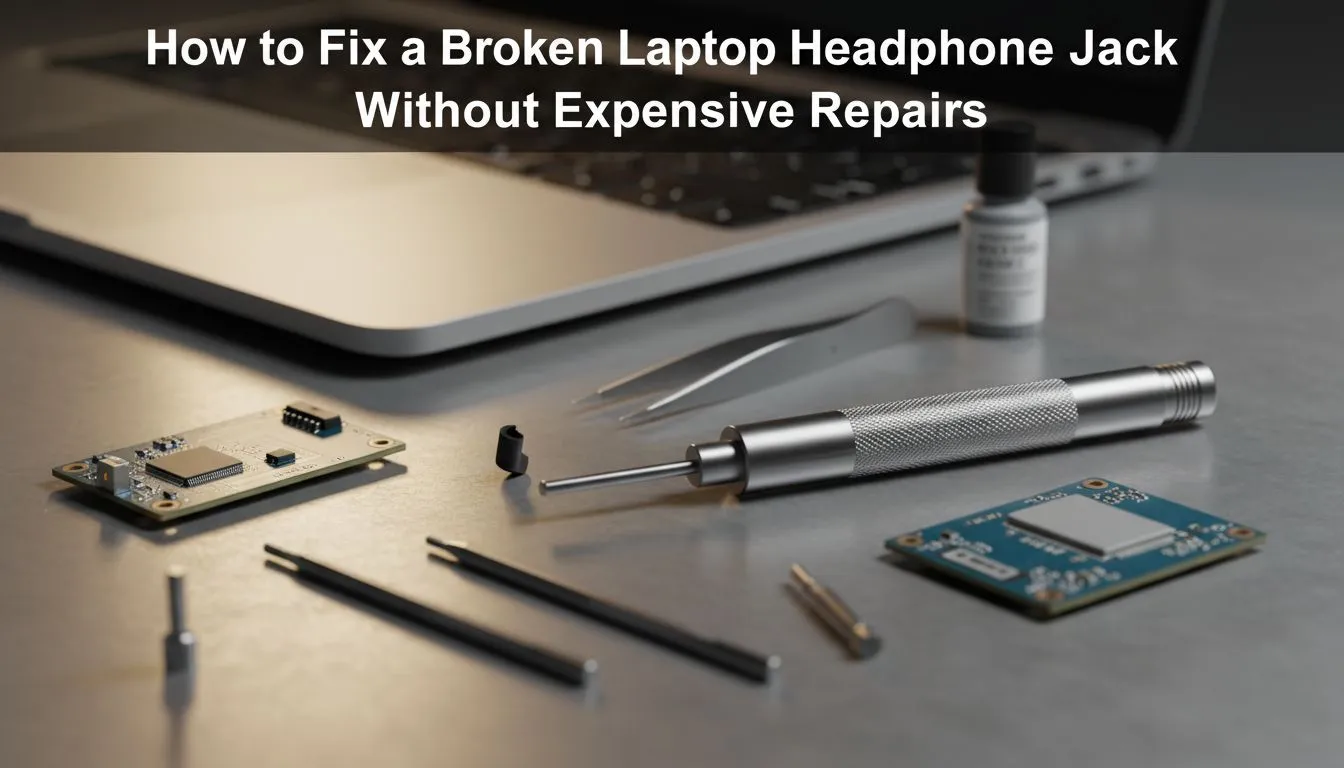
There is nothing more frustrating than settling into a late-night session only to find your audio is crackling or completely silent. Before you panic about technical call-out fees, you can often fix laptop headphone jack quickly without costly repairs yourself. Whether it is simple dust or a driver glitch, most audio issues are solvable with a few basic steps right here in South Africa.
Before you start poking at your hardware, you need to determine if the problem is digital or physical. Sometimes, Windows updates can mess with your sound drivers, making it seem like your jack is broken when it is actually just a software conflict. Start by testing your headphones on another device, like your phone, to ensure the cable itself is not the culprit.
If the headphones work elsewhere, the issue lies with your laptop. You should check your sound settings to ensure the correct output device is selected. Occasionally, the system might default to internal speakers even when something is plugged in. If you find that you need to replace your gear entirely, you can always buy gaming accessories that offer more robust build quality for future-proofing your setup.
If the software looks fine, it is time to look at the port itself. Over time, pocket lint and dust can settle inside the 3.5mm jack... preventing a clean connection. Use a can of compressed air to blow out any debris. If you see something stubborn, a toothpick used very gently can help hook out the lint. Be extremely careful not to bend the internal pins, as this will lead to a permanent hardware failure.
Always unplug your headphones by gripping the jack housing rather than pulling the cable. Pulling the wire puts unnecessary tension on the internal solder points of the laptop port, which is the leading cause of loose connections that require professional soldering later on.
If cleaning does not work, check for oxidation. Sometimes a tiny amount of high-quality contact cleaner on the end of your headphone plug... inserted and rotated a few times... can clear up static. If you are looking for more ways to enhance your audio experience without breaking the bank, keep an eye on our latest gaming accessories deals for affordable upgrades.
Sometimes the best way to fix laptop headphone jack quickly without costly repairs is a simple driver reinstall. Go to the Device Manager, find your audio inputs and outputs, and uninstall the Realtek or generic audio driver. Restart your laptop, and Windows will automatically reinstall the driver, often clearing up any "ghost" issues where the jack is not being detected.
If the internal jack is truly dead and you do not want to pay for a motherboard repair, a USB sound card adapter is a brilliant workaround. These tiny dongles plug into a USB port and provide a fresh 3.5mm jack, bypassing the broken internal hardware entirely for just a few hundred ZAR. This is often the most cost-effective solution for older laptops. You can find a variety of these premium gaming accessories to get your sound back to crystal clear quality instantly.
Ready to Restore Your Audio Experience? Don't let a faulty jack ruin your immersion. Whether you need a quick adapter fix or a complete headset upgrade for your next competitive match, we have the best tech in South Africa. Explore our massive range of laptop specials and find the perfect gear to keep your head in the game.
Common causes include dirt, bent pins, loose solder, or driver/audio settings issues. Try a careful clean headphone jack check and software tests first.
Yes. Many fixes—cleaning, tightening, or swapping a replacement port—are DIY-safe if you follow guides, use basic tools, and take ESD precautions.
Plug the headphones into another device and try different headphones on the laptop. Check audio settings and test with a USB adapter if unsure.
Yes—short bursts of compressed air can remove debris. Power off the laptop first and avoid liquids or probing with metal objects.
Replace the jack if the port or solder is damaged. Replace the motherboard only if multiple audio circuits fail; port replacement is usually cheaper.
Costs vary: simple port replacements are often low-cost, while board-level soldering or motherboard repairs can be significantly pricier.
Yes—use USB-C/USB audio adapters, a USB sound card, or Bluetooth headphones as inexpensive, immediate workarounds.
Should You Buy a 240Hz monitor or Build a PC. Full parts list, Rand pricing & expected performance. Build confidently with SA-available components.
Read more
Should You Buy a VA monitor or Build a PC. Full parts list, Rand pricing & expected performance. Build confidently with SA-available components.
Read more
Every spec on PCIe 5.0 explained in plain English. What matters for gaming and creator work in 2026, what's marketing fluff, and how each number translates to real-world performance.

A head-to-head look at WiFi 7: real-world performance, ZAR pricing and which option delivers better value for SA builders. The clear answer — no fluff.

Everything you need to set up and tune PCIe 5.0 properly: the prep work, the settings that actually matter, and the mistakes to skip. Written for SA builders in 2026.

Everything you need to set up and tune X870E Motherboard properly: the prep work, the settings that actually matter, and the mistakes to skip. Written for SA builders in 2026.

Wondering what a 512GB SSD capacity really holds? This guide breaks down how many games, photos, and documents fit on 512GB, with real-world ranges 📦💾

Every spec on vrm explained in plain English. What matters for gaming and creator work in 2026, what's marketing fluff, and how each number translates to real-world performance.

Every spec on motherboard explained in plain English. What matters for gaming and creator work in 2026, what's marketing fluff, and how each number translates to real-world performance.

Premium vs Midrange Motherboards in South Africa: real-world performance, SA pricing, power draw and which one delivers better value for your build for SA buyers. The clear answer — without the fluff.
Wondering what a 512GB SSD capacity really holds? This guide breaks down how many games, photos, and documents fit on 512GB, with real-world ranges 📦💾
Every spec on PCIe 5.0 explained in plain English. What matters for gaming and creator work in 2026, what's marketing fluff, and how each number translates to real-world performance.
A head-to-head look at WiFi 7: real-world performance, ZAR pricing and which option delivers better value for SA builders. The clear answer — no fluff.

Every spec on USB4 explained in plain English. What matters for gaming and creator work in 2026, what's marketing fluff, and how each number translates to real-world performance.