


Best RTX 5090 Under R5000 in South Africa 2026
Top RTX 5090 Under R5000 picks evaluated on performance, value & SA availability with current Rand pricing from Evetech.
Read moreCommon issues with PCIe 5.0 and the fixes that actually work in 2026. Diagnose the root cause fast with this practical SA-ready checklist — no generic advice.
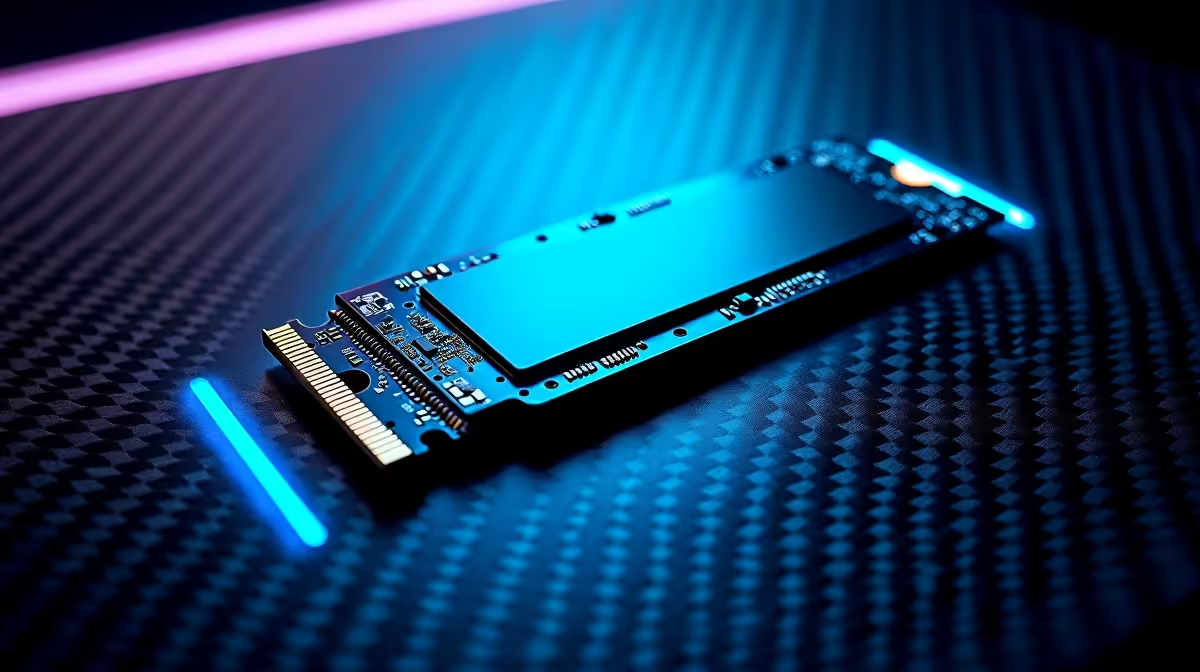
You just dropped serious ZAR on a blazing fast NVMe drive to beat the load-shedding rush. You boot up your rig... and everything still feels incredibly sluggish. Sound familiar?
Fixing slow storage performance starts with knowing how to use PCIe 5.0 and M.2 slots properly. If you plug a top-tier drive into the wrong motherboard slot, you instantly choke its speed. Let us fix that bottleneck today. Waiting minutes for a game to load is officially a thing of the past.
Not all M.2 slots are created equal. Modern motherboards usually feature multiple slots. However, they wire into completely different parts of your system. The top slot closest to your processor connects directly to the CPU. This is exactly where your primary drive belongs. It uses dedicated lanes for maximum bandwidth.
The lower slots route through the motherboard chipset. That routing creates a slight data delay. When you have multiple drives, use these lower slots for your secondary storage or game library backups.
Are you shopping for high-end pre-built gaming PCs? Our expert Evetech builders always ensure your main drive sits in the optimal primary slot. This guarantees maximum frame rates and zero stuttering.
Upgrading to a Gen 5 drive gives you read speeds topping 10,000 MB/s. That is an insane amount of data. However, extreme speed always generates massive heat. If your drive gets too hot, it thermal throttles. It slows down to protect itself... completely ruining your expensive investment.
You must always use the chunky heatsink included with your premium motherboard. If you are building a new rig from scratch, keep a close eye on our specials. You can regularly grab top-tier motherboards with robust M.2 armour at great prices.
Never stack heatsinks. If your new NVMe drive comes with a pre-installed cooler, do not try to squeeze your motherboard's metal shield over it. Remove the motherboard shield entirely to prevent overheating and physical damage.
Desktop users have it easy with massive chassis airflow. Laptop users need to be a bit more careful. When upgrading notebooks for sale in South Africa, you must check if the shell supports double-sided M.2 drives.
Many thin laptops only fit single-sided SSDs. Forcing a thick drive into a slim chassis bends the circuit board. That is a costly mistake you definitely want to avoid. Always verify your manufacturer specifications before checking out.
Once installed, your work is not quite finished. Boot into your BIOS and verify the PCIe generation is set to Gen 5 or Auto. Sometimes older BIOS versions default to Gen 3 speeds. A quick motherboard firmware update can instantly cure your slow storage performance. Always save your settings before restarting.
Modern titles are also starting to utilise DirectStorage. This tech feeds data directly to your graphics card. Having your drive in the correct slot ensures this feature works perfectly. It takes five minutes to check but makes a world of difference.
Ready to Banish Load Screens? Stop waiting for your games to load and start playing. Whether you need a blazing fast Gen 5 NVMe drive or a completely new motherboard to support it, Evetech has you covered. Explore our massive range of SSDs and upgrade your storage today.
PCIe 5.0 is available at Evetech.co.za with local SA warranty, Rand pricing and nationwide delivery. Stock and pricing is updated in real time on the product page.
Most issues trace back to a small set of root causes — BIOS settings, power delivery, driver state or physical install. The article walks through each one in order of likelihood.
In most cases, yes. The fixes here are BIOS-level, settings-level or setup-level — hardware replacement is a last resort, not a first step.
Following the article's diagnostic order, most users isolate the root cause in under 30 minutes without needing bench testing or part swaps.
Only after working through the non-destructive checks. The article calls out the specific symptoms that do point to a hardware fault and need a warranty claim.
Top RTX 5090 Under R5000 picks evaluated on performance, value & SA availability with current Rand pricing from Evetech.
Read more
Top Value RX 9070 XT Under R10,000 picks evaluated on performance, value & SA availability with current Rand pricing from Evetech.
Read more
Top RTX 5090 Under R4000 picks evaluated on performance, value & SA availability with current Rand pricing from Evetech.
Read more
Top RTX 5080 Under R15000 picks evaluated on performance, value & SA availability with current Rand pricing from Evetech.
Read more
Core i5-14400F + B760 + RX 7800 XT Build Under. Full parts list, Rand pricing & expected performance. Build confidently with SA-available components.
Read more
Top Budget RTX 5070 Ti Under R20,000 Gamers picks evaluated on performance, value & SA availability with current Rand pricing from Evetech.
Read more
AMD RX 9050 XT: Rumoured Specs, Price & Release. SA-focused analysis with local pricing data, real-world insights & actionable buying advice.

Can RTX 4080 Super Run AI Workloads for SA Developers Detailed answer with SA data, expert analysis & practical recommendations for local buyers.

Can RTX 4090 Run AI Workloads for SA Developers Detailed answer with SA data, expert analysis & practical recommendations for local buyers.

Top Settings for Intel Arc B580 at Ultrawide 1440p picks evaluated on performance, value & SA availability with current Rand pricing from Evetech.

RTX 4060 CS2 Low Settings at 1080p: FPS Results. Real-world benchmark data, FPS numbers & performance analysis. What SA gamers can actually expect.

Visual Artifacts: Possible GPU Issue Issue #1. Diagnosis steps, proven fixes & when to seek professional help. SA-specific support info included.

Can the RTX 4090 Handle 1440p 144Hz Gaming. Performance testing verdict with real data & practical recommendations for SA buyers.

Top ASUS GPU Under R15000 picks evaluated on performance, value & SA availability with current Rand pricing from Evetech.

GTA 6 Max Settings on RTX 5070. Tested & verified settings for best FPS and visual quality on SA hardware budgets.

Cyberpunk 2077 Max Settings on RTX 5080. Tested & verified settings for best FPS and visual quality on SA hardware budgets.

Starfield Max Settings on RTX 5070 Ti. Tested & verified settings for best FPS and visual quality on SA hardware budgets.
Top RTX 5090 Under R5000 picks evaluated on performance, value & SA availability with current Rand pricing from Evetech.