


Best RTX 5090 Under R12000 in South Africa 2026
Top RTX 5090 Under R12000 picks evaluated on performance, value & SA availability with current Rand pricing from Evetech.
Read moreWondering if the Gamemax Sigma 550 fits tall RAM with its heatpipe layout? We break down clearance, cooling obstruction risks, and fitment tips so you can avoid costly RAM returns. 🔥🧠
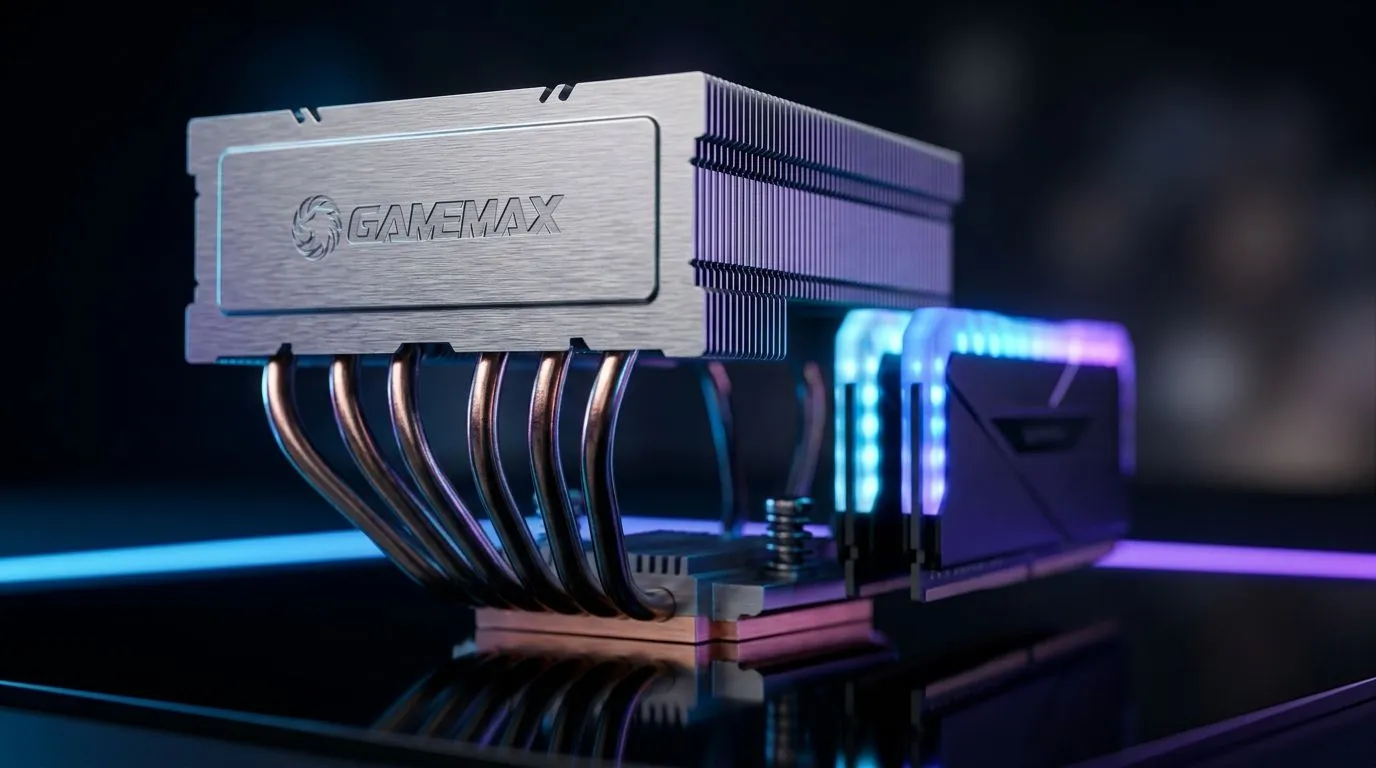
If you’ve ever bought “compatible” RAM… only to find it clashes with your cooler… you know the pain. In South Africa, where budgets get stretched hard, that’s not a fun surprise. 🔧 Gamers building Ryzen or Intel rigs also care about airflow and thermals, especially for long sessions.
So let’s get straight to the point: will the Gamemax Sigma 550 fit tall RAM with its heatpipe design? The answer depends on two things you can actually check in minutes: your motherboard RAM slot height and the cooler’s clearance pattern.
Most mid-tower air coolers clear RAM either by:
Where it gets tricky is heatpipe routing. If the heatpipes or the main fin stack sit low and wide, they can overlap the height envelope of tall RGB DIMMs. Tall RAM kits are often marketed as “gaming” modules, but the real spec to watch is the DIMM height in millimetres, not the RGB branding.
You can reduce the risk by planning for the worst-case layout: populate the RAM in your intended slots and measure from the motherboard surface to the nearest cooler element.
On a build day, do a “dry fit” before applying thermal paste. Place the CPU cooler bracket and fan assembly without tightening fully, then hold your exact tall RAM kit in the slot. If there’s even 2–3 mm interference potential, you’ll spot it immediately and save yourself a headache."
Here’s a practical method that works for most air coolers:
Check the RAM product page for its height. Many tall RGB sticks land around 40–45 mm, but not all do. If your kit is unusually high, plan for reduced clearance.
Because clearance varies by exact cooler revision and mounting hardware, it’s smarter to compare within Evetech’s air-cooler selection first, then narrow down to models that explicitly include higher RAM compatibility. Browse options like the general set of CPU coolers, and then filter further to air coolers and fan sizes to match your airflow goals. ✨
Even when the heatsink clears the RAM, fan position can still interfere with VRM heatsinks or motherboard shielding. If you’re using a cooler that supports rotation, try the orientation that keeps the fan’s hub away from the tallest DIMM.
If you discover the Gamemax Sigma 550 clashes with your tall RAM, consider these low-cost options:
At the end of the day, cooling performance is only useful if the hardware actually sits correctly. Get the clearance right, then worry about temps.
Ready to Find Your Perfect Match? Clearance is the silent killer of smooth builds. If you want maximum value and zero surprises, let Evetech help you pick a cooler that fits your RAM and your case. Explore our massive range of laptop specials and find the perfect machine to conquer your world.
It can, but you must verify RAM clearance around the heatpipes and fin stack. Our fitment checklist helps you confirm before installing.
The heatpipe routing can sit above or near the RAM area. Checking the cooler’s heatpipe path and shadow zone determines interference risk.
Measure from the motherboard RAM height point to the nearest cooler component in the installed position, including any offset from the bracket.
Some coolers allow minor orientation during installation, but it depends on the model and bracket. Always follow the manufacturer’s mounting guidance.
Sometimes, airflow placement can improve fit, but RAM interference is usually a clearance issue near the heatpipes. Measure first.
Yes. Taller heatspreader and RGB modules increase RAM height, which raises the chance of collision with heatpipes or the fin stack.
A safer approach is staying within conservative RAM heights for your specific motherboard and installation, then cross-checking clearance after mounting.
Top RTX 5090 Under R12000 picks evaluated on performance, value & SA availability with current Rand pricing from Evetech.
Read more
When Will the RTX 6090 Launch in South Africa Detailed answer with SA data, expert analysis & practical recommendations for local buyers.

Top Valorant Settings for RTX 5070: FPS Optimisation picks evaluated on performance, value & SA availability with current Rand pricing from Evetech.

RDNA 3.5 Graphics in Ryzen AI 400? Can You Game. Plain-English explanation of what it means, why it matters & how it affects your buying decisions in SA.

GPU Price Index : December Report. Current stock data & price tracking for SA buyers. See what is available and where prices are heading.

Core i5-14600K + B760 + RTX 5060 Build Under. Full parts list, Rand pricing & expected performance. Build confidently with SA-available components.

RX 7600 Apex Legends at 4K: FPS Benchmark. Real-world benchmark data, FPS numbers & performance analysis. What SA gamers can actually expect.

RX 7900 XTX GTA 6 at 4K: FPS Benchmark & Optimal. Real-world benchmark data, FPS numbers & performance analysis. What SA gamers can actually expect.

Head-to-head comparison of RTX 5070 vs RX 9070 XT: Gaming Performance for SA gamers. Performance benchmarks, Rand pricing & which delivers better value.

GPU Setup Guide Gamers. Clear setup instructions with SA-specific considerations, troubleshooting tips & recommended components.
Top RTX 5090 Under R12000 picks evaluated on performance, value & SA availability with current Rand pricing from Evetech.

Call of Duty Warzone 2 Settings on RX 7600. Real-world benchmark data, FPS numbers & performance analysis. What SA gamers can actually expect.

GTA 6 Settings on RTX 5070 Ti: Performance. Real-world benchmark data, FPS numbers & performance analysis. What SA gamers can actually expect.