


Best RTX 5090 Under R12000 in South Africa 2026
Top RTX 5090 Under R12000 picks evaluated on performance, value & SA availability with current Rand pricing from Evetech.
Read moreWondering what Gamemax Sigma 550 Infinity Air Cooler TDP you can run for gaming? We break down safe CPU TDP headroom, boost behavior, and fit tips for smoother performance 😄❄️
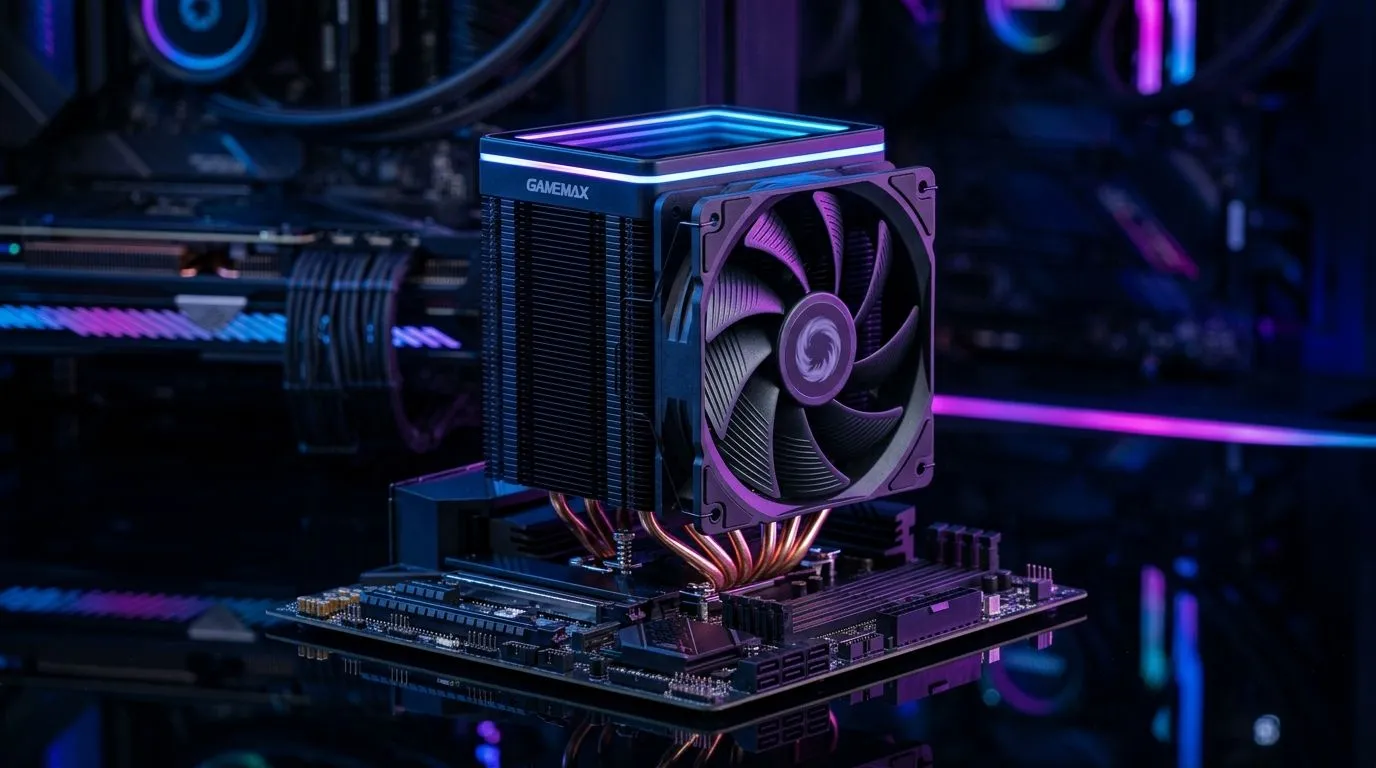
If you’ve ever watched your temps creep up mid-raid or mid-ranked grind, you’ll know the stress… 🔧 Cooling is one of those “set it and forget it” parts until it suddenly isn’t. Today we’re looking at the Gamemax Sigma 550 Infinity Air Cooler TDP: What It Can Handle and what that really means for everyday gaming, streaming, and quiet PC builds in SA.
We’ll keep it practical: what TDP is, how to choose safely, and how to avoid the common mistakes when buying an air cooler.
TDP (Thermal Design Power) is a manufacturer’s estimate of how much heat a CPU will produce under typical loads. In real life, temperatures also depend on:
So when you see a cooler’s “TDP support”, think “capacity under controlled conditions”. It’s not a magic shield, but it’s a solid starting point.
For a quick, reliable cooling overview, start by browsing Evetech’s air cooler selection and match size, fan type, and case compatibility from the start:
Air coolers are popular in South Africa for good reasons: fewer moving parts than AIOs, easier installs, and generally lower cost. If you’re building around a mainstream gaming CPU, an air cooler often does the job well, especially with decent case airflow.
But there’s a catch. If you’re targeting higher-end CPUs with sustained heavy loads (streaming + game + background tasks), you’ll want extra headroom. That’s where fan size and cooler design matter.
If you want to compare brands and product lines before you commit, Evetech makes it easy to narrow down:
Before you buy any air cooler, do these three checks:
your CPU temps spike during games, don’t only blame the cooler. First, verify your fan mounting and direction: front fans should pull air in, rear top fans should exhaust. Then set a gentle fan curve in BIOS so the cooler ramps smoothly instead of waiting until temps are already high. This often improves sustained gaming temps without making your PC loud.
The honest answer: it depends on your CPU model, power limits, and case airflow. Because Evetech’s category pages help you pick the right air cooler “type” and fan/cooling size, you can use them to build a safe match before paying. If you’re pairing it with a typical gaming CPU and your case has solid airflow, an air cooler like this is usually a sensible choice.
If you’re unsure, treat the “TDP it can handle” as your safety buffer. The more your CPU runs at higher sustained power (or you live in a hot room), the more headroom you want.
Ready to Find Your Perfect Match? The Mac vs Windows debate is complex, but for maximum power, choice, and value in South Africa, Windows is hard to beat. Explore our massive range of laptop specials and find the perfect machine to conquer your world.
Most gaming-focused CPUs within moderate TDP ranges should be fine. For the safest results, match the CPU TDP and consider case airflow and fan curve before enabling turbo boosts.
It can work well for many Intel gaming setups when your target CPU stays within an appropriate TDP band and your case airflow is solid.
Yes, for many Ryzen gaming CPUs the cooling performance is sufficient if you keep reasonable power limits and maintain good thermal airflow in the case.
Turbo can exceed rated TDP briefly, and sustained loads matter more for temperatures. Using power limits can improve stability and keep temperatures under control.
Aim for headroom by choosing a CPU at or below the cooler’s comfortable TDP range and ensuring the case has front-to-back airflow.
Yes. Better airflow improves heat dissipation and can help the cooler manage higher power states without thermal throttling.
Verify socket support, RAM clearance, and cooler height in your case. A quick fit check prevents installation issues that can hurt cooling performance.
Top RTX 5090 Under R12000 picks evaluated on performance, value & SA availability with current Rand pricing from Evetech.
Read more
When Will the RTX 6090 Launch in South Africa Detailed answer with SA data, expert analysis & practical recommendations for local buyers.

Top Valorant Settings for RTX 5070: FPS Optimisation picks evaluated on performance, value & SA availability with current Rand pricing from Evetech.

RDNA 3.5 Graphics in Ryzen AI 400? Can You Game. Plain-English explanation of what it means, why it matters & how it affects your buying decisions in SA.

GPU Price Index : December Report. Current stock data & price tracking for SA buyers. See what is available and where prices are heading.

Core i5-14600K + B760 + RTX 5060 Build Under. Full parts list, Rand pricing & expected performance. Build confidently with SA-available components.

RX 7600 Apex Legends at 4K: FPS Benchmark. Real-world benchmark data, FPS numbers & performance analysis. What SA gamers can actually expect.

RX 7900 XTX GTA 6 at 4K: FPS Benchmark & Optimal. Real-world benchmark data, FPS numbers & performance analysis. What SA gamers can actually expect.

Head-to-head comparison of RTX 5070 vs RX 9070 XT: Gaming Performance for SA gamers. Performance benchmarks, Rand pricing & which delivers better value.

GPU Setup Guide Gamers. Clear setup instructions with SA-specific considerations, troubleshooting tips & recommended components.
Top RTX 5090 Under R12000 picks evaluated on performance, value & SA availability with current Rand pricing from Evetech.

Call of Duty Warzone 2 Settings on RX 7600. Real-world benchmark data, FPS numbers & performance analysis. What SA gamers can actually expect.

GTA 6 Settings on RTX 5070 Ti: Performance. Real-world benchmark data, FPS numbers & performance analysis. What SA gamers can actually expect.