


Fix Dead pixel checks on Ryzen 7 9800X3D build
Dead pixel on Ryzen 7 9800X3D build needs careful display-chain checks, not a single-part blame. Test the screen, cable, port, scaling, drivers, and setup context before replacing hardware.
Read moreOur gaming pc cable management guide shows you how to achieve a clean, professional look for your R10000 build. 🖥️ Learn simple techniques to improve airflow, simplify upgrades, and make your new rig look amazing. Get ready to build a tidy, high-performance machine! ⚡
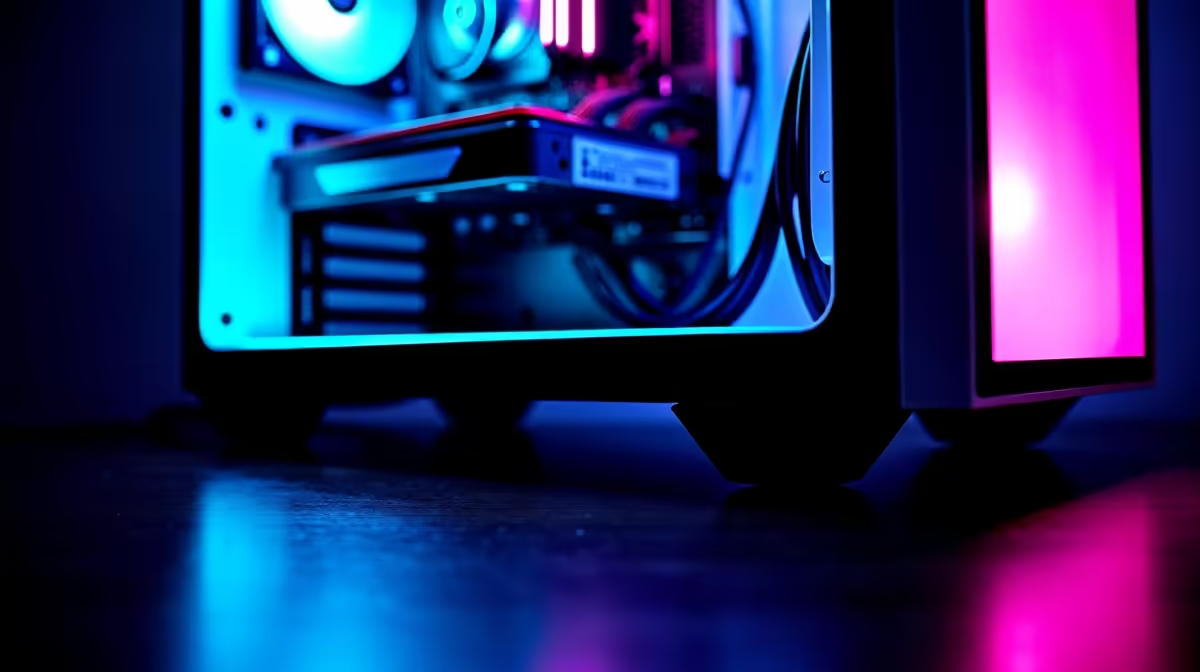
You’ve done it. You’ve saved up, picked your parts, and now all the boxes for your R10,000 gaming rig are sitting in front of you. The excitement is real! But before you dive in, there’s one crucial step that separates a clean, cool-running machine from a chaotic "rat's nest" that chokes airflow: cable management. This guide will show you exactly how to master your cables, even on a budget build. ✨
It's easy to think that meticulous cable management is only for the monster builds with custom water cooling and RGB everything. But even for a modest R10,000 gaming PC, taking 30 extra minutes to route your cables properly pays off big time.
Here’s why it’s not just about looks:
While the custom-sleeved cables on high-end rigs above R20k look incredible, you can achieve a brilliantly clean look with standard cables and a little bit of planning.
You don't need a fancy workshop to achieve great results. For this R10,000 gaming PC cable management guide, your essential toolkit is simple and cheap:
Before you mount anything inside the case, assemble your core components (CPU, RAM, cooler) on the motherboard and place it on top of its anti-static bag on the motherboard box. Connect the power supply and GPU, and boot it up. This is called 'breadboarding', and it confirms your main parts work before you spend an hour managing cables!
Ready to build like a pro? Let's get those cables in order. The key is to work from the biggest cables to the smallest. Many of the affordable chassis you'll find in our range of budget gaming PCs have built-in channels and tie-down points to make this easier.
Before plugging a single cable in, look at your case. Identify the cutouts around the motherboard tray. Where will the main 24-pin power go? Where's the best hole for the 8-pin CPU power cable at the top of the board? A minute of planning saves an hour of re-doing.
These are the thickest and least flexible cables, so they get priority.
Now for the smaller stuff.
Flip your case around. This is where the real work happens. Group parallel cables together and use your zip ties to anchor them to the tie-down points on the case. Create clean vertical and horizontal "highways" for your cables. The goal is to get the back panel to close easily without a giant bulge. You'll often find that the sweet-spot PCs under R20k come with more generous space behind the motherboard, making this step even easier.
Of course, if this all sounds like a bit too much hassle, you can always skip the stress. Our latest pre-built PC deals offer professional-level neatness right out of the box.
Ultimately, taking the time to manage your cables is a skill that will serve you well in all future builds. It's a hallmark of a careful builder and ensures your PC runs its best. When you're ready for your next project, be sure to explore the best gaming PC deals in South Africa for the latest components and inspiration.
Build Like a Pro... or Let Us Do It for You? Taming your cables is incredibly satisfying. But if you'd rather jump straight into the game with a perfectly optimised, professionally built rig, we've got you covered. Explore our massive range of custom-built Gaming PCs and find the perfect machine to conquer your world.
Good cable management is crucial for more than just looks. It significantly improves airflow, keeping components cooler for better performance and longevity. It also makes future upgrades or troubleshooting much easier.
You don't need much! The essentials are zip ties or reusable velcro straps, and a pair of flush cutters. Many modern PC cases even come with built-in cable management channels to help you get started.
Yes! By clearing pathways for air to flow over your CPU and GPU, proper cable management helps prevent thermal throttling. This allows your components to run at their peak speeds for longer, giving you smoother gameplay.
The best place to hide cables is behind the motherboard tray. Most modern cases have dedicated space and routing cutouts for this purpose, allowing you to create a very clean look from the front.
Not at all! While it takes patience, cable management for beginners is very achievable. Start by planning your routes before connecting anything and work on one component at a time. Our guide simplifies the process.
For a budget pc build, cable management is key to maximizing performance. Use the included zip ties, route cables behind the motherboard tray, and connect only the necessary modular PSU cables if you have one.
Dead pixel on Ryzen 7 9800X3D build needs careful display-chain checks, not a single-part blame. Test the screen, cable, port, scaling, drivers, and setup context before replacing hardware.
Read more
AM5 motherboard upgrade dead pixel checks should verify the screen before the platform. This how to fix dead pixel after a AM5 motherboard upgrade guide covers colour tests, ports, cables, BIOS screens, and SA support proof.
Read more
Ultrawide monitor upgrade stuck pixel checks should confirm the panel before blaming the new setup. Test full-width colours, cables, ports, GPU drivers, and scaling in your SA gaming workspace.
Read more
Wi-Fi 7 router upgrades should not change text rendering directly. To fix blurry text after a Wi-Fi 7 upgrade, check display scaling, GPU drivers, remote desktop quality, browser zoom, monitor cables, and PC settings.
Read more
A wireless mouse upgrade should not change monitor refresh rate, but it can expose stutter or input feel issues. Check Windows Hz, receiver placement, drivers, and SA gaming setup basics before replacing gear.
Read more
Wireless gaming headset setups in South Africa do not have a monitor refresh rate. Treat the issue as a display setting problem, then check Windows, GPU drivers, cable bandwidth, and any audio app overlay on the same PC.
Read more
RTX 5090 on a 1200W PSU has usable headroom when the supply is strong and the build is measured. For SA gamers, OC potential depends on CPU draw, cooling, cabling, stability targets, and how much safety margin you keep.

How to fix low FPS on gaming laptop starts with power mode, drivers, heat, and game settings. Use this South Africa-focused checklist to confirm charger use, GPU selection, RAM pressure, and cooling before changing parts or tweaking every setting.

Real world difference between b850 b650 mmo live service games sits in stability, networking, storage, and upgrade room. SA players should compare LAN quality, USB layout, RAM support, and SSD slots for always-updated games.

Dead Pixel on Wi-Fi 7 Router is likely a display-path or source-title issue, so check the screen, cable, driver state, and related system symptoms before blaming the device itself.

Put the headphones in pairing mode, open Bluetooth and devices in Windows 11, then add the headset. If it fails, remove the old pairing and check charge, range and drivers.

Microsoft says upcoming Windows 11 work will target memory use on 8GB PCs and improve boot and sign-in responsiveness. There is no public release date or measured uplift yet.

Windows 11 does not show CPU temperature in its standard Settings pages. Use your CPU maker's supported utility or a trusted monitor, then read idle and loaded temperatures in context.

The Colorful MEOW X16 Pro pairs a Ryzen 7 8745HX with a 115W RTX 5060 Laptop GPU. It is a China-only launch for now, so local RTX 5060 pricing is the practical benchmark.

Industry reports point to another roughly 10 percent Intel processor increase from 5 October, but Intel has not published a consumer price list confirming the scope. South African buyers should treat it as a risk signal, not a guaranteed Rand change.

Tests reported audio capture and local-network scanning on a specific LG television with its screen off. LG says supported standby modes can keep voice and connected-device features active, so owners should review model-specific settings.

Thermalright's AXP120-X77 is a 77 mm top-down cooler with six heatpipes and a slim 120 mm fan. Local availability is not confirmed, so compact-PC builders should verify case height, memory clearance and socket support before comparing it with stocked coolers.

One-sided sound can come from balance settings, a dirty or loose connector, Bluetooth pairing data, firmware, the source device or a failed cable or driver. A short swap test isolates the cause before you reset software or replace the headset.