


Best RTX 5090 Under R5000 in South Africa 2026
Top RTX 5090 Under R5000 picks evaluated on performance, value & SA availability with current Rand pricing from Evetech.
Read moreGaming PC case for beginners: Learn how to plan your first gaming PC build around the right case—size, airflow, compatibility and cable management explained. 🛠️🎮
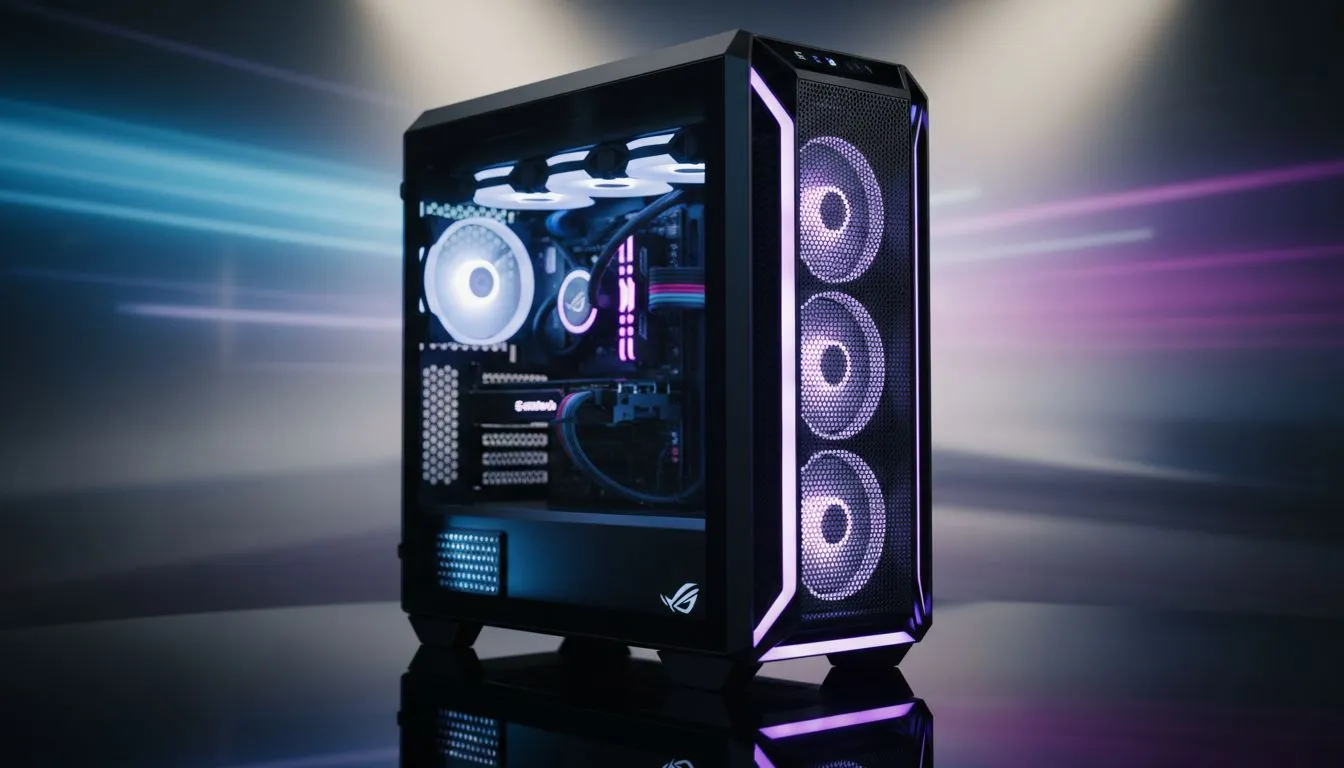
Building your first PC is a proper rite of passage. You've picked your CPU, agonised over the GPU... but what about the box it all goes in? For many, the case is an afterthought. But choosing the right gaming PC case for beginners is one of the most important steps. It’s the home for your expensive hardware, the foundation for your airflow, and the first thing you'll see. Let’s plan your first build properly. 🔧
Think of your PC case as the skeleton of your entire rig. It dictates what parts can fit, how well they cool down during a heavy Warzone session, and how easy (or frustrating) your building experience will be. A good beginner PC case provides ample room to work, smart airflow to protect your components, and a solid foundation for future upgrades. Skimping here can lead to overheating problems and a tangled mess of cables you'll regret later.
Feeling a bit overwhelmed? No stress. When you're looking for a gaming PC case for beginners, you only need to focus on four key things. Get these right, and you're well on your way to a successful first build.
The size of your case is determined by your motherboard. The three main sizes are ATX (the standard), Micro-ATX (a bit shorter), and Mini-ITX (tiny). For a first-timer, we almost always recommend a standard ATX mid-tower case. Why? They offer the most space to build in, making it much easier to connect cables and install big components like graphics cards. They also have great compatibility, so you can explore a wide range of computer cases knowing most parts will fit.
South African summers are no joke, and your PC feels the heat too. Great airflow is non-negotiable. Look for cases with a mesh front panel, which allows fans to pull in cool air easily. A solid front panel might look sleek, but it can seriously restrict airflow and cause your parts to run hotter. Many modern cases, especially from brands like Fractal Design that prioritise airflow, come with pre-installed fans, giving you excellent cooling right out of the box.
you buy, always check the case's spec sheet for two numbers: 'Max GPU Length' and 'Max CPU Cooler Height'. Compare these to the dimensions of the graphics card and CPU cooler you plan to buy. There's nothing worse than discovering your brand-new RTX 4070 is 5mm too long to fit! A few minutes of checking saves hours of frustration.
A great part of planning your first build is thinking about the future. Your case should last you through several upgrades. Good cable management options—like rubber grommets, velcro straps, and plenty of space behind the motherboard—are essential. This doesn't just make your PC look clean through the tempered glass; it also improves airflow by keeping cables from blocking the fans. A tidy build is a happy build. ✨
You don't need to spend a fortune to get a fantastic gaming PC case. While premium cases offer thicker metal and more features, there is incredible value to be found in the budget-friendly space. Brands like Gamdias offer a superb balance of style, features, and price, making them a popular choice for a first PC build. You can find many great value Gamdias gaming cases with tempered glass and included RGB fans. In fact, there are plenty of excellent options under R1500 that will serve a beginner perfectly.
Ready to start browsing? Keep this simple checklist in mind:
Choosing a gaming PC case for beginners is the first step in creating a rig that's truly yours. It’s an exciting process, and getting the foundation right sets you up for years of happy gaming. 🚀
Ready to Build Your Dream Rig? Planning your first build is an adventure. The right case is the perfect canvas for your creation. Explore our massive range of computer cases and find the perfect chassis to house your components and conquer your world.
Choose by motherboard and GPU size: ATX mid-tower is a safe pick for most beginners; micro-ATX or mini-ITX suit compact builds. Check GPU clearance.
Airflow is critical for performance and longevity. Pick cases with mesh fronts or good fan support to avoid thermal throttling. See best airflow cases for gaming.
Some compact gaming PC cases support long GPUs, but check GPU length and cooler height. Consider compact-friendly GPU models or small-form-factor GPUs.
Start with two intake and one exhaust fan for balanced airflow. Add more if you install high-power GPUs or overclocking components for better cooling.
Use the case's routing channels, tie-down points and modular PSU cables. Plan cable paths before installing components to keep airflow clear.
Tempered glass can limit front intake if poorly ventilated. Choose tempered glass cases with dedicated airflow design or additional fan mounts.
Check motherboard form factor, GPU length, CPU cooler height and PSU size in the case spec. Use compatibility lists or the how to choose a PC case for gaming checklist.
Top RTX 5090 Under R5000 picks evaluated on performance, value & SA availability with current Rand pricing from Evetech.
Read more
Top Value RX 9070 XT Under R10,000 picks evaluated on performance, value & SA availability with current Rand pricing from Evetech.
Read more
Top RTX 5090 Under R4000 picks evaluated on performance, value & SA availability with current Rand pricing from Evetech.
Read more
Top RTX 5080 Under R15000 picks evaluated on performance, value & SA availability with current Rand pricing from Evetech.
Read more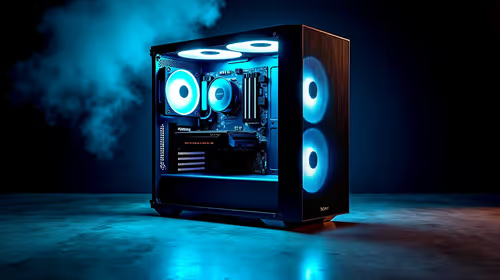
Core i5-14400F + B760 + RX 7800 XT Build Under. Full parts list, Rand pricing & expected performance. Build confidently with SA-available components.
Read more
Top Budget RTX 5070 Ti Under R20,000 Gamers picks evaluated on performance, value & SA availability with current Rand pricing from Evetech.
Read more
AMD RX 9050 XT: Rumoured Specs, Price & Release. SA-focused analysis with local pricing data, real-world insights & actionable buying advice.

Can RTX 4080 Super Run AI Workloads for SA Developers Detailed answer with SA data, expert analysis & practical recommendations for local buyers.

Can RTX 4090 Run AI Workloads for SA Developers Detailed answer with SA data, expert analysis & practical recommendations for local buyers.

Top Settings for Intel Arc B580 at Ultrawide 1440p picks evaluated on performance, value & SA availability with current Rand pricing from Evetech.

RTX 4060 CS2 Low Settings at 1080p: FPS Results. Real-world benchmark data, FPS numbers & performance analysis. What SA gamers can actually expect.

Visual Artifacts: Possible GPU Issue Issue #1. Diagnosis steps, proven fixes & when to seek professional help. SA-specific support info included.

Can the RTX 4090 Handle 1440p 144Hz Gaming. Performance testing verdict with real data & practical recommendations for SA buyers.

Top ASUS GPU Under R15000 picks evaluated on performance, value & SA availability with current Rand pricing from Evetech.

GTA 6 Max Settings on RTX 5070. Tested & verified settings for best FPS and visual quality on SA hardware budgets.

Cyberpunk 2077 Max Settings on RTX 5080. Tested & verified settings for best FPS and visual quality on SA hardware budgets.

Starfield Max Settings on RTX 5070 Ti. Tested & verified settings for best FPS and visual quality on SA hardware budgets.
Top RTX 5090 Under R5000 picks evaluated on performance, value & SA availability with current Rand pricing from Evetech.