


Best AMD GPU Under R40000 in SA 2026
Top AMD GPU Under R40000 picks evaluated on performance, value & SA availability with current Rand pricing from Evetech.
Read moreExplore our gaming pc components infographic to understand every part of your rig! 🖥️ From the CPU and GPU to the motherboard and PSU, we break down the essentials for beginners and builders alike. Learn how each component works together to deliver elite gaming performance. 🚀
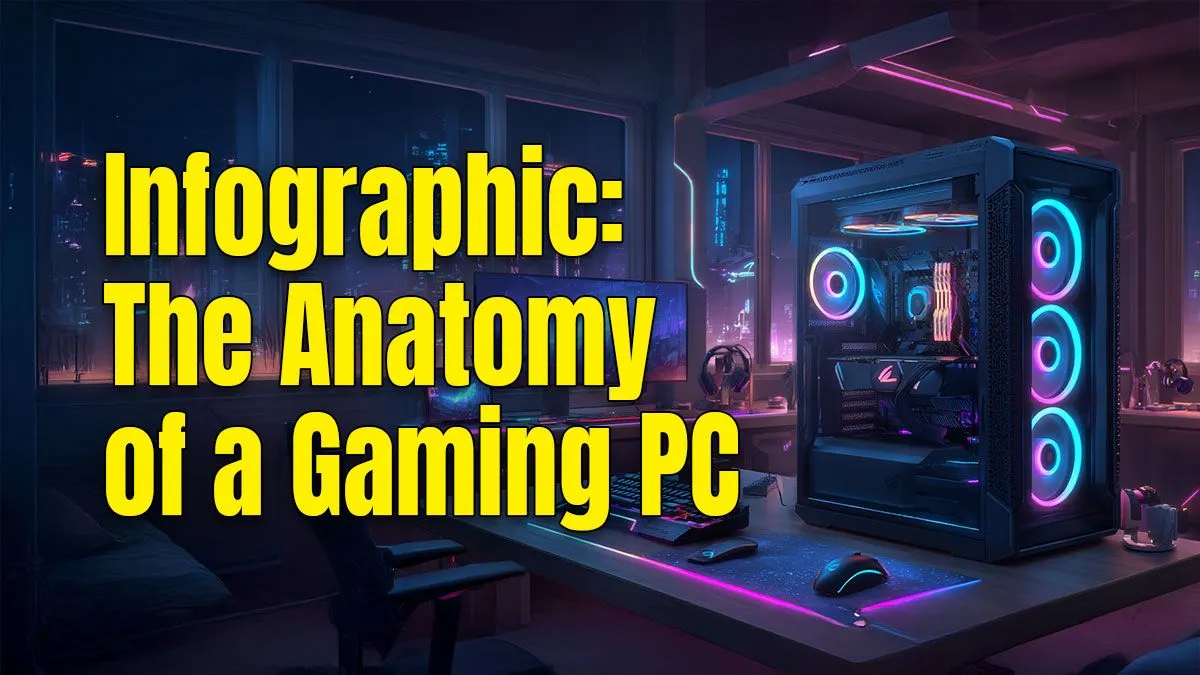
Ever stared at a list of PC parts and felt like you were reading a different language? CPU, GPU, RAM... it can be a lot. But choosing the right rig doesn't have to be a mission. We're breaking it all down, lekker and simple. This guide explains all the core gaming PC components, turning you from a PC newbie into a confident buyer. Let's get you geared up to dominate your favourite games. 🚀
Every gaming PC is built around three critical parts that do the heavy lifting. Understanding how they work together is the first step to choosing a balanced machine that delivers maximum performance for your rand.
Think of the CPU as your PC's brain. It processes instructions from all your programs, from Windows itself to the complex AI in Cyberpunk 2077. A faster CPU means your PC can think faster, which is crucial for strategy games and smooth multitasking. Whether you're Team Intel or Team AMD, a solid CPU is the foundation of any good rig, even in great-value budget gaming PCs.
This is the single most important component for gaming. The GPU, or graphics card, is a specialised processor designed to render the stunning visuals you see on screen. It draws every character, texture, and explosion. A more powerful GPU lets you crank up the settings to "Ultra" and enjoy higher frame rates. For 4K gaming or VR, you'll want to invest heavily here, which is common in high-end rigs over R20k.
RAM is your PC's super-fast, short-term memory. It's like a workbench where your CPU keeps all the data for the tasks it's currently working on. More RAM means a bigger workbench, allowing you to run more applications at once without slowdowns. For modern gaming, 16GB is the sweet spot, but 32GB is becoming the new standard for future-proofing your build.
Your core trio needs a solid support system. Quick storage gets you into the game faster, and a reliable power supply keeps everything running safely and efficiently.
Your games, operating system, and files all live on your storage drives.
Many of the best powerful gaming PCs under R20k use a smaller SSD for speed and a large HDD for bulk storage, giving you the best of both worlds.
When choosing an SSD, look for an 'NVMe M.2' drive. These plug directly into the motherboard and are significantly faster than older SATA SSDs. The difference in Windows boot times and game loading screens is massive. You'll spend less time waiting and more time playing.
The PSU is the unsung hero of every PC build. It takes power from your wall socket and converts it into the precise voltages your delicate components need. Don't cheap out here. A poor-quality PSU can be inefficient or even damage your entire system. Look for an "80 Plus" rating (like Bronze or Gold) which guarantees its efficiency.
Finally, you need a skeleton and armour to hold everything together and keep it cool.
If the CPU is the brain, the motherboard is the central nervous system. It’s a large circuit board that connects every single component, allowing them to communicate with each other. The motherboard's "chipset" determines which CPUs and features it supports. This is one part you don't have to worry about with our hassle-free pre-built PC deals, as we've already matched the perfect board for the job.
A PC case does more than just look cool... though that's a big part of it! Its primary jobs are to protect your expensive components from dust and damage, and most importantly, to provide a clear path for airflow to keep everything running cool. Good airflow prevents your parts from overheating and losing performance (throttling).
A great gaming PC is more than just a list of expensive parts; it's a balanced team. A top-tier GPU won't reach its full potential if it's paired with a slow CPU—this is called a "bottleneck." By understanding what each component does, you're better equipped to spot a well-balanced machine. Now that this gaming PC components guide has armed you with knowledge, you can confidently check out the best gaming PC deals and find the perfect rig for your budget and favourite games.
Ready to Find Your Perfect Rig? Understanding the parts is the first step. Now, let us handle the rest. Our expertly configured gaming PCs are perfectly balanced for maximum performance at every price point. Explore our massive range of PC deals and find the perfect machine to conquer your world.
The seven essential gaming PC components are the CPU (processor), GPU (graphics card), RAM (memory), motherboard, storage (SSD/HDD), PSU (power supply unit), and a case.
The Graphics Card (GPU) is the most crucial component for gaming performance, as it renders the images, textures, and animations you see on screen. A powerful GPU ensures high FPS.
A great starter list includes a mid-range CPU like an Intel Core i5 or AMD Ryzen 5, a GPU like an NVIDIA RTX 4060, 16GB of DDR4 RAM, a 1TB NVMe SSD, and a reliable 650W PSU.
Check compatibility by ensuring your CPU socket matches the motherboard (e.g., LGA 1700 for Intel), your RAM type (DDR4/DDR5) matches, and your case fits all components.
The motherboard is the central hub connecting all your key components for a gaming rig. It allows the CPU, GPU, RAM, and storage to communicate and work together seamlessly.
Yes, an SSD (Solid State Drive) is highly recommended. It dramatically reduces game load times and improves overall system responsiveness compared to a traditional hard drive (HDD).
Top AMD GPU Under R40000 picks evaluated on performance, value & SA availability with current Rand pricing from Evetech.
Read more
Top RTX 4090 Under R12000 () picks evaluated on performance, value & SA availability with current Rand pricing from Evetech.
Read more
Ryzen 5 5600X + B550 + RTX 4060 Build Under. Full parts list, Rand pricing & expected performance. Build confidently with SA-available components.
Read more
Ryzen 5 5600X + B550 + RTX 4060 Build Under. Full parts list, Rand pricing & expected performance. Build confidently with SA-available components.
Read more
Top AMD GPU Under R25000 picks evaluated on performance, value & SA availability with current Rand pricing from Evetech.
Read more
Top Crucial GPU Under R15000 picks evaluated on performance, value & SA availability with current Rand pricing from Evetech.
Read more
Can RTX 4080 Super Run AI Workloads for SA Developers Detailed answer with SA data, expert analysis & practical recommendations for local buyers.

Can RTX 4090 Run AI Workloads for SA Developers Detailed answer with SA data, expert analysis & practical recommendations for local buyers.

Top Settings for Intel Arc B580 at Ultrawide 1440p picks evaluated on performance, value & SA availability with current Rand pricing from Evetech.

RX 7600 Overclocking Guide: Safe OC Settings for. Real-world benchmark data, FPS numbers & performance analysis. What SA gamers can actually expect.

RTX 4060 CS2 Low Settings at 1080p: FPS Results. Real-world benchmark data, FPS numbers & performance analysis. What SA gamers can actually expect.

Visual Artifacts: Possible GPU Issue Issue #1. Diagnosis steps, proven fixes & when to seek professional help. SA-specific support info included.

Can the RTX 4090 Handle 1440p 144Hz Gaming. Performance testing verdict with real data & practical recommendations for SA buyers.

Top ASUS GPU Under R15000 picks evaluated on performance, value & SA availability with current Rand pricing from Evetech.

RTX 4060 Ti Throttling Under Load: Temperature. Everything you need to know with SA pricing, step-by-step instructions & expert recommendations.

Apex Legends Max Settings on RTX 4080. Tested & verified settings for best FPS and visual quality on SA hardware budgets.

GPU Buying Guide. Everything you need to know with SA pricing, step-by-step instructions & expert recommendations.

GPU Terms Guide. Everything you need to know with SA pricing, step-by-step instructions & expert recommendations.