


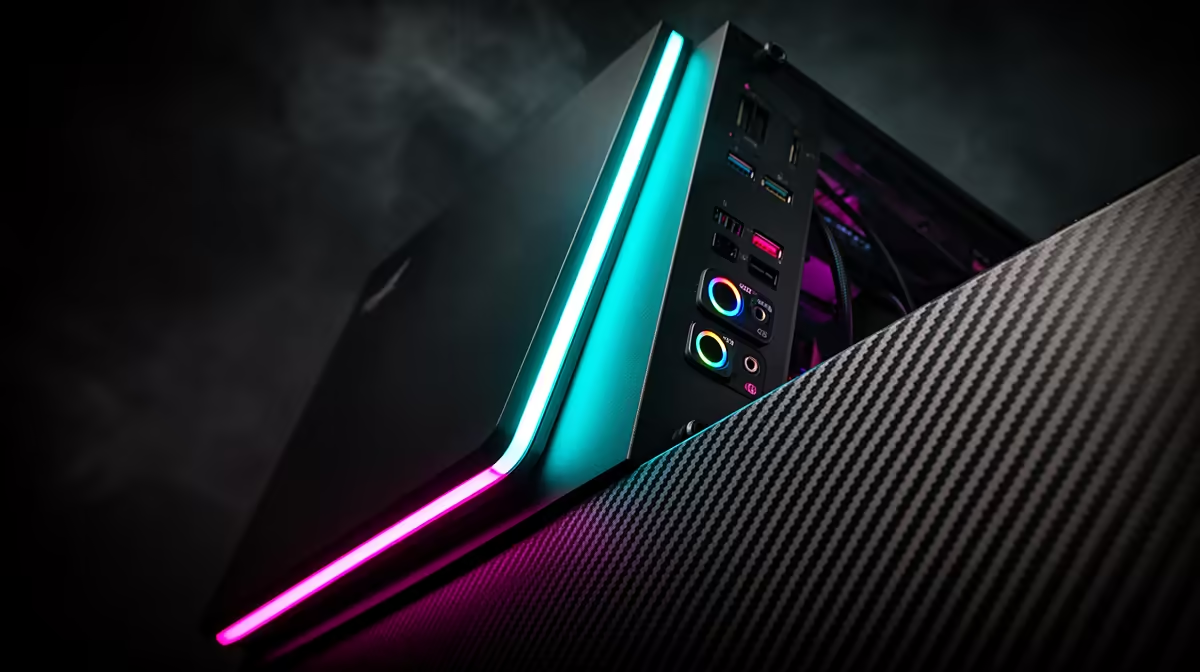
So you’ve just unboxed your shiny new rig. The beast is humming, the RGBs are glowing, but the back panel looks like a spaceship’s dashboard. What are all those holes for? Getting your gaming PC ports right is crucial. Plugging your high-refresh-rate monitor into the wrong slot can leave performance on the table. Don't stress, boet. This guide will turn that port-puzzlement into plug-and-play confidence, ensuring your setup is optimised for victory.
The Unsung Heroes: Essential Video Ports for Your Gaming PC
First things first, and this is a big one: always plug your monitor into the ports on your graphics card (GPU), not the ones on your motherboard I/O panel. The GPU is the powerhouse doing all the heavy lifting for your visuals; using the motherboard ports bypasses it entirely! With that sorted, let's look at the main contenders.
DisplayPort: The King of High Refresh Rates ⚡
For serious PC gamers in South Africa, DisplayPort is the undisputed champion. Why? It's built to handle the ultra-high refresh rates (144Hz, 240Hz, and beyond) and resolutions that give you a competitive edge. If you're dropping into fast-paced arenas, the smoothness from a DisplayPort connection is non-negotiable. It's the standard for getting every last frame out of a powerful Overwatch 2 gaming PC and onto your screen.
HDMI: The Versatile All-Rounder
HDMI is the jack-of-all-trades. It’s on your TV, your console, and your PC. While older versions couldn't compete with DisplayPort for high-end PC gaming, modern HDMI 2.1 is a beast, supporting 4K at 120Hz. This makes it a fantastic choice for cinematic, high-fidelity experiences on a big screen or a capable monitor. It's the perfect way to soak in the breathtaking neon-drenched streets on a top-tier Cyberpunk 2077 gaming rig.
Pro Tip: Check Your GPU First! 🔧
Before buying a new monitor or cable, always check which video ports your graphics card has. Most modern GPUs will have multiple DisplayPort outputs and at least one HDMI. Knowing your layout prevents the frustrating moment of having a cable that doesn't fit your primary port.
Connecting Your Arsenal: A Guide to USB Ports
Your keyboard, mouse, headset, and controller all need a home. Understanding the different types of USB ports on a gaming PC ensures your peripherals perform flawlessly.
USB Type-A: Your Trusty Workhorse
This is the classic rectangular USB port you know and love. It's perfect for your essential gear like your mouse, keyboard, and headset. You can never have too many. For complex setups involving webcams, controllers, and charging docks, having a generous number of these ports is a must. A solid GTA V-ready PC will have plenty of these for all your driving wheels and flight sticks.
USB Type-C: The Future, Now
The small, reversible USB-C port is becoming more common on modern gaming PCs, and for good reason. It offers incredibly fast data transfer speeds, perfect for external SSDs where you store your game library. Some high-end headsets and peripherals are also adopting USB-C for a cleaner, more powerful connection. It's the modern standard for a reason. And for games that require a universe of peripherals, like those played on a Microsoft Flight Simulator PC, having a mix of USB-A and USB-C is ideal.
Sound & Stability: Audio and Network Ports
Visuals are only half the battle. Crystal-clear audio and a rock-solid internet connection are just as important for a winning setup.
The 3.5mm Audio Jacks 🎧
These small, colour-coded ports are your direct line to immersive sound. The standard trio includes Line-Out (green) for your speakers or headset, Mic-In (pink) for your microphone, and Line-In (blue). For competitive play where hearing enemy footsteps is critical, plugging directly into these ports on a quality Call of Duty: Warzone 2.0 PC can give you the edge over using wireless or USB audio.
The Ethernet Port (RJ-45): Your Lag-Free Lifeline
Wi-Fi is convenient, but for online gaming in South Africa, nothing beats a wired connection. The Ethernet port (also called an RJ-45) provides a stable, low-latency connection directly to your router. This drastically reduces the chance of lag spikes and disconnects at crucial moments. If you’re serious about climbing the ranks in games like Fortnite, a PC with a reliable ethernet port like our custom Fortnite builds is essential. It's just as vital for surviving the final circle on a dedicated PUBG gaming machine. Even for creative games, a stable connection is key for joining servers or downloading assets for your next masterpiece on a Minecraft-optimised PC.
Putting It All Together: Your PC Port Checklist ✨
Feeling more confident? Here’s a quick checklist of the essential gaming PC ports every South African gamer should look for:
- Video: At least 1x DisplayPort 1.4+ and 1x HDMI 2.0+ (on the GPU!)
- USB: A minimum of 4x USB-A ports, with at least two being USB 3.0 (usually blue) for faster devices. 1x USB-C is a huge bonus for future-proofing.
- Network: 1x Gigabit Ethernet port.
- Audio: Standard 3.5mm audio jacks (Line-Out, Mic-In).
Knowing what you need is the first step to building or buying the perfect rig.
Ready to Plug and Play? Understanding gaming PC ports is the first step to unlocking your machine's true potential. The next is finding a rig with the perfect layout for your games and gear. Explore our massive range of gaming PCs and find the perfect machine to conquer your world.









