


Best RTX 5070 Under R25,000 in South Africa 2026
Top RTX 5070 Under R25,000 picks evaluated on performance, value & SA availability with current Rand pricing from Evetech.
Read moreGlass panel PC build guide to plan a clean, minimalist desktop: choose the right case, master cable management, optimize airflow, and control dust for pro results 🧰✨
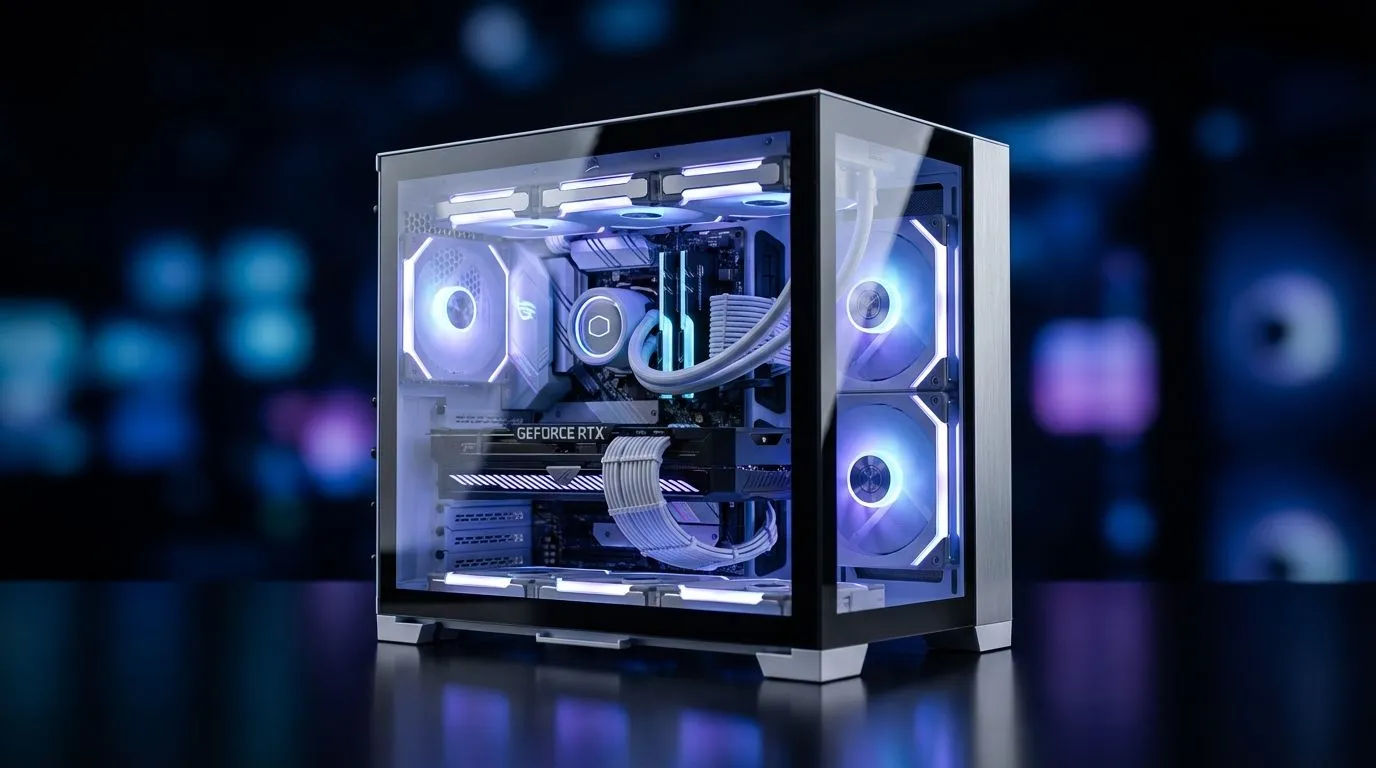
Want a striking rig that looks as good as it performs? A glass panel PC build is the quickest route to showroom looks — if you plan cable runs, lighting and airflow from day one. Whether you're a Cape Town streamer or a Jozi speedrunner, this guide helps you plan a clean aesthetic without sacrificing thermals or wallet sense.
Start with a case that showcases components while hiding clutter. Browse Evetech’s full case selection to find roomy layouts designed for tidy cable management and tempered glass panels: Shop computer cases. For a minimalist, function-first look, Fractal’s line is a favourite among neat builders — clean lines, solid cable channels and tempered glass options make routing easier (see Fractal Design options at Evetech) Fractal Design PC cases.
Keep RGB subtle: pick a single accent zone or use white LEDs for a premium feel. Matte finishes on GPU shrouds or PSU shrouds reduce distracting reflections on the glass. For gamers who want both style and performance, some Gamdias cases balance bold styling with practical routing channels — useful when you want controlled RGB without messy cables Gamdias gaming cases. ⚡
flat ribbon cables or pre-sleeved kits for neat runs behind the motherboard tray. Plan fan intake and exhaust first: positive pressure helps keep dust off your glass, and a fan hub or PWM splitter keeps the front tidy.
You don’t need to overspend to achieve a tidy glass-panel build. There are capable cases and budget-friendly options under R1,500 that still offer tempered glass and decent cable routing — check the curated budget list here: Cases under R1,500. When saving, prioritise a modular PSU shroud and decent cable routing channels over flashy extras.
A clean build is also a maintained build. Microfiber cloths, compressed air and a scheduled dust check every 3 months keeps glass clear and temps stable. Photograph your cable runs and keep notes — it makes future upgrades painless. 🚀
Ready to Find Your Perfect Match? The Mac vs Windows debate is complex, but for maximum power, choice, and value in South Africa, Windows is hard to beat. Explore our massive range of laptop specials and find the perfect machine to conquer your world.
Start by choosing a case that balances tempered glass aesthetics with airflow and cable routing options to match your clean build goals.
Use modular PSUs, cable combs, custom-length cables and route wires behind the motherboard tray for neat cable management in glass cases.
Not if you use subtle accents, color palettes and zones. Low-intensity strips or single-color lighting keep a minimalist vibe.
Prioritize intake/exhaust balance, use high-static fans, and avoid blocking front intakes. Glass case airflow tips improve thermals without sacrificing looks.
Install removable dust filters, maintain positive pressure, and schedule regular cleaning to reduce dust buildup on glass and components.
Tempered glass offers a sharper look and scratch resistance. Acrylic is lighter but more prone to scratches and static buildup.
Low-profile coolers, shrouded PSUs, vertical GPU mounts and matched-color cables streamline visuals and support a minimalist layout.
Top RTX 5070 Under R25,000 picks evaluated on performance, value & SA availability with current Rand pricing from Evetech.
Read more
Core i5-14600K + B760 + RTX 5060 Build Under. Full parts list, Rand pricing & expected performance. Build confidently with SA-available components.
Read more
Top Valorant Settings for RTX 5070: FPS Optimisation picks evaluated on performance, value & SA availability with current Rand pricing from Evetech.

RDNA 3.5 Graphics in Ryzen AI 400? Can You Game. Plain-English explanation of what it means, why it matters & how it affects your buying decisions in SA.

GPU Price Index : December Report. Current stock data & price tracking for SA buyers. See what is available and where prices are heading.

RX 9070 XT Elden Ring Nightreign at 4K: FPS. Real-world benchmark data, FPS numbers & performance analysis. What SA gamers can actually expect.
Core i5-14600K + B760 + RTX 5060 Build Under. Full parts list, Rand pricing & expected performance. Build confidently with SA-available components.

RX 7600 Apex Legends at 4K: FPS Benchmark. Real-world benchmark data, FPS numbers & performance analysis. What SA gamers can actually expect.

RX 7900 XTX GTA 6 at 4K: FPS Benchmark & Optimal. Real-world benchmark data, FPS numbers & performance analysis. What SA gamers can actually expect.

Head-to-head comparison of RTX 5070 vs RX 9070 XT: Gaming Performance for SA gamers. Performance benchmarks, Rand pricing & which delivers better value.
Top RTX 5070 Under R25,000 picks evaluated on performance, value & SA availability with current Rand pricing from Evetech.
Core i5-14600K + B760 + RTX 5060 Build Under. Full parts list, Rand pricing & expected performance. Build confidently with SA-available components.

Top Monitor for RX 9070: Resolution & Refresh Rate picks evaluated on performance, value & SA availability with current Rand pricing from Evetech.

Valorant Settings on RX 9060 XT: Performance. Real-world benchmark data, FPS numbers & performance analysis. What SA gamers can actually expect.