Quick Answer
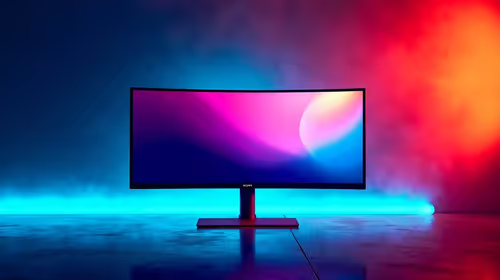
A stuck pixel on a Core Ultra 9 285K build is a monitor matter, not a CPU fault, and a fixed-colour stuck pixel often revives with pixel-cycling in 15-30 minutes. Use the build to run the exerciser. A high-refresh monitor to pair with a Core Ultra 9 285K at Evetech starts near R6,500.
The Intel CPU Is Not the Cause
A stuck pixel, a subpixel locked on a colour, lives on the monitor, not the Core Ultra 9 285K. This Intel flagship handles gaming and productivity well, but it plays no part in lighting individual pixels, that is the GPU and panel. Stuck pixels frequently respond to rapid colour-cycling, so this is often fixable yourself. Use the build's output to drive the test and exerciser patterns, but the fault, and the fix, belong to the display rather than the processor.
Safe Checks and Reviving the Pixel
Confirm it is stuck, not dead, by displaying solid red, green, blue, white, and black: a fixed colour is stuck, all-black is dead. Clean the screen first, then run a pixel-exerciser tool or rapid-colour video full-screen over the area for 15-30 minutes at native resolution and refresh. Repeat the cycling a few rounds if the pixel persists. Avoid hard pressure methods that can damage the panel, and rely on the software approach for the safest result.
If It Will Not Clear
If cycling does not revive the stuck pixel after several attempts, treat it like a dead pixel and check the monitor's warranty and dead-pixel policy. Document it on a solid colour and keep your proof of purchase. A capable Core Ultra 9 285K build deserves a clean panel, so pursue the claim within the warranty window if the defect qualifies.
FAQ
Can a Core Ultra 9 285K cause a stuck pixel?
No. The CPU handles processing, not pixel-level display. A stuck pixel is a panel matter that often revives with pixel-cycling software, with no need to involve the processor, BIOS, or system settings.
How do I revive a stuck pixel?
After confirming it is stuck via a colour test, run a pixel-exerciser full-screen over the spot for 15-30 minutes, repeating a few rounds. Many stuck subpixels revive within one or two sessions of rapid colour-cycling.
What if cycling does not work?
If repeated cycling fails, treat the pixel as dead and check the monitor's warranty. Document the defect on a solid colour, keep your proof of purchase, and claim within the warranty window if it meets the policy.
Pro Tip
Run a pixel-exerciser full-screen over the stuck spot for 20 minutes on your Core Ultra 9 285K build; the CPU isn't the cause, the panel is.