


Best RX 7800 XT Model Under R8,000 in South Africa 2026
Top RX 7800 XT Model Under R8,000 picks evaluated on performance, value & SA availability with current Rand pricing from Evetech.
Read moreIntake vs exhaust fan placement matters for PC cooling — learn how to position intake and exhaust fans to improve airflow, lower temps, and reduce noise. 🔧❄️
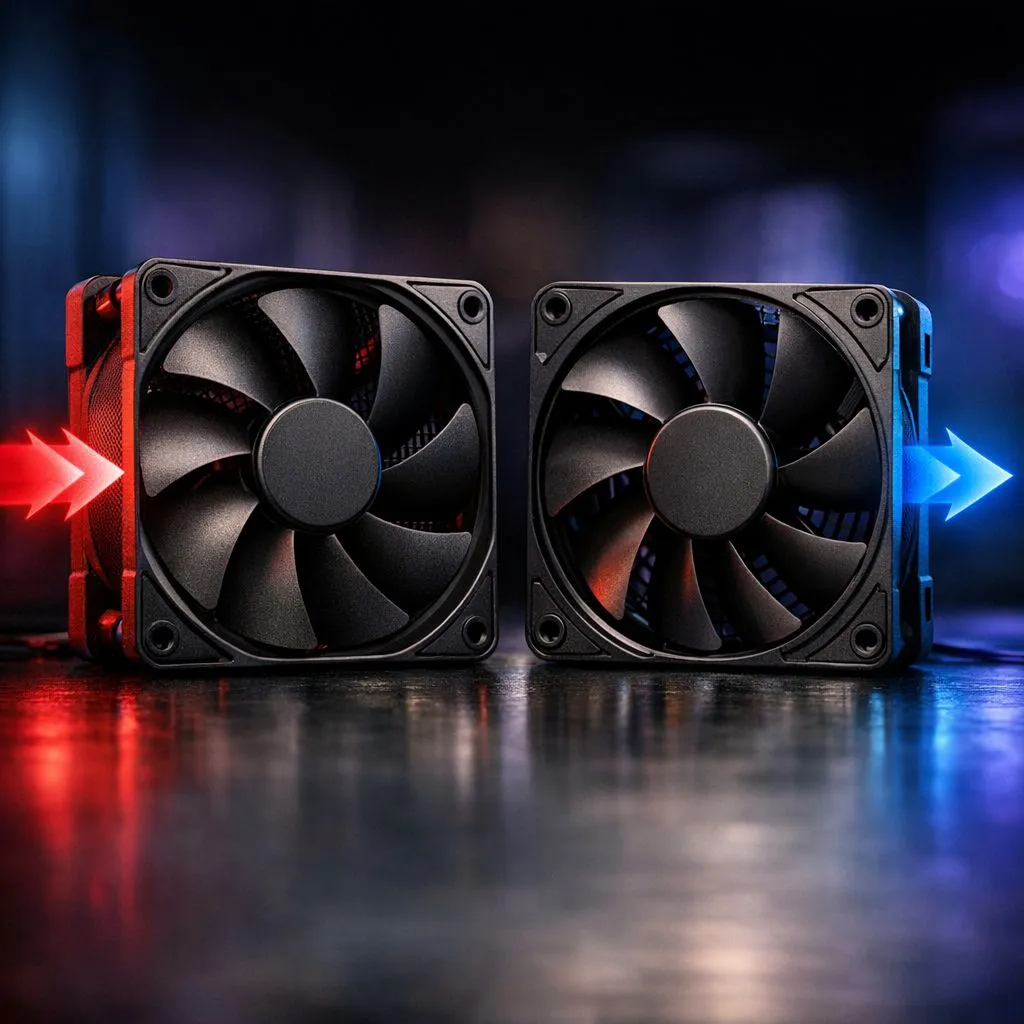
Staring at your PC while it sounds like a Boeing taking off from OR Tambo? We've all been there. Proper airflow is the difference between a smooth gaming session and thermal throttling during a heatwave. Understanding Intake vs Exhaust Fan Placement Explained is essential for any South African gamer looking to protect their hardware investment and keep those frame rates stable when the mercury rises. 🔧
To keep your components cool, you need to move air... and move it fast. Intake fans pull cool ambient air into your chassis. Exhaust fans push the hot air generated by your GPU and CPU out. Most high-quality case fans are designed to work in one direction. You can usually tell the direction by looking at the fan blades. The side with the plastic "cage" or frame is where the air comes out.
For a standard mid-tower build, the most common setup involves front-mounted intake fans and a rear exhaust. This creates a linear path for air to travel over your hottest parts. If you are using standard 120mm fans, you might need three at the front to match the volume of a single large exhaust.
Not sure which way your fan is blowing? Look for small arrows embossed on the side of the fan housing. One arrow shows the direction of blade rotation... the other shows the direction of airflow. If there are no arrows, remember that air almost always blows toward the side with the manufacturer's spec sticker and the plastic frame.
In the dusty environment of South Africa, air pressure matters. Positive pressure occurs when you have more intake than exhaust. This forces air out of every small gap in your case... preventing dust from seeping in through unfiltered holes. Negative pressure does the opposite. It sucks air in through every crack... often bypassing your dust filters.
To achieve the best balance, many builders opt for larger 140mm fans as intakes. These move more air at lower speeds... keeping your system quiet while maintaining that vital positive pressure. 🚀
You do not have to sacrifice looks for cooling. Many gamers prefer RGB lighting to highlight their build. Brands like CORSAIR offer sophisticated software to control both fan speeds and colours. If you prefer a professional look for a home office, choosing fans with no lighting effects can create a sleek, stealthy aesthetic.
For those on a budget who still need top-tier performance, Deepcool provides excellent options that balance static pressure and airflow. Just remember... the best fan in the world won't help if it is pointing the wrong way. Double-check your orientation before you tighten those screws. ✨
Ready to Chill Your Build? Don't let the summer heat kill your killstreak. Whether you need silent performance or a light show, we have the cooling solutions to keep your PC running at peak performance. Explore our massive range of case fans and find the perfect upgrade to conquer the heat.
Intake fans pull cool air into the case; exhaust fans push hot air out. Proper intake vs exhaust fan placement balances airflow and keeps temps down.
Place intakes at the front and bottom, exhausts at the rear and top. This front intake rear exhaust pc case setup creates a natural airflow path.
Aim for slightly more intake to create positive pressure; that limits dust buildup. Balance depends on components and case vents.
Noise depends on fan quality and RPM. Intake fans can sound louder if pulling through filters; choose quiet models and follow fan orientation tips for case cooling.
Yes. Correct fan placement directs cool air toward the GPU; fan placement for GPU cooling helps prevent thermal throttling under load.
Yes — warm air rises, so top exhaust fans help expel heat. Pair top exhaust with front intake for an optimal fan setup for gaming PC.
A typical mid-tower works well with 2-3 intakes and 1-2 exhausts. Adjust based on GPU/CPU temps and consult a PC airflow intake exhaust guide.
Top RX 7800 XT Model Under R8,000 picks evaluated on performance, value & SA availability with current Rand pricing from Evetech.
Read more
When Will the RTX 6090 Launch in South Africa Detailed answer with SA data, expert analysis & practical recommendations for local buyers.

Top Valorant Settings for RTX 5070: FPS Optimisation picks evaluated on performance, value & SA availability with current Rand pricing from Evetech.

RDNA 3.5 Graphics in Ryzen AI 400? Can You Game. Plain-English explanation of what it means, why it matters & how it affects your buying decisions in SA.

GPU Price Index : December Report. Current stock data & price tracking for SA buyers. See what is available and where prices are heading.

Core i5-14600K + B760 + RTX 5060 Build Under. Full parts list, Rand pricing & expected performance. Build confidently with SA-available components.

RX 7600 Apex Legends at 4K: FPS Benchmark. Real-world benchmark data, FPS numbers & performance analysis. What SA gamers can actually expect.

RX 7900 XTX GTA 6 at 4K: FPS Benchmark & Optimal. Real-world benchmark data, FPS numbers & performance analysis. What SA gamers can actually expect.

Head-to-head comparison of RTX 5070 vs RX 9070 XT: Gaming Performance for SA gamers. Performance benchmarks, Rand pricing & which delivers better value.

GPU Setup Guide Gamers. Clear setup instructions with SA-specific considerations, troubleshooting tips & recommended components.

Top RTX 5090 Under R12000 picks evaluated on performance, value & SA availability with current Rand pricing from Evetech.

Call of Duty Warzone 2 Settings on RX 7600. Real-world benchmark data, FPS numbers & performance analysis. What SA gamers can actually expect.

GTA 6 Settings on RTX 5070 Ti: Performance. Real-world benchmark data, FPS numbers & performance analysis. What SA gamers can actually expect.