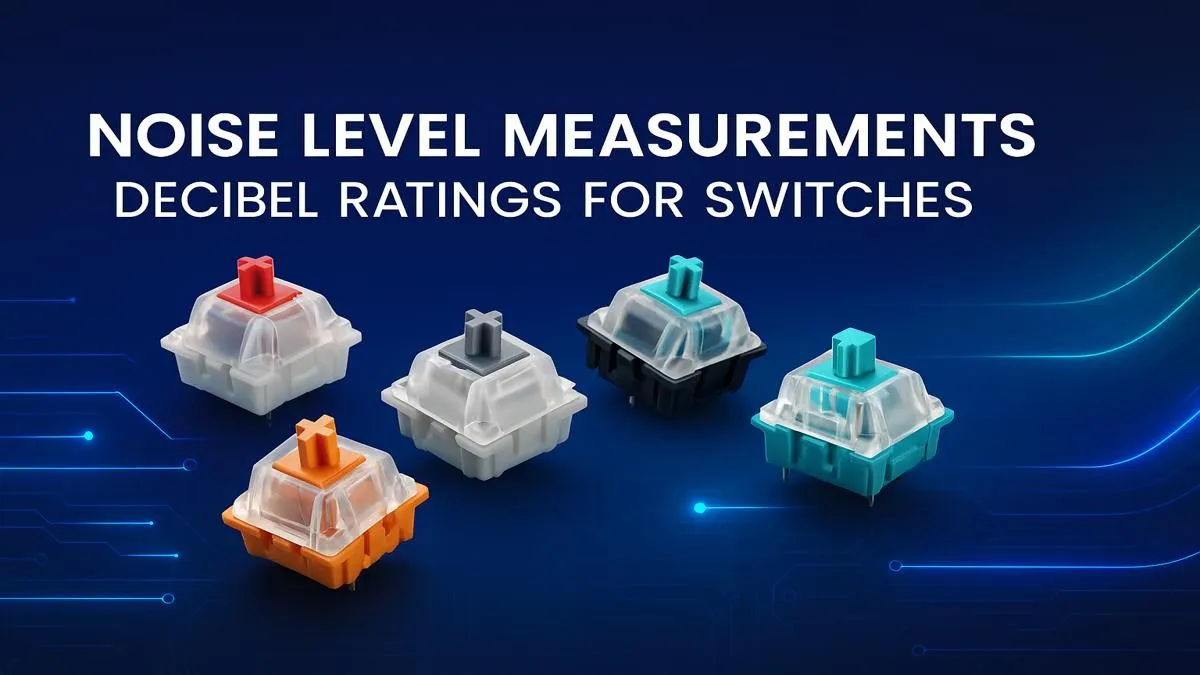
It’s 2 AM. You’re clutching a 1v3 in Valorant, the sound of footsteps is critical... but the loudest thing in the room is your keyboard’s CLACK-CLACK-CLACK. Sound familiar? Whether you’re trying not to wake the house or just want a more refined setup, understanding keyboard switch noise levels is the key. This decibel guide will help you choose the perfect switch for your next build, ensuring your only loud feedback comes from your teammates on Discord.
Decoding the Decibels: A Simple Keyboard Noise Guide
Before we dive into switches, let's talk sound. Noise is measured in decibels (dB). The higher the dB, the louder the sound. For context, a quiet library is around 30 dB, a normal conversation is about 60 dB, and a vacuum cleaner can hit 75 dB.
Mechanical keyboard switch sounds can range from a subtle 40 dB to a commanding 70+ dB. The right keyboard switch noise level for you depends entirely on your environment and preference. Are you a streamer who needs clean audio, or do you love that satisfying, typewriter-like feedback?
The Sound Spectrum: A Guide to Switch Types
The heart of your keyboard's sound profile is the switch itself. They generally fall into three main categories, each with a distinct feel and sound level.
🤫 Linear Switches: The Silent Operators
- Sound Profile: Quiet and smooth.
- Decibel Range: ~40-50 dB
Linears have a consistent, straight-down keypress with no bump or click. This makes them the quietest of the bunch, perfect for rapid key presses in FPS games or for use in a shared office space. If stealth is your goal, linear is your game. Many gamers looking for a complete quiet solution often look at pre-selected keyboard and mouse combos that feature linear switches.
🔧 Tactile Switches: The All-Rounder
- Sound Profile: Quiet bump, minimal noise.
- Decibel Range: ~50-65 dB
Tactile switches provide a noticeable "bump" on the way down, confirming your keypress without the loud click. This makes them a fantastic middle ground, great for both typing and gaming, and you'll find them in many of the best gaming keyboard deals available today. They offer satisfying feedback while keeping the overall keyboard decibel levels manageable.
🔊 Clicky Switches: The Unmistakable Classic
- Sound Profile: Loud, crisp, and high-pitched.
- Decibel Range: ~60-75+ dB
The loudest of them all. Clicky switches have a special mechanism that creates a sharp, audible "click" sound along with the tactile bump. They are incredibly satisfying for typists who love auditory feedback, but they can be... distracting for others nearby. If you're building a board from scratch, you can explore the different keyboard switches we have in stock to find your perfect click.
Sound Dampening Pro Tip 🎧
Want to reduce your keyboard's noise without swapping switches? Try adding rubber O-rings to the stems of your keycaps. They cushion the downstroke, preventing the keycap from "bottoming out" loudly against the switch housing. It's a cheap and effective mod for lowering your keyboard's decibel output.
More Than Just a Switch: Other Factors in Keyboard Noise
The switch is the main noisemaker, but it's not the only factor influencing your final keyboard switch noise levels. Your complete build contributes to the final sound profile.
- Keycaps: The material and thickness of your keycaps matter. Thicker PBT plastic keycaps often produce a deeper, more muted "thock" sound compared to thinner ABS plastic. A fresh set of custom keycaps can completely change the feel and sound.
- Case & Plate: An aluminium case will resonate differently from a plastic one. The material your switches are mounted on (the plate) also plays a huge role.
- Your Desk: A big, solid wooden desk will amplify sound more than a desk with a thick mouse mat.
- Ergonomics: Even your accessories matter. Adding a comfortable wrist rest can slightly alter your typing angle and impact, subtly changing the sound.
For those looking to get into the hobby, you can start small by sourcing affordable custom keyboard components and experimenting with what sound you like best.
Finding Your Perfect Sound Profile
Choosing the right switch is a personal journey. This keyboard switch noise level guide is here to point you in the right direction.
- For the Streamer, Student, or Office Pro: Go for Linear switches to keep things quiet and professional.
- For the Versatile Gamer: Tactile switches offer the perfect balance of feedback and reasonable sound levels.
- For the Typing Enthusiast: If you have a dedicated space, embrace the noise with Clicky switches.
Ultimately, the best way to know is to try them out. But by understanding the basics of decibels and switch types, you’re already on your way to building a keyboard that sounds just right.
Ready to Find Your Perfect Sound?
From silent assassins to clicky classics, the right keyboard can transform your gaming and work. Explore our massive range of keyboards for sale and find the perfect match for your setup in South Africa.