

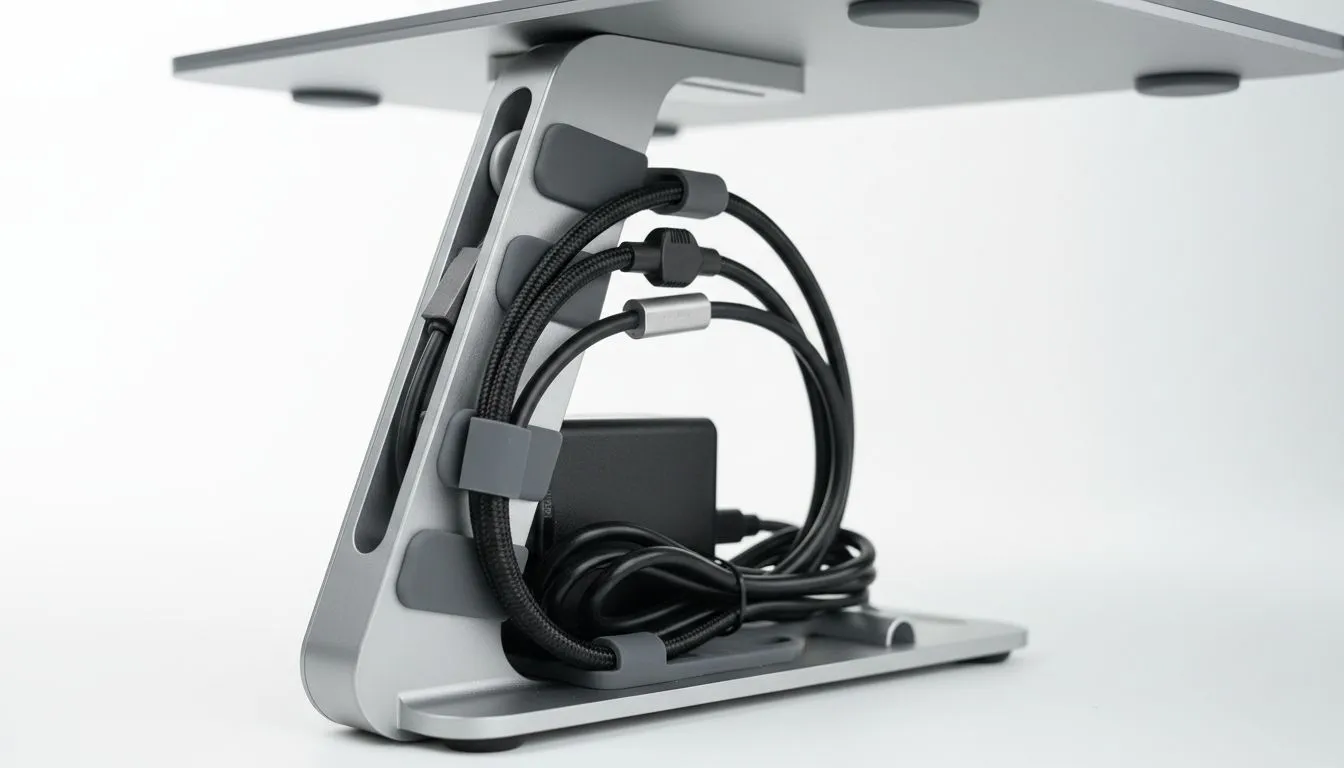
Master Your Space with Laptop Stand Cable Management
Tired of your desk looking like a Pietermaritzburg substation after a storm? Laptop stand cable management is the secret to a professional setup. It is not just about aesthetics... it is about airflow and focus. Whether you are a competitive gamer or a remote pro, these clean desk routing tips will transform your workspace from a cluttered mess into a streamlined, high-performance battle station. 🔧
Why Clean Desk Routing Tips Matter for Performance
A cluttered desk leads to a cluttered mind. More importantly, it leads to a hot laptop. When cables block your exhaust vents, your frame rates suffer. By implementing smart routing, you ensure that your hardware stays cool during those intense summer gaming sessions in Gauteng.
The foundation of a clean setup starts with choosing the right base. Many South African users find that high-quality laptop cooling pads offer built-in channels to guide your USB and power leads away from the main workspace.
Organising Your Peripheral Paths
Most of us have at least three cables to manage: power, mouse, and headset. Start by grouping these together behind the stand. Using Velcro ties is a better shout than plastic zip ties because they are reusable when you upgrade your gear.
If you are using ergonomic Promate cooling stands, you can often thread cables through the riser gaps. This keeps the wires off the desk surface entirely. It creates a "floating" effect for your laptop that looks incredibly sleek in any home office.
Cable Tension Pro Tip ⚡
Always leave a little bit of slack in your mouse cable. If the routing is too tight, you will feel resistance during flick shots in Valorant. A simple adhesive cable clip on the back of your laptop stand can act as a DIY mouse bungee to keep your movement fluid.
Hiding the Hub and Power Bricks
The biggest enemy of a clean desk is the "power brick." These heavy blocks often drag cables down, creating tension on your laptop's ports. Try mounting your power brick under the desk using heavy-duty command strips.
For those with multiple USB devices, Orico stands often provide the structural stability needed to support an attached USB hub. By plugging everything into a hub and then running a single cable to your laptop, you reduce the "octopus" look significantly.
Optimising Thermal Airflow
Cable management is not just for looks... it is a thermal necessity. When wires are bundled tightly against the intake fans, your laptop has to work twice as hard to stay cool. This is especially true if you are investing in high-end thermal solutions designed for heavy rendering or 4K gaming. 🚀
Keep your routing paths clear of the primary heat zones. Most gaming laptops exhaust heat from the rear and sides. Ensure your managed cables are routed downwards or far enough back to avoid the hot air blast, which can degrade cable insulation over several years.
Ready to Find Your Perfect Match? A clean desk is the first step toward peak performance. For maximum power, choice, and thermal efficiency in South Africa, our range of cooling solutions is hard to beat. Explore our massive range of laptop cooling pads and find the perfect partner for your laptop today.











