

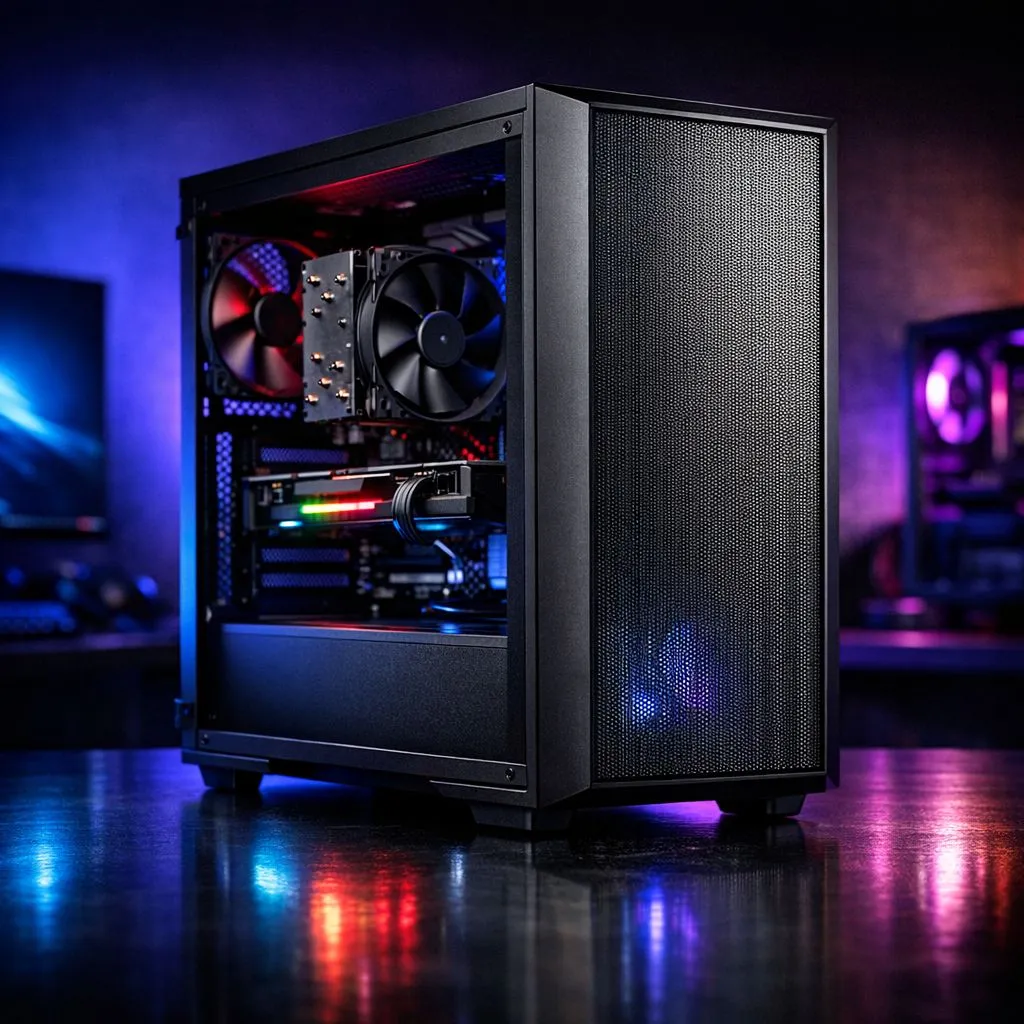
Master the Breeze in Your Mid Tower Build
South African summers are notoriously harsh on gaming hardware. When you are working with a chassis that has limited fan mounts, you cannot just throw components together and hope for the best. To truly maximise airflow mid tower case setups, you need to think like an engineer. It is about directing the breeze exactly where it is needed... ensuring your GPU and CPU stay cool during those intense sessions. 🔧
Prioritise Positive Pressure and Strategic Intake
When you only have two or three fan slots available, the placement of your intake is vital. Most builders make the mistake of focusing on exhaust... but without fresh air coming in, your fans are just spinning hot air around. By placing your strongest fans at the front, you create positive pressure. This forces air through the gaps in the chassis and helps keep dust out of your system.
When browsing the latest computer cases, look for models with mesh front panels. These allow for much higher volume intake compared to solid plastic or glass fronts. If you are working with a restricted front panel, try to use high-static pressure fans that can pull air through narrow vents more effectively.
Airflow Pro Tip ⚡
Use a simple piece of thread or a thin strip of tissue paper to test your airflow. Hold it near the vents while the PC is running. If the paper is pushed away, you have positive pressure. If it is sucked against the mesh, you have negative pressure. Aim for a slight push-away to keep your internals dust-free in dusty SA environments.
Optimising Internal Layout for Better Cooling
Cable management is not just for aesthetics... it is a functional necessity in a build with limited mounts. In a compact space, a "cable nest" blocks the path of air moving from the front intake to the rear exhaust. Tucking cables behind the motherboard tray can lower your internal temperatures by several degrees.
For those who value thermal efficiency and Swedish engineering, Fractal Design PC cases often provide excellent cable routing options even in their smaller mid-tower variants. This helps the limited air you do have reach the components that need it most. 🚀
Balancing Performance and Budget
You do not need to spend a fortune to get a decent thermal setup. Many Gamdias gaming cases come with pre-installed fans that are already positioned for a standard push-pull configuration. This takes the guesswork out of the build for most users.
If you are on a strict budget, there are plenty of gaming cases under R1500 that still offer clever mounting points for 140mm fans. Larger fans can move more air at lower speeds... which means your PC stays cooler and quieter during those long nights of gaming. ✨
The Role of Exhaust and Heat Rise
Natural convection dictates that heat rises, but in a PC case, the fans dictate the path. With limited mounts, one single high-quality exhaust fan at the rear is usually enough. Ensure that your CPU cooler is oriented to push air directly toward that rear exhaust. This creates a straight "wind tunnel" effect through the middle of your chassis, which is the most efficient way to maximise airflow mid tower case designs. ⚡
Ready to Find Your Perfect Match? Keeping your components cool is the best way to ensure they last for years to point. Whether you need a high-airflow mesh beast or a compact budget build, we have the right chassis for you. Explore our massive range of computer cases and find the perfect machine to conquer your world.










