

Build Lab: Faster Desk Changes with Memory Presets and LED Height Display
If you swap between gaming, work, and content creation, your desk should keep up. Nobody wants to fumble with height settings mid-routine, especially when the evening queue is calling and your monitor arm is already dialled in. That’s where memory presets and LED height display for faster desk changes earn their keep. A good adjustable desk turns a messy transition into a clean one... and in a South African home setup, that can mean more comfort, less clutter, and better focus 🔧
Build Lab: Why desk memory matters for real-world setups
A lot of buyers focus on the obvious bits first... monitor, GPU, chair, headset. Fair enough. But the desk is the foundation. If you move from seated work to standing work, or you share the same space with a sibling or partner, preset heights save time and reduce friction.
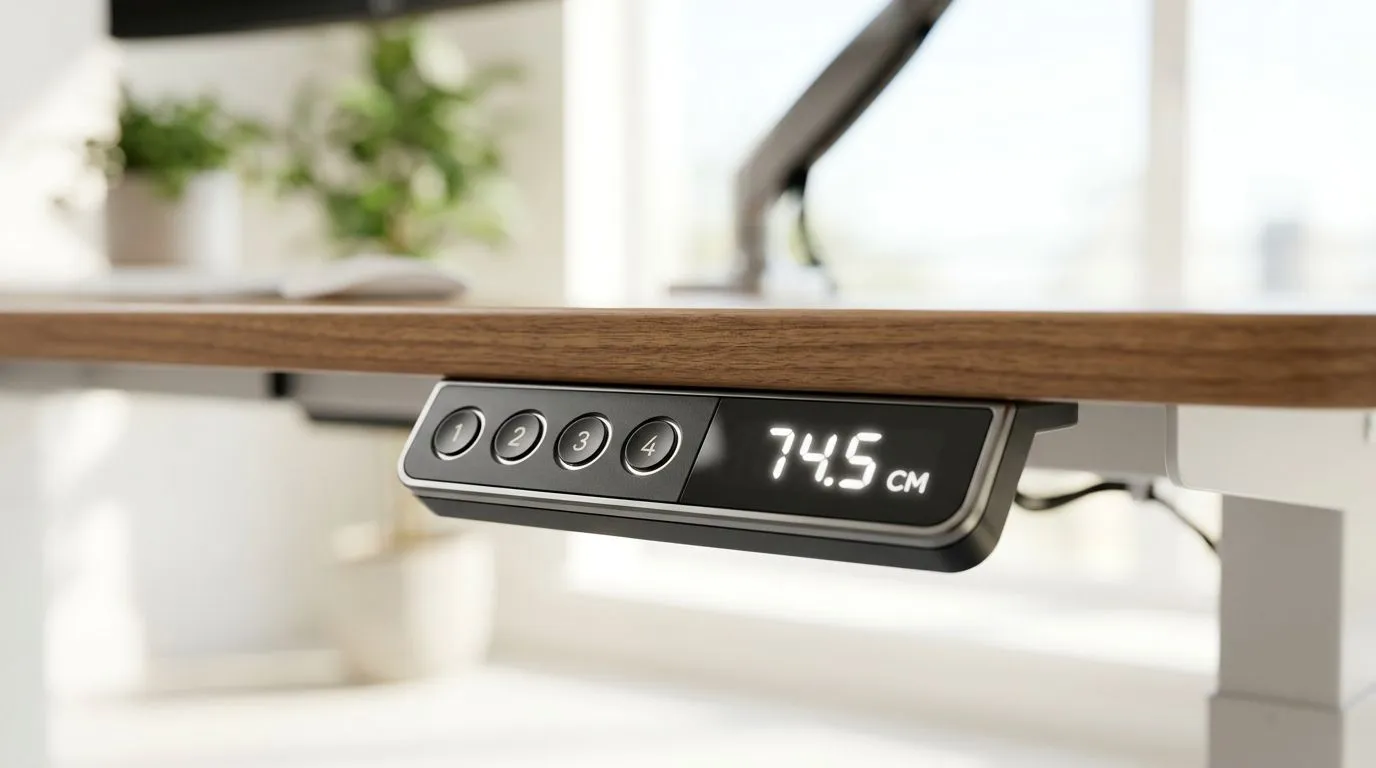
With a memory function, you can store your favourite positions and return to them with one press. That means no eye-balling the right height every time. The LED display adds another practical layer. You can see the exact height at a glance, which helps when you want consistency across your setup.
For buyers browsing a dedicated gaming desk range, this feature set is worth paying attention to. It is not flashy for the sake of it. It solves a daily annoyance.
Build Lab: What to look for before you buy
Not every adjustable desk is built the same. Before you choose, check these basics:
Build Lab: Preset count and control layout
Some desks store two positions. Others store more. Think about how many people use the desk, and how often you change posture. If you only alternate between sitting and standing, two presets may be enough. If the desk is shared, more presets can be useful.
Build Lab: Height readout clarity
An LED height display should be easy to read from your normal sitting position. If the numbers are too dim, too small, or placed awkwardly, the feature loses value. The best setup is one you can glance at without interrupting your flow ✨
Build Lab: Brand fit and desk style
Different brands often lean into different design priorities. If you prefer a specific look or desk layout, it helps to compare options by brand. You can browse AutoFull gaming desk options, check out Arozzi gaming desk options, or explore Nitro gaming desk options to see which style suits your room and your routine.
Build Lab: A small detail that improves the whole day
Here’s the thing... desk adjustments sound minor until you use them daily. Then they become part of your rhythm. You sit down, press a preset, and get straight into work or play. No fiddling. No second-guessing. No repeated adjustments after every break.
Productivity Pro Tip ⚡
When setting desk presets, save one height for gaming and one for work. Keep a quick note of your ideal monitor position too. That way, your whole setup stays consistent after cleaning, cable changes, or rearranging the room.
For South African gamers building a proper battle station, that kind of consistency matters. It keeps the desk feeling intentional, not improvised. And when the setup feels right, it is easier to stay focused for longer.
Build Lab: Final thoughts before you click through
If you are shopping for a new desk, focus on the features you will actually use every day. Memory presets, a clear LED height display, and a sturdy frame can make fast desk changes feel effortless. That is especially useful in shared spaces, compact rooms, and hybrid work setups.
The best part? You do not need to guess what fits your space. Start with the desk type, compare the options, and choose the one that matches how you live and play.
Ready to Find Your Perfect Match? The Mac vs Windows debate is complex, but for maximum power, choice, and value in South Africa, Windows is hard to beat. Explore our massive range of laptop specials and find the perfect machine to conquer your world.











