

Best AMD Monitor Under R2000 in SA 2026
Top AMD Monitor Under R2000 picks evaluated on performance, value & SA availability with current Rand pricing from Evetech.
Read moreUse this motherboard compatibility checklist before you buy a case in South Africa. Verify GPU length, front I/O, and standoffs to prevent costly returns and delays ✅🛠️
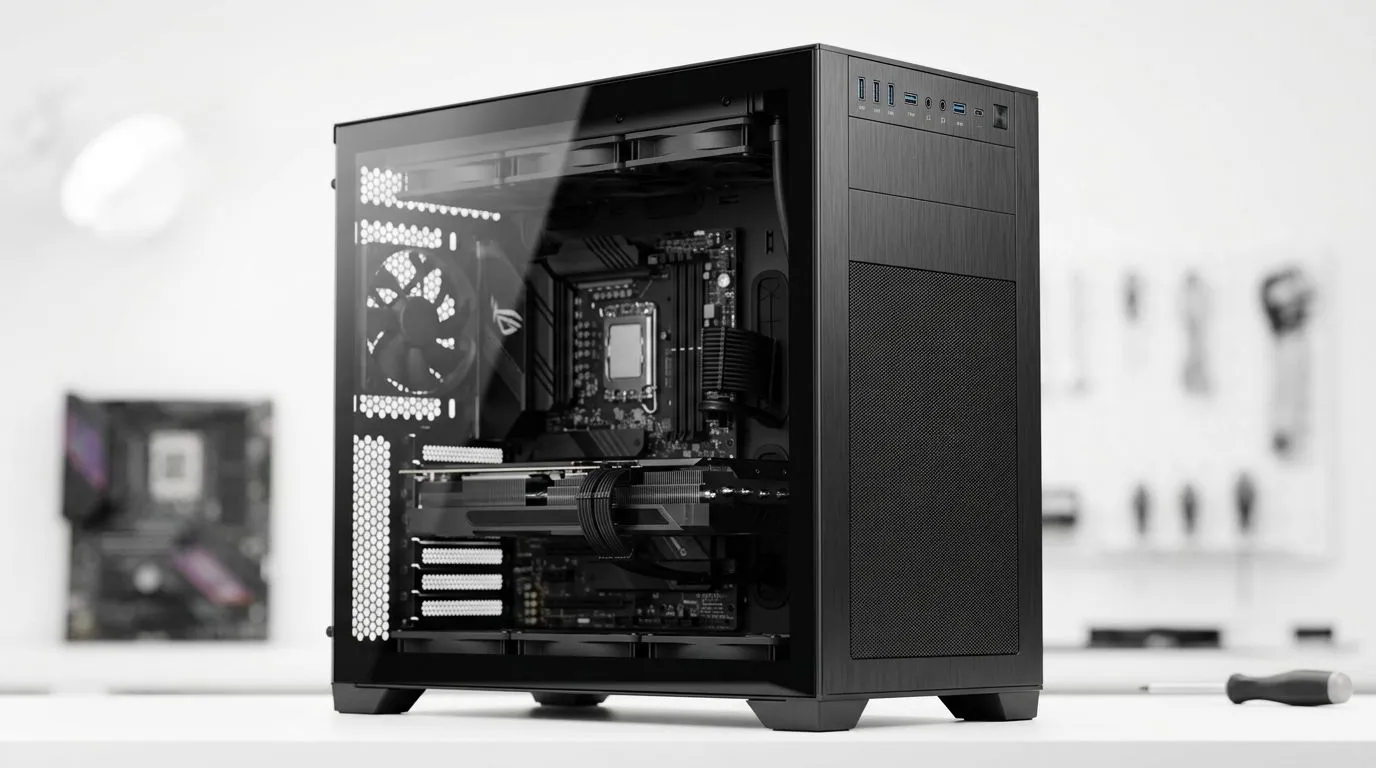
South African PC builders, nothing beats the excitement of assembling your own rig—until you hit a compatibility snag. Choosing the right motherboard means balancing CPU fit, case size, and expansion needs. Get it wrong, and your dream build hits a wall. But with a solid motherboard compatibility checklist, you’ll avoid costly mistakes and power up smoothly every time.
The motherboard’s socket must support your chosen processor. For instance, Intel’s 12th-gen CPUs usually require LGA1700 sockets, while AMD's Ryzen series uses AM4 or AM5. Double-check your CPU specs, then cross-reference with motherboards supporting those sockets. The chipset impacts features like PCIe lanes and overclocking—choose one that suits your performance goals.
Motherboard sizes range from tiny mini-ITX to full ATX. Your PC case must accommodate the motherboard form factor. South African builders often prefer compact or stylish cases, like those in the Fractal Design PC Cases collection, known for sleek looks and solid airflow.
Consider cable management space and front panel connectors too—these often differ by case model. For a budget-focused build under ZAR 1500, exploring options like Gamdias Gaming Cases could be a smart move without compromising quality.
Motherboards support specific RAM speeds and capacities. Confirm DDR4 or DDR5 support, depending on your budget and needs. Also, check how many RAM slots you get and if your memory will fit—low-profile or RGB kits sometimes clash with large CPU coolers.
Expansion slots matter if you plan multiple GPUs, sound cards, or storage add-ons. Opt for motherboards with enough PCIe slots, especially those with reinforced slots for heavy GPUs.
Motherboard power connectors differ by model. Most modern boards use 24-pin ATX and separate CPU power connectors. Ensure your PSU cables match—overlook this, and your build won’t boot.
Cooling layout is also key. High-end builds benefit from multiple fan headers and RGB sync. South Africans who game hard know heat can throttle performance—good thermal design keeps FPS steady. For a great all-round option, consider cases found in the full computer cases selection at Evetech that balance airflow with aesthetics.
Always keep your motherboard’s manual handy. Confirm CPU socket, RAM slots, and case fit before buying — it saves hours of frustration later!
A trusted motherboard compatibility checklist streamlines your build from day one. Knowing what fits what cuts cost and boosts your rig’s lifespan. Plus, picking a compatible case from reliable ranges like Gamdias or Fractal Design ensures your components breathe freely.
Building a rig is more than tech—it’s about crafting your digital playground. Equip yourself with knowledge, plan your parts meticulously, and you’ll enjoy smooth gaming and upgrades down the line.
Build Your Perfect Rig Today Ready for a hassle-free build? Explore Evetech’s Gamdias Gaming Cases to find your ideal fit and Shop now at Evetech.
A motherboard compatibility checklist confirms your case supports your board size and layout, matches standoffs, and provides the right front I/O and header access.
Compare your GPU specs to the case’s max GPU length with details for front fans and radiator mounting to ensure the card fits without blocking airflow.
Sometimes, but you must confirm the case lists support for your motherboard form factor and that the rear I/O and mounting points align correctly.
Check whether your motherboard has the needed front panel headers (USB and audio) and confirm the case’s front I/O ports match your build needs.
Verify the case’s included standoffs and ensure they match your motherboard’s mounting holes to avoid shorts and improper fit.
Yes. Many cases limit radiator length and fan positions depending on your GPU size, so confirm radiator type and dimensions before buying.
Use the case manufacturer specs for supported motherboard sizes, max GPU length, PSU length, and radiator/fan clearances, then cross-check with your parts.
Top AMD Monitor Under R2000 picks evaluated on performance, value & SA availability with current Rand pricing from Evetech.
Read more
UJ Eng: Monitor Setup Under R15000. Clear setup instructions with SA-specific considerations, troubleshooting tips & recommended components.
Read more
Top NZXT Monitor Under R15000 picks evaluated on performance, value & SA availability with current Rand pricing from Evetech.
Read more
Top 240Hz Monitor Under R20000 picks evaluated on performance, value & SA availability with current Rand pricing from Evetech.
Read more
Top Budget 4K monitor Under R5000 Gamers picks evaluated on performance, value & SA availability with current Rand pricing from Evetech.
Read more
Stellenbosch Arch: Monitor Setup Under R15000. Clear setup instructions with SA-specific considerations, troubleshooting tips & recommended components.
Read more
When Will the RTX 6090 Launch in South Africa Detailed answer with SA data, expert analysis & practical recommendations for local buyers.

Top Valorant Settings for RTX 5070: FPS Optimisation picks evaluated on performance, value & SA availability with current Rand pricing from Evetech.

RDNA 3.5 Graphics in Ryzen AI 400? Can You Game. Plain-English explanation of what it means, why it matters & how it affects your buying decisions in SA.

GPU Price Index : December Report. Current stock data & price tracking for SA buyers. See what is available and where prices are heading.

Can the RX 7700 XT Handle 1440p 144Hz Gaming. Performance testing verdict with real data & practical recommendations for SA buyers.

Top Laptop with Core i7 + RX 7700S: Picks picks evaluated on performance, value & SA availability with current Rand pricing from Evetech.

RX 7700 XT Black Myth Wukong 2 FPS: Performance. Real-world benchmark data, FPS numbers & performance analysis. What SA gamers can actually expect.

RTX 6080 Gran Turismo 7 PC Performance: FPS Test. Real-world benchmark data, FPS numbers & performance analysis. What SA gamers can actually expect.

Setting Up Monitor Light. Tested & verified settings for best FPS and visual quality on SA hardware budgets.

Assassins Creed Shadows Ultrawide Support: 21:9. Clear setup instructions with SA-specific considerations, troubleshooting tips & recommended components.

Complete Gaming Setup Guide for the Collector. Clear setup instructions with SA-specific considerations, troubleshooting tips & recommended components.

Will the Steam Deck 2 Have an OLED Screen? Leaked. Plain-English explanation of what it means, why it matters & how it affects your buying decisions in SA.