

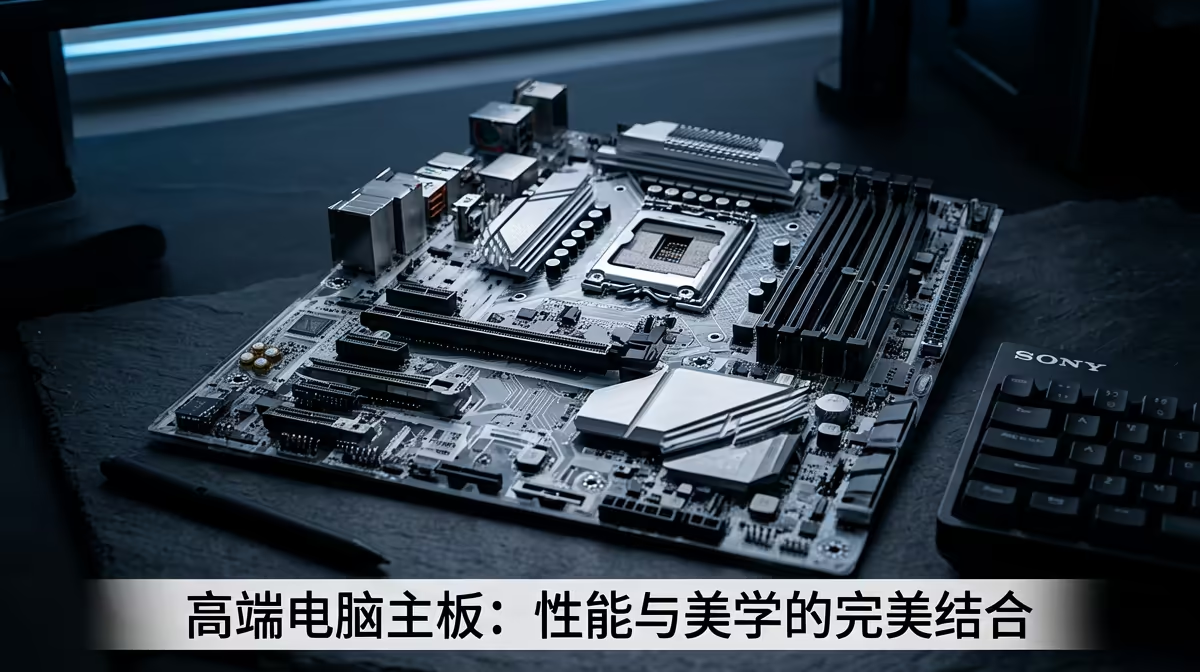
So, you’ve got your eye on a beastly new CPU and a lightning-fast GPU. You’re ready to build the rig of your dreams. But hold on a second… will all those shiny new parts actually work together? Getting your motherboard compatibility right is the single most important step in any PC build. It’s the foundation that connects everything, and a simple mismatch can turn your exciting project into a very expensive paperweight. Let's get it right.
Why Motherboard Compatibility is Your First Check
Think of your motherboard as the central nervous system of your PC. It’s the main circuit board where your CPU, RAM, graphics card, and storage all plug in and communicate. If the motherboard can't "talk" to the CPU, or if the RAM type is wrong, nothing works. This isn't just about parts fitting physically; it's about electronic and firmware compatibility. A solid motherboard compatibility check saves you time, money, and a whole lot of frustration.
The Core Duo: CPU Socket & Chipset
This is the big one. The absolute first check you must make is the compatibility between your Central Processing Unit (CPU) and the motherboard's socket and chipset.
CPU Socket: The Physical Handshake 🤝
The socket is the physical mechanism on the motherboard that holds the CPU. You simply cannot install an Intel CPU into an AMD motherboard, and vice-versa. Even within the same brand, sockets change between generations.
- Intel: Uses LGA (Land Grid Array) sockets, like LGA 1700 for 12th, 13th, and 14th Gen Core processors.
- AMD: Uses PGA (Pin Grid Array) sockets, like AM5 for their Ryzen 7000 series and newer.
The rule is simple: The CPU's socket type must match the motherboard's socket type. No exceptions.
Chipset: The Brains of the Operation
The chipset is the set of electronics on the motherboard that manages data flow between the CPU, RAM, and other components. An Intel Z790 chipset, for example, is designed for performance and overclocking with high-end Intel CPUs. A B760 chipset is more of a mid-range option. Ensuring your chipset supports your CPU's features (like overclocking or specific PCIe versions) is a key part of the motherboard and CPU compatibility puzzle. For many builders, finding the right balance of features and price is key to assembling great gaming rigs under R20,000.
Quick Compatibility Check ⚡
Use a tool like PCPartPicker to get a great first look at component compatibility. It automatically flags major issues, like an AMD CPU with an Intel motherboard. However, always double-check the motherboard's official support page for the most up-to-date CPU and RAM compatibility lists before you buy!
RAM: Getting Your Memory Right
Your PC's memory (RAM) is another critical point of compatibility. It's not as simple as just picking the fastest sticks you can find.
- DDR Generation: We are currently transitioning from DDR4 to DDR5 RAM. A motherboard will only support one type. You cannot put DDR5 RAM into a DDR4 slot—it won't physically fit. DDR5 offers higher speeds but often comes at a premium, a factor to consider when putting together solid budget gaming PCs.
- Speed (MHz): Every motherboard has a maximum supported RAM speed listed in its specifications (e.g., "DDR5 7200MHz+ (OC)"). While you can install slower RAM, buying RAM faster than your motherboard can handle is a waste of money.
- Capacity & Slots: Check how many RAM slots the motherboard has (usually two or four) and the maximum amount of RAM it supports (e.g., 128GB).
Form Factor & Physical Fit
Will it all fit? Motherboard compatibility also includes its physical size, known as the form factor. This dictates which PC cases it will fit into.
- ATX: The standard, full-sized board with the most expansion slots and features.
- Micro-ATX (mATX): A shorter version of ATX, with fewer PCIe slots but still a great all-rounder.
- Mini-ITX: A small, compact form factor perfect for tiny builds, but with the fewest features.
You can put a small Mini-ITX board in a large ATX case, but you can't cram a huge ATX motherboard into a tiny Mini-ITX case. This is especially important for high-performance PCs over R20,000, which often use larger components that need more space.
Graphics Cards, Storage, and Other Connections 🚀
Thankfully, some things are easier.
- Graphics Cards (GPU): Modern GPUs almost universally use a PCIe x16 slot. As long as your motherboard has one (and they all do), it's electronically compatible. The main check here is physical: will your massive, triple-slot RTX 4080 physically fit on the board and in your case?
- Storage (SSD/HDD): Check what kind of storage ports your motherboard offers. Newer, faster M.2 NVMe SSDs are the standard for gaming PCs, so make sure your board has at least one or two M.2 slots. It will also have older SATA ports for 2.5" SSDs and hard drives. Finding a build with the right mix of speed and capacity is easy when you check out our best gaming PC deals.
Navigating the world of PC component compatibility can seem daunting, but by checking these key areas—CPU, RAM, and form factor—you're 90% of the way there. Taking a few minutes to verify these details will ensure your build process is smooth, successful, and gets you gaming faster. If you'd rather skip the hassle, you can always explore our latest pre-built PC deals, where all the compatibility work is done for you.
Ready to Build with Confidence? Mastering motherboard compatibility is the key to a successful PC build. Whether you're carefully selecting each part or looking for a ready-to-go powerhouse, we've got your back. Explore our massive range of PC components and build the rig you've always wanted.











