

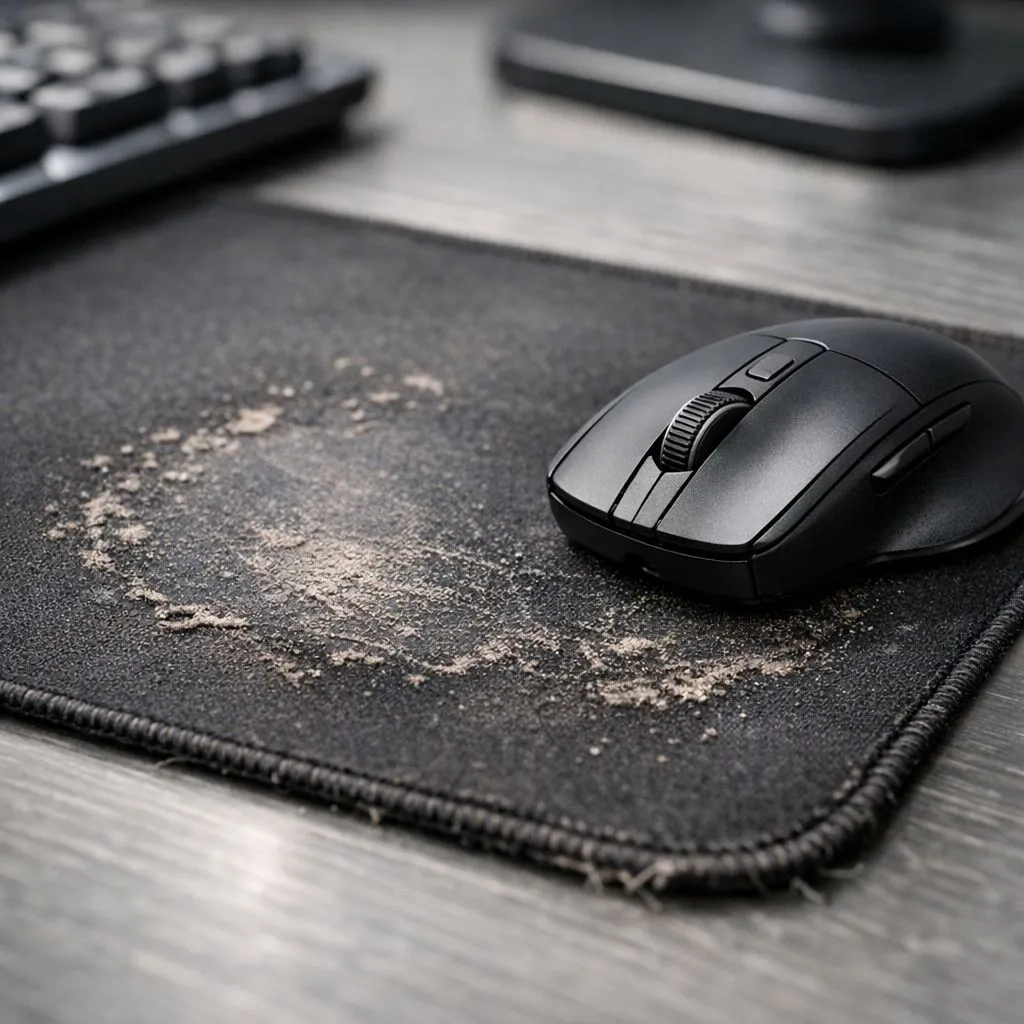
You line up the perfect headshot... flick your wrist... and your cursor stutters, skipping right past the target. Infuriating, right? Before you blame your expensive gaming mouse, look down. That trusty old mousepad might be the real culprit. Many gamers overlook their play surface, but a worn mousepad is one of the most common causes of frustrating mouse tracking issues, costing you precision when it matters most. Let's troubleshoot this common problem. 🎯
How to Spot a Worn Mousepad Surface
Serious mouse tracking issues often have a simple physical cause. Your mouse's sensor relies on a consistent, textured surface to accurately read movement. When that surface degrades, your tracking becomes unreliable.
Here’s what to look for:
- Shiny or Smooth Patches: This is the biggest red flag. Areas where your wrist and mouse rest most often can become polished and smooth from friction. This "glossing" effect creates blind spots for the sensor, causing it to skip or stutter.
- Frayed Edges: While mostly cosmetic, fraying can catch your mouse cable or even interfere with wide swipes during intense gameplay.
- Inconsistent Glide: Move your mouse across the entire pad. Does it glide smoothly everywhere, or does it feel faster in some spots and stickier in others? This inconsistency directly translates to erratic cursor movement.
- Stubborn Grime: Dirt, oils, and snack dust build up over time, creating a physically uneven surface that can disrupt even the best mouse sensor.
If you're noticing any of these signs, your mousepad is likely compromising your performance. Even the most basic surface from our wide range of mouse pads will be a huge upgrade.
Quick Clean-up Tip 🔧
For a temporary fix, try cleaning your cloth mousepad. Use a drop of dish soap and lukewarm water, gently scrubbing with a soft brush or microfibre cloth. Rinse thoroughly and let it air dry completely—never put it in a dryer! This can restore some texture, but it won't fix a permanently worn-down surface.
Why a Worn Surface Creates Tracking Problems
Think of your mouse's optical or laser sensor as a tiny, high-speed camera. It constantly takes pictures of the surface beneath it, comparing them to determine the direction and speed of your movement. For this to work, the surface needs a detailed, uniform texture—like a clear road map.
A worn, shiny patch on your mousepad is like a massive pothole or a blank spot on that map. The sensor suddenly has no distinct features to track, causing it to guess or "lose its place" for a split second. The result? That dreaded cursor jump or lag that ruins your aim. This is why fixing inconsistent mouse tracking often starts and ends with your surface. For competitive play, a flawless surface like those found in popular Steelseries options is non-negotiable.
Choosing Your Next Gaming Surface
Upgrading your mousepad is one of the most cost-effective ways to improve your gaming experience. For less than the price of a new game, you can restore your mouse's pinpoint accuracy. But which one is right for you?
Size Matters
Do you play on a low DPI setting, requiring huge arm movements? You'll need more space. Consider one of the massive XXL mousepads that can cover your entire desk, or one of the many spacious extended models that fit both your keyboard and mouse.
Style & Substance
Your mousepad is a key part of your setup's aesthetic. You can go for a stealthy, clean look with one of the many classic non-RGB surfaces, or light up your entire desk with a range of dazzling RGB mousepads that sync with your other peripherals. ✨
Brands for Every Budget
You don't have to break the bank to solve your tracking woes. From excellent value options like our own Evetech mousepads to reliable and budget-friendly Marvo pads, there's a perfect surface for every gamer in South Africa.
Ready for Pinpoint Accuracy? Don't let a worn-out surface sabotage your skills. Fixing your mouse tracking issues is often as simple as a fresh mousepad. Explore our huge range of gaming mousepads and find the perfect surface to dominate your game.











