



MouseWhisper
3544 articles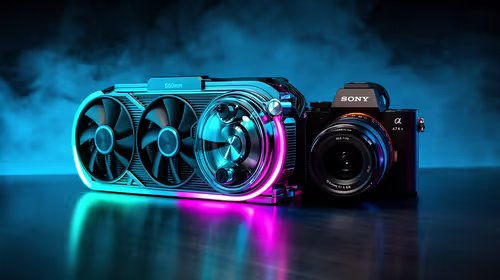
What SA Buyers Should Check in a Multi-Platform Pad
SA buyers should check exact device support, connection routes, game input and local price before choosing a multi-platform pad. The R729 Nova 2 Lite offers tri-mode links and Hall controls, but each planned setup still needs matching.
Read more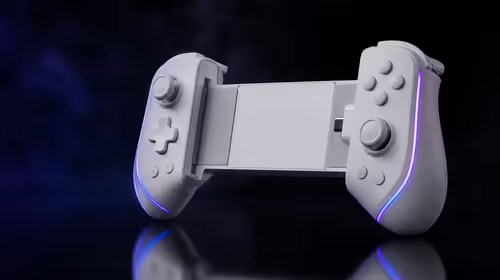
Customise RGB Lighting and Game Profiles
Customise controller RGB by choosing a supported effect, then save game controls in clearly named profiles. The R999 Cyclone 2 offers adjustable lighting, while each profile should keep connection, stick, trigger and visual changes identifiable.
Read more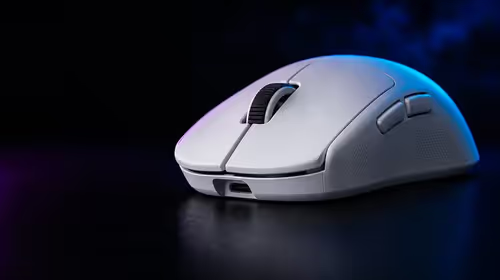
Optimise DPI and Polling for Competitive Gaming
DPI controls movement scale while report rate governs how often the mouse can send updates, so they solve different parts of input tuning. The G305 X SUPERLIGHT supports up to 44,000 DPI and an 8kHz report rate, but stable settings beat maximum values.
Read more
Synchronise 12-Zone RGB Lighting Across a Gaming Setup
Choose one restrained palette, group compatible devices in the lighting app, and save the scene as a profile. The Base Station V3 Chroma contributes 12 lighting zones and 16.8 million available colours, so gradients can move around its base.
Read more
RGB or Standard Headset Stand: Which Type Offers More Value?
A standard stand is better value when safe storage is the only goal; RGB earns its premium when lighting integration matters daily. Judge the added USB, audio and control features against the devices already on your desk, not the glow alone.
Read more
Gaming Setup RGB: 12 Lighting Zones and 16.8 Million Colours
Twelve zones let a stand show position-based effects rather than one uniform glow, while 16.8 million colours provide fine shade control. Use that range selectively: a two-colour gradient or slow wave often looks more coherent than every zone changing independently.
Read more
Is the Razer Orochi V2 Practical for South Africans?
Yes, the Razer Orochi V2 is a practical portable mouse for South Africans who want light movement and flexible controls. Its R1,349 price, 18K optical sensor, six programmable buttons and 100% PTFE feet suit gaming, campus and work across compact desks.
Read more
Best-Value Programmable Mouse Features for a ZAR Gaming Budget
For a ZAR gaming budget, the best-value programmable features are reachable side buttons, dependable remapping software and profiles that suit your main games. Swappable 2, 6 and 12-button plates earn their cost only when you genuinely use those layouts.
Read more
What South African MMO Players Need in a Wireless Gaming Mouse
South African MMO players should prioritise reachable ability buttons, stable receiver placement and a battery that fits long sessions. Local warranty handling also matters because a failed switch or wireless fault should not require an overseas return.
Read more
Choosing One Mouse for South African MMO, MOBA and FPS Players
A South African multi-genre player should choose one mouse that can simplify as well as expand its controls. The Naga V3 Pro's 2, 6 and 12-button plates cover distinct game demands, while local warranty support reduces the risk of a premium daily-use device.
Read more
How 2.4GHz Wireless Differs From Bluetooth on a Mouse
2.4GHz mouse links normally use a dedicated USB receiver for fast, stable control, while Bluetooth pairs through the computer's built-in radio. The first suits timing-sensitive games; the second saves a port and is convenient for routine laptop work.
Read more
Benefits of an Ultra-Lightweight Wireless Gaming Mouse
An ultra-lightweight wireless mouse reduces cable drag and effort during broad swipes. It can help low-sensitivity play, quick repositioning and portable setups, provided the compact shape supports your grip and the receiver remains close enough for a clean link.
Read more
Are Six Programmable Buttons Enough for Games and Work?
Yes, six programmable buttons are enough for most gaming and everyday productivity. They cover primary clicks, scrolling and a few high-value shortcuts without forcing the thumb to memorise a keypad; MMO players needing many abilities may prefer more controls.
Read more
Wireless Gaming Mouse Connectivity: Latency, Ease and Support
Wireless mouse connectivity is a trade-off between response, simple pairing and available ports. A dedicated receiver generally suits competitive play, while Bluetooth helps with everyday laptop use; receiver distance and interference often matter more than menus.
Read more
Is the Razer Naga V3 Pro a Practical Upgrade in South Africa?
Yes, the Naga V3 Pro is practical for South Africans who will use its swappable controls in both games and desktop work. At R4,299, it makes sense when the 2, 6 and 12-button plates, long wireless rating and local warranty route all earn regular use.
Read more
Optimise Six Programmable Mouse Buttons for Every Game Genre
Assign the six buttons to actions that save movement without causing accidental presses. FPS players benefit from utility or push-to-talk, while strategy, RPG and productivity profiles can carry abilities, camera controls and repeatable shortcuts.
Read more
How to Clean and Maintain 100% PTFE Gaming Mouse Feet
Clean PTFE feet with a dry microfibre cloth, then remove stubborn grime with a lightly dampened swab. Never flood the pad edges or scrape them with metal; replace feet when deep scratches, lifted corners or uneven wear keep causing drag.
Read more
2.4GHz Wireless vs Bluetooth for Gaming: Which Is Better?
Use 2.4GHz wireless for competitive gaming and Bluetooth for convenient everyday control. A dedicated USB receiver usually prioritises responsiveness, while Bluetooth saves a port and makes laptop or tablet pairing simpler when reaction time matters less.
Read more
Ultra-Lightweight vs Heavy Gaming Mice for Better Control
Neither weight class guarantees better control: lighter mice favour rapid starts, while heavier designs can feel steadier at high sensitivity. Grip style, mousepad friction and how cleanly you stop the shell matter more than chasing one number.
Read more
PTFE vs Standard Mouse Feet: Which Glide More Smoothly?
100% PTFE feet generally glide more smoothly than basic mixed-plastic feet because the material has low friction. The real result still depends on clean pad fibres, rounded foot edges and even wear; trapped grit can make either type feel scratchy.
Read morePinned Articles

Steam downloads pause during gameplay: check global and game settings
Steam downloads can pause during gameplay because of global or per-game download settings. Check those controls before blaming your fibre line. Allow background downloads only when the connection and storage can handle them without disrupting play.

LGA 1851 vs LGA 1700 for competitive esports Difference explained in SA
LGA 1851 vs LGA 1700 for competitive esports Difference explained is mostly about compatibility, budget, upgrade path, and setup fit. SA buyers should check device support and real needs before expecting a clear win from either option.

RTX 4090 sold out? In-stock alternatives for SA music production
RTX 4090 sold out? In-stock alternatives for SA should solve the exact workload without overbuying. Compare nearby options by GPU tier, VRAM, cooling, and PSU headroom, local warranty path, and total build balance before moving to a product page.

How to Fix Blurry Text on OLED Gaming Monitors in South Africa
OLED gaming monitor text can look soft when scaling or panel settings are off. To fix blurry text on an OLED gaming monitor in South Africa, check native resolution, ClearType, sharpness, cable bandwidth, and GPU output.
Featured Articles
Steam downloads pause during gameplay: check global and game settings
Steam downloads can pause during gameplay because of global or per-game download settings. Check those controls before blaming your fibre line. Allow background downloads only when the connection and storage can handle them without disrupting play.

Steam controller moves mouse: change the desktop layout safely
A Steam controller moves mouse input when its active layout maps a stick or pad to pointer movement. Check Desktop Layout before changing each game. A desktop binding is different from stick drift, so compare behaviour with Steam fully closed.

File History September 2026: check backups before replacing a drive
File History September 2026 failures can show a false reconnect-drive warning after KB5124008. Check the last successful backup and protect current files with a separate copy. A working drive does not need replacing just because this message appears.

Discord lowers game volume: fix attenuation before buying a headset
Discord lowers game volume when attenuation reduces other audio during voice chat. Set its desktop attenuation slider to 0%, then check Windows communications settings if the dip remains. Test one change at a time before blaming the headset.
New Articles

Discord age verification: what the September changes mean for SA users
Discord says most users will not need to manually confirm their age. Its September explanation separates account-based estimation from optional confirmation methods. Review the prompt in the app and the data involved before submitting personal information.

Steam Cloud conflict: protect your save before choosing local or cloud
A Steam Cloud conflict needs a save-history check before you choose which copy to keep. Stop switching devices, preserve the local save and compare the last successful session. Replacing storage is not the first response to a sync warning.

Touchpad stops while typing: adjust Windows 11 sensitivity safely
A touchpad that pauses only while typing may be suppressing accidental input. Try a more sensitive touchpad setting before replacing hardware. Test normal typing afterwards, because reducing the delay can also make palm touches easier to register.

Surface Snapdragon X2 Plus: new 12-inch and 13-inch models explained
The new small Surface models use Snapdragon X2 Plus and brighter 500-nit displays. The 12-inch Pro and 13-inch Laptop target portable use. Check essential apps and accessories before treating an overseas release date as a South African buying plan.