Two mouse shells look similar on a spec sheet and feel nothing alike in the hand. The Pulsar X2H CrazyLight is a symmetrical ergonomic mouse built for a claw and relaxed claw grip. The Pulsar Xlite CrazyLight is a right-handed ergonomic mouse built for a palm grip. If your hand lands somewhere between the two, the dimensions below settle the argument.
Quick Answer
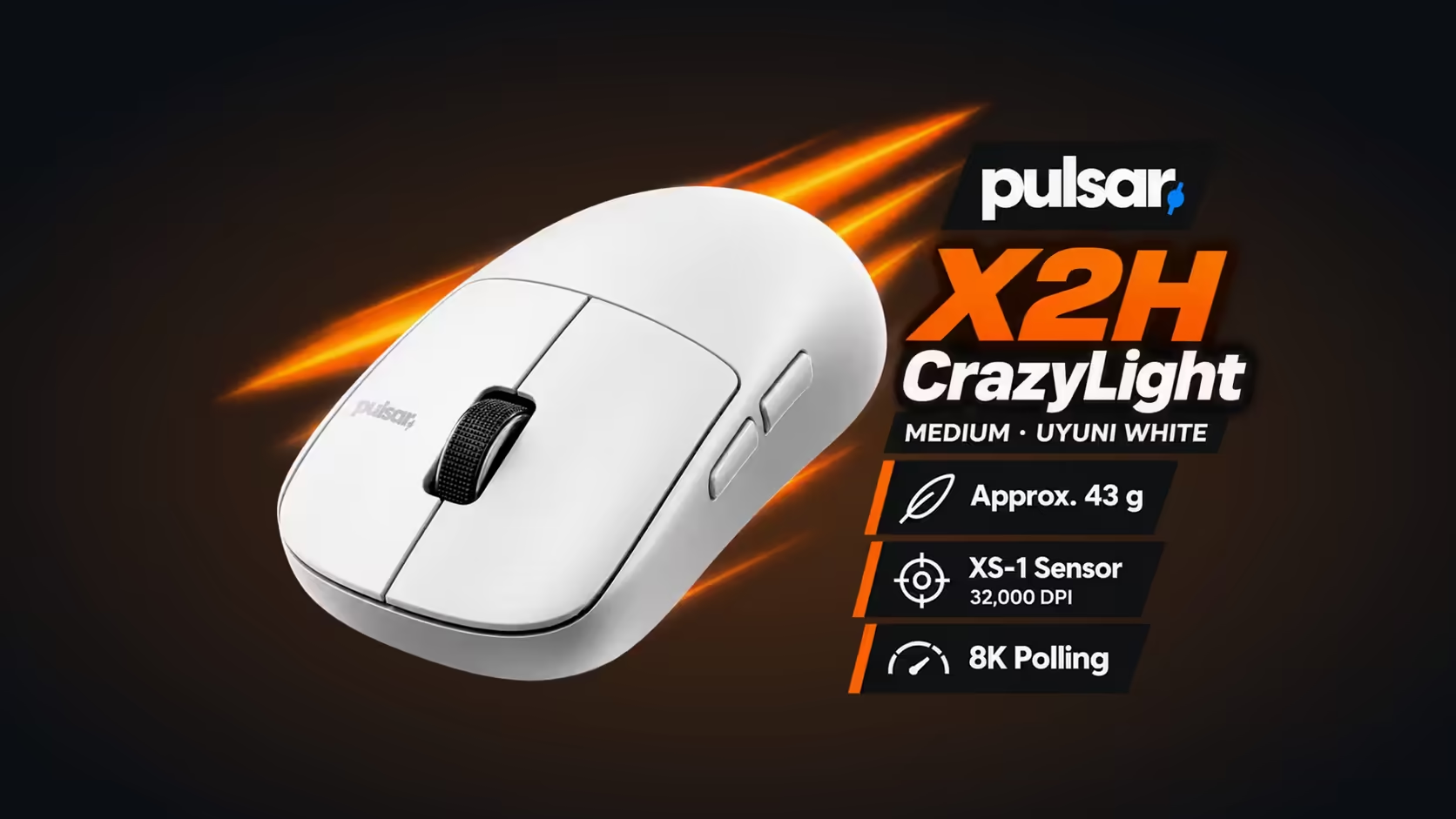
For a relaxed claw, pick the Pulsar X2H CrazyLight Medium: it is listed for claw and relaxed claw, measures 120.4 x 65 x 39mm and weighs 43g with the dot feet fitted. The Xlite CrazyLight Medium is listed for palm, is right-handed only and is taller and longer at 122 x 66 x 43mm. Choose the Xlite when your whole palm wants to sit on the mouse, and choose the X2H when only the heel of your hand does.
🤝 What they share
The electronics are identical, which is why shape and grip are the real decision. Both mice carry:
- The XS-1 sensor, reading up to 32,000 DPI and 750 IPS.
- Optical click switches good for 100 million presses.
- Wireless through a 2.4GHz receiver, with a USB-C cable.
- Sixteen loose 6.6mm dot feet.
- The maker's Windows app for buttons, macros and sensor settings.
For 8000Hz on either one, the PC needs a fairly modern Core i5 or Ryzen 5 chip and a USB 3.0 port. With the parts matched, nothing inside the shell should sway the decision, and you are free to judge the two on how they sit under your hand.
📏 Shape and size side by side
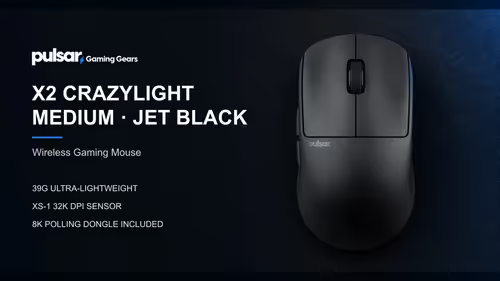
- X2H CrazyLight Medium: symmetrical ergonomic, listed for claw and relaxed claw, 120.4 x 65 x 39mm, 43g with dot skates and 45g on regular skates.
- Xlite CrazyLight Medium: ergonomic and right-handed, listed for palm, 122 x 66 x 43mm, 44g with dot skates and 46g on regular skates.
The X2H CrazyLight is the shorter, flatter mouse. Its 39mm peak gives the palm a light rest, but it stays low enough that the fingers keep their arch. The Xlite CrazyLight Medium is 4mm taller and 1.6mm longer, which fills a flat palm all the way back to the wrist.
How the grips map onto the shells
A relaxed claw lets the heel of the hand touch the mouse while the knuckles stay raised. On the Xlite that raised arch collides with a tall hump, because the shell was drawn for a hand that lies flat. On the X2H the hump meets the palm gently and leaves the fingers room to curl. A palm player moving the other way will find the X2H too low, since the palm has less shell to lean on and the wrist ends up carrying the difference over a long session. Neither mistake is permanent, but buying for the grip you really use saves a second purchase.
🙌 Hand choice and shared desks
The biggest practical difference is handedness. The X2H CrazyLight is symmetrical, so a left-hander uses the same layout as a right-hander. The Xlite CrazyLight is right-handed only. In a household where two people use one PC on a flat desk, a symmetrical mouse avoids any swap of shells between hands, while a handed palm mouse fits only one of them.
⚖ Does the 1g gap matter?
On paper the X2H is 43g and the Xlite Medium 44g, so the weight alone should not decide anything. What you feel is where that mass sits. The taller Xlite shell puts more material above the palm, while the X2H keeps its mass lower and closer to the fingers. With a relaxed claw, that lower balance point makes small corrections feel quicker. With a full palm grip the extra height spreads the load across the hand and feels steadier. So the decision comes back to grip, and the grams simply follow.
🐭 The smaller Xlite option
The Xlite family also has a Mini size in Jet Black: 115.6 x 63.4 x 40.7mm and 41g with dot skates (43g regular). It is a compact right-handed palm mouse. It narrows the length gap, but it stays right-handed and keeps a taller 40.7mm profile than the 39mm X2H, so the symmetry question does not go away.
🧭 A quick way to choose
A short test at your own desk beats any spec sheet, and it costs nothing.
Rest your hand on a flat surface the way you hold a mouse in a game and look at where your palm touches. Do it for a full minute rather than a glance, because the hand drifts into its real habit once it relaxes.
- If the whole palm presses down and the fingers lie straight, the Xlite CrazyLight is the better match.
- If only the back of the palm touches and the fingers curl, the X2H CrazyLight is the better match.
- If you are left-handed, the Xlite is out and the X2H is the one to look at.
- If you share a desk with someone of the other hand, the X2H covers both.
🛒 Where to find them
Evetech sells both shells in South Africa. Start on the gaming mice shelf, then open the wireless mouse range to see other shapes next to them. Prices sit on each product page. If a different Pulsar shell is tempting you, the Pulsar page at Evetech brings the family into one view.
Frequently Asked Questions
Which suits a relaxed claw better?
The X2H CrazyLight, which is listed for claw and relaxed claw. The Xlite CrazyLight is listed for palm, so a relaxed claw hand meets less useful shell.
How do the two shapes differ?
The X2H CrazyLight is symmetrical ergonomic at 120.4 x 65 x 39mm. The Xlite CrazyLight Medium is right-handed at 122 x 66 x 43mm, taller and longer.
How do the weights compare?
43g for the X2H and 44g for the Xlite Medium, both weighed with dot feet and no cable. On regular skates it is 45g against 46g.
Can a left-hander use either?
Only the X2H CrazyLight. The Xlite CrazyLight is right-handed, while the X2H is symmetrical and works in either hand.
Do they share electronics?
Yes. The sensor, the optical switches and the receiver are shared, so shape and grip are the real decision.
What if two people share one desk?
The X2H CrazyLight fits both hands, while the Xlite CrazyLight only suits a right-handed palm.
How does the Xlite Mini fit in?
At 115.6mm long and 41g it is a smaller palm option, but it stays right-handed.
Not sure which shell fits your hand?
Browse the Evetech gaming mice category and compare the X2H CrazyLight and Xlite CrazyLight against how your palm actually lands.