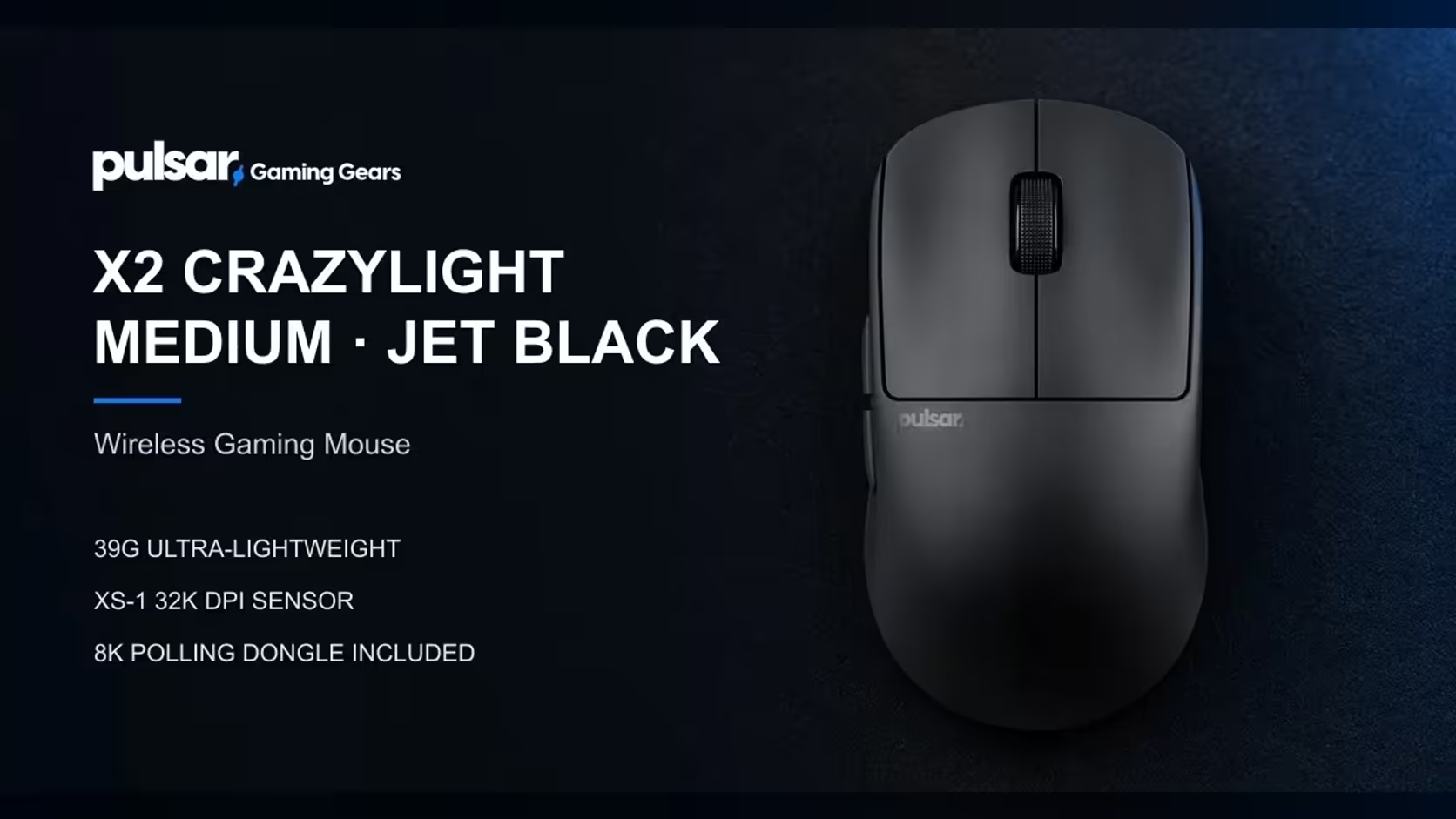
Two CrazyLight families share a sensor, a switch rating and a receiver, yet they ask for different hands. The X2 CrazyLight is a symmetrical shell, low across the top and broad through the middle, made for claw and fingertip grips, while the Xlite CrazyLight is an ergonomic right-hand shell made for palm grip. Start with the shape of your hand and treat weight as the follow-up, because the 5g gap in weight is smaller than the gap in shape.
Quick Answer
Choose the X2 CrazyLight if you grip with your claw or fingertips, if you use your left hand, or if more than one person shares the mouse. Choose the Xlite CrazyLight if you rest your whole palm on the shell and use your right hand. Both come in Mini and Medium. The Medium weights are 39g for the X2 CrazyLight and 44g for the Xlite CrazyLight, and the Xlite CrazyLight is taller and wider to give a palm more to hold.
📐 The shells, size by size
Dimensions explain most of the difference, so start there.
Medium
On the page, the X2 CrazyLight Medium measures 120.4mm in length, 63mm across and 38mm in height, and it weighs about 39g. The Xlite CrazyLight Medium is 122mm long, 66mm wide and 43mm tall, at about 44g. That makes the Xlite CrazyLight longer by 1.6mm, wider by 3mm and taller by 5mm. The height is the number that matters, because it is the hump under your palm.
Mini
Both Minis are 115.6mm long. The X2 CrazyLight Mini is 61mm wide and 36.6mm tall, at about 35g. The Xlite CrazyLight Mini is 63.4mm wide and 40.7mm tall, at about 41g. So the Mini shells share a length and differ in width and height, the same pattern as the Mediums but a little smaller.
The weights above are with dot skates fitted and without the cable. Regular skates add roughly 2g to each.
✋ Grip, hand and what the shape is for
On its page the X2 CrazyLight is a symmetrical shell, low-humped and broad through the waist, aimed at claw and fingertip grips. A low hump suits a hand that arches its knuckles and presses with the fingers, and the broad waist gives the sides something to pinch.
The Xlite CrazyLight is described as ergonomic and right-handed, built for palm grip. The taller shell gives a palm more to rest on, and a claw hand would find that hump taller than it needs.
What about a left hand
The X2 CrazyLight is symmetrical, so it works in either hand. The Xlite CrazyLight is a right-hand shell, so a left-hander who wants a palm-style shape should look at the X3 LHD CrazyLight Mini instead, which is listed for palm and claw.
A quick home test for grip
Rest your hand on a flat desk as if the mouse were under it. If your palm lies flat and the heel of your hand touches the desk, you are a palm gripper, and the taller Xlite CrazyLight is the natural fit. If your palm hovers and your fingers do the pressing, you are a claw or fingertip gripper, and the flatter X2 CrazyLight is the better match. If you are somewhere between, the heights tell you which way to lean: 38mm for the X2 CrazyLight Medium against 43mm for the Xlite CrazyLight Medium.
The pages list the same size and weight for every finish of a given model, so colour is a separate decision from shell. Settle the shape and the size, then look at the colours on offer for that model.
🔋 What the two share
Neither shape is a technical step down from the other. Both carry the XS-1 sensor, which tracks up to 32,000 DPI at 750 IPS, and optical switches rated for 100 million clicks. Both include an 8K dongle, so 8000Hz polling is available on a PC with a Ryzen 5 or Core i5 class processor and a USB 3.0 port. Both ship with a sheet of 16 UHMW-PE dot skates, 6.6mm each, so you can swap the feet. Settings live in desktop software for Windows 7 or higher.
That list means the decision stays about shape and weight. A buyer who picks the X2 CrazyLight is not giving up sensor quality, and a buyer who picks the Xlite CrazyLight is not paying a penalty for a taller shell.
🏠 A shared flat desk changes the answer
Picture two housemates in a small flat sharing one PC on one desk. One is left-handed, one is right-handed, and the mouse lives at the pad. The symmetrical X2 CrazyLight works for both without a swap, while the Xlite CrazyLight suits whoever uses the right hand. For a household in that situation the X2 CrazyLight is the sensible default.
If the desk belongs to one person who rests a palm on the shell all evening, the Xlite CrazyLight gives that hand more to hold. In that case there is no reason to compromise on the shape.
Evetech sells online, so measure your hand and your desk at home with a ruler before you order. Browse the gaming mice category to see both, or the wireless mouse selection to compare them with other cable-free models. Each product page at Evetech carries its price. Both shapes and the other mice in the family are laid out together on the Pulsar brand page.
Frequently Asked Questions
How do the Medium shells compare?
Measured in length, width and height, the X2 CrazyLight Medium is 120.4, 63 and 38mm at about 39g, and the Xlite CrazyLight Medium is 122, 66 and 43mm at about 44g. The Xlite CrazyLight is the taller, wider shell.
What about the Mini shells?
Both Minis are 115.6mm long. The X2 CrazyLight Mini is 61mm wide, 36.6mm tall and about 35g, and the Xlite CrazyLight Mini is 63.4mm wide, 40.7mm tall and about 41g.
Who suits a left hand here?
The X2 CrazyLight, which is symmetrical. The Xlite CrazyLight is a right-hand shell, so a left-hander should look at the X3 LHD CrazyLight Mini.
Which grip does each suit?
The X2 CrazyLight is for claw and fingertip, with a flat profile and broad middle. The Xlite CrazyLight is for palm grip.
What do both mice carry?
The XS-1 sensor, optical switches rated for 100 million clicks, an 8K dongle, 16 dot skates and desktop software for Windows 7 or higher.
Why is the Xlite CrazyLight taller?
To give a palm more to rest on. A claw hand would find that hump taller than it needs, which is why the X2 CrazyLight is flatter.
Ready to match shape to your hand?
Browse the gaming mice category at Evetech, measure your hand and desk at home, and pick the CrazyLight shell that fits your grip.