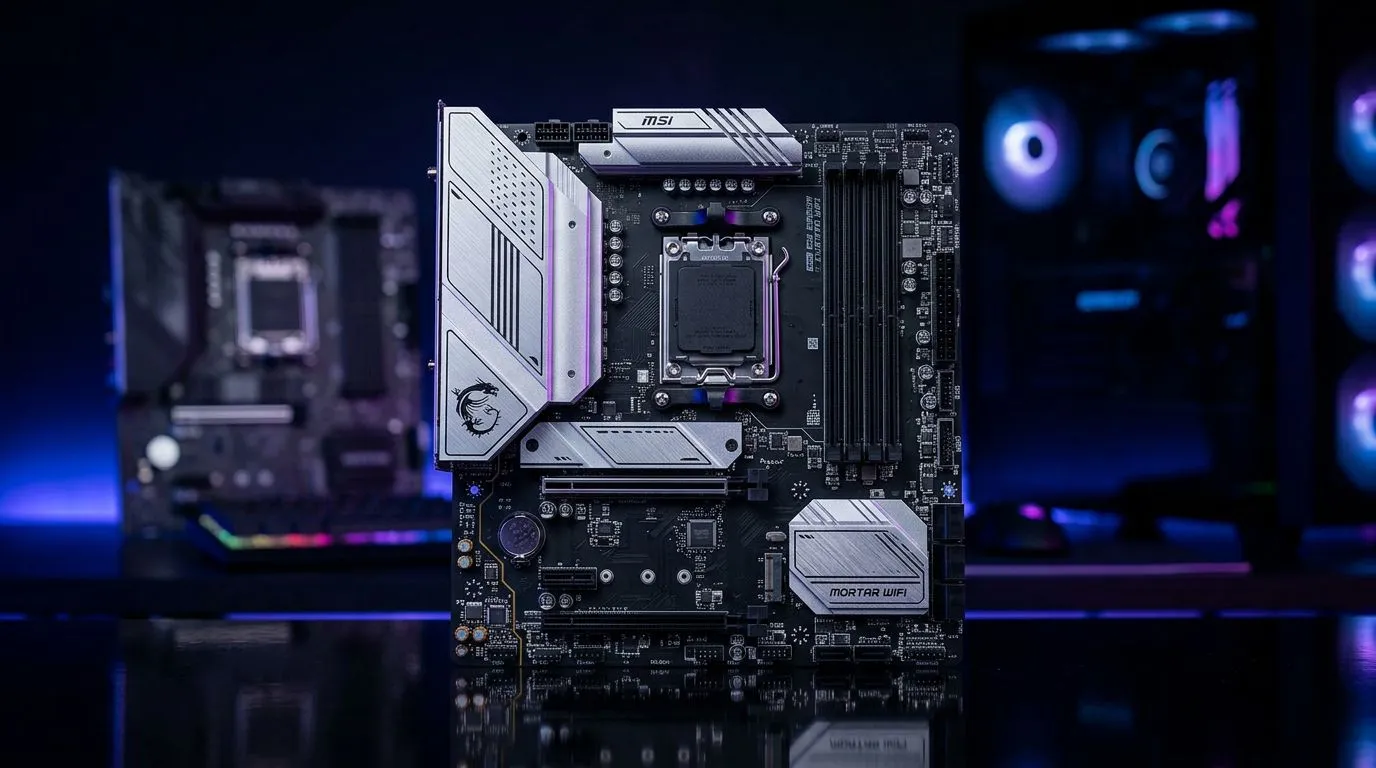
MSI B850M Gaming Plus WiFi vs Mortar WiFi… which one fits your build in South Africa?
If you’re planning a new AM5 build and you want WiFi included, you’ve probably stared at two MSI boards and thought… “Hang on, what’s actually different?” MSI’s B850M Gaming Plus WiFi and Mortar WiFi sit close enough in price to make comparisons confusing, especially once you factor in future upgrades like faster M.2 storage and more RAM speed. Let’s break it down clearly, then help you choose with confidence. 🔧
MSI B850M Gaming Plus WiFi vs Mortar WiFi: key differences explained (fast)
Both boards target everyday gaming builds and efficient productivity systems. The real differences usually come down to:
- Connectivity choices (how many fast USB ports and networking extras you get)
- M.2 storage layout (how cleanly you can expand without cable-and-slot headaches)
- Build and feature tuning (BIOS experience, firmware options, and convenience headers)
- Aesthetics and “comfort” features (heatsink design, onboard buttons, debug support)
Important note: exact port counts, M.2 slot details, and networking specifics can vary by board revision and regional SKU. For specs you must trust, use the model page from the exact listing you’re buying (or ask Evetech before you order). For buying decisions, that’s the safest way.
MSI B850M Gaming Plus WiFi vs Mortar WiFi: what matters for gamers
1) WiFi reliability and latency… not just “it has WiFi”
In SA homes, WiFi performance depends heavily on interference, router placement, and walls. A board with WiFi can still feel “laggy” if your signal is weak. If possible, consider:
- Placing your PC near the router (or using a better access point)
- Testing with a quick ping run during peak hours
- Using 5GHz or WiFi 6/6E when supported by your router
Why this matters: online shooters and ranked PvP feel the difference between stable and unstable connections.
2) M.2 expansion for game libraries and mods 🚀
Most gamers don’t just install one drive anymore. You’ll likely add:
- An OS + a few core games drive
- A second M.2 for a growing Steam library
- Optional space for mods, caches, and project files
Choose the board that gives you the easiest path to add another M.2 later, without sacrificing lanes you’ll care about in the future.
3) Power delivery and thermals… especially in warm SA summer
When load spikes hit (shader compilation, streaming, or long sessions), stable power matters. Good VRM design helps the system hold boosts longer and run cooler. MSI’s “Gaming” and “Mortar” lines are generally built for stable daily use, but always confirm the cooling and VRM heatsink approach on the exact product page.
MSI B850M Gaming Plus WiFi vs Mortar WiFi: choosing based on your build plan
If you want the simplest gaming-first setup
Pick the board that matches your short-term needs:
- Enough storage slots for your next two upgrades
- Convenient headers for case fans and RGB (if you care)
- Clear BIOS navigation so you can tweak RAM and boot order quickly
This is where the Gaming Plus branding often appeals… but “Mortar” boards can be just as practical when priced right.
If you’re the “upgrade later” type 🔥
Go Mortar WiFi (or Gaming Plus) only after you confirm:
- How many M.2 slots you can actually use together
- Whether any M.2 slots share bandwidth with SATA ports (some boards do)
- Whether you need specific USB types now, like USB-C for fast peripherals
If you’re building in phases (GPU now, storage later), plan the lanes and slots first. It prevents expensive “oops” moments.
Build Lab Pro Tip 🔧
If you’re choosing between two boards with similar specs, don’t decide purely on brand names. Instead, check the exact M.2 slot count and which slots are available under typical GPU sizes. Then compare how many SATA ports you’ll still have for your HDD SSD backlog. That one checklist step saves you from future upgrade bottlenecks.
MSI B850M Gaming Plus WiFi vs Mortar WiFi: where to start your motherboard shortlist on Evetech
If you’re still narrowing down AM5 options, Evetech makes it easy to browse the broader ecosystem by platform. Start with AMD options if your goal is AM5 stability and upgrade paths:
- Explore AMD motherboard choices here: AMD motherboards on Evetech ✨
And if you’re open to Intel for any reason (pricing swings, specific CPUs, or software requirements), compare Intel boards too:
- Browse Intel boards here: Intel motherboards on Evetech
If your focus is value without cutting corners, use Evetech’s budget filters to see what “good enough” looks like at current SA price points:
- Check affordable options here: Cheap Intel & AMD-based motherboards
MSI B850M Gaming Plus WiFi vs Mortar WiFi: quick decision guide (no fluff)
Choose MSI B850M Gaming Plus WiFi if you want a gaming-leaning experience and you prefer boards that feel more “feature packed” out of the box… especially for RGB, convenience, and first-build usability.
Choose Mortar WiFi if you care most about long-term practicality, clean expansion planning, and paying for the parts you’ll actually use.
And if you’re unsure which one you personally should buy, treat it like a 15-minute checklist:
- Confirm the exact M.2 layout on the product you’re buying
- Check whether your case headers match what the board supports
- Verify WiFi quality with your router setup (or plan for Ethernet)
That’s how you end up with a build that’s fast today and still upgradeable next year. ✅
Ready to Find Your Perfect Match? The Mac vs Windows debate is complex, but for maximum power, choice, and value in South Africa, Windows is hard to beat. Explore our massive range of laptop specials and find the perfect machine to conquer your world.