


Best Intel Keyboard Under R3000 in SA 2026
Top Intel Keyboard Under R3000 picks evaluated on performance, value & SA availability with current Rand pricing from Evetech.
Read moreReady for a PC building workshop in South Africa? Stop watching endless tutorials and join Evetech's hands-on class for absolute beginners! 🛠️ Our experts will guide you step-by-step, from choosing parts to booting up your new rig. Master the art of PC building. Sign up now! 💻
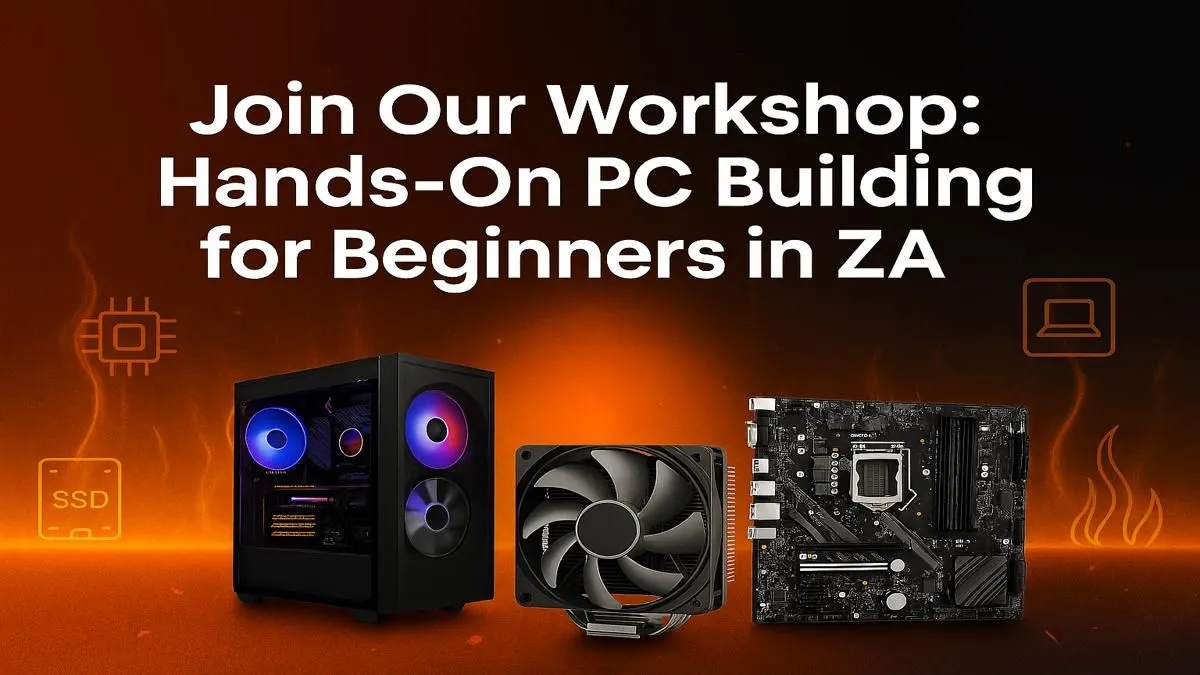
So, you’re ready to build your first PC. The excitement is real, but so is the mountain of questions. Which parts? What tools? Where do you even start? Forget the confusing forums and endless YouTube rabbit holes. Think of this as your personal PC building workshop South Africa—a straightforward guide to help you go from a box of components to a powerful rig, right here in Mzansi. Let’s get those hands dirty! 🔧
Why bother with a DIY build when you can just buy one off the shelf? Three reasons: customisation, value, and pure satisfaction.
Building your own PC means you choose every single component. You’re not paying for a feature you’ll never use or a part that’s overkill for your needs. You get to allocate your budget to what matters most to you—whether that’s a beastly graphics card for 4K gaming or a super-fast SSD for creative work. This level of control often means you get more performance for your Rands.
And the best part? The moment it boots up for the first time... that feeling is unbeatable. You built that!
Before you start shopping, let's demystify the core parts. This isn't a deep dive, just a quick "what's what" for any beginner starting their PC building journey in South Africa.
Balancing these parts is key. For inspiration on how different components come together, checking out some popular budget gaming PCs can give you a great starting point.
Okay, let's talk money. Your budget will dictate everything. The good news is that you can build a fantastic machine at various price points. We generally see builders fall into two main brackets.
This is where the magic happens for most first-time builders. You can build a solid 1080p gaming rig that will crush popular titles like Valorant, Fortnite, and Apex Legends. You'll be looking at mid-range CPUs and GPUs that offer the best bang for your buck. For a great overview of what this budget gets you, browse our curated selection of PCs under R20k.
If your budget stretches further, you can start targeting high-refresh-rate 1440p or even entry-level 4K gaming. This tier unlocks more powerful CPUs and GPUs, more RAM, and faster storage. It's the ideal range for streamers, content creators, or anyone who simply wants top-tier performance. These powerful PCs above R20k showcase the kind of power you can aim for.
This is the moment of truth. Assembling the PC is a methodical process. Take your time, read your motherboard manual, and stay organised.
The general order is:
Seeing what components pair well in professionally assembled machines can be a huge help. Check out some of the best gaming PC deals to see proven combinations.
Always install the motherboard's I O shield into the case first. It's a thin metal plate that covers the ports on the back. It's incredibly easy to forget, and realising your mistake after the entire motherboard is screwed in is a classic PC builder rite of passage you'll want to avoid!
Let's be honest: a full DIY build isn't for everyone. If this guide sounds more stressful than exciting, there is zero shame in opting for a pre-built PC. You still get a powerful, custom-specced machine, but without the hassle of assembly, compatibility checks, and troubleshooting. Plus, you get a full system warranty. 🚀
It's a fantastic way to get into PC gaming with peace of mind. Our team of experts builds and tests every machine, so you can just plug in and play. If that sounds like a better fit, explore these awesome pre-built PC deals.
Ready to Build or Buy Your Dream Rig? Whether you're assembling your first masterpiece or choosing a ready-to-dominate machine, the power is in your hands. Explore our massive range of PC deals and find the perfect rig to conquer your world.
At our hands-on computer building class, you'll learn to select compatible components, assemble them correctly, manage cables, and install the OS with expert guidance.
Absolutely not! This workshop is designed for complete beginners. We start with the basics and guide you through every step, making it a perfect DIY PC building for newbies.
Just bring your enthusiasm! We provide all the necessary tools and components for the build. You'll also have the option to buy the PC you build at a special discount.
The workshop is a full-day event, typically running for 6-8 hours. This includes guided building sessions, breaks, and a final Q&A session with our PC building experts.
Yes! It saves you from costly mistakes, provides invaluable hands-on experience, and connects you with experts, ensuring your first build is a successful and rewarding one.
Our workshops are held at our main campus in Centurion, Gauteng. Check the event page for the exact address, map, and available dates for our next learning session.
Top Intel Keyboard Under R3000 picks evaluated on performance, value & SA availability with current Rand pricing from Evetech.
Read more
Top Budget Hall Effect Keyboards Under R2,000 picks evaluated on performance, value & SA availability with current Rand pricing from Evetech.
Read more
Top Nvidia Keyboard Under R5000 picks evaluated on performance, value & SA availability with current Rand pricing from Evetech.
Read more
Top ASUS Keyboard Under R3000 picks evaluated on performance, value & SA availability with current Rand pricing from Evetech.
Read more
Top Wireless Keyboard Under R3000 picks evaluated on performance, value & SA availability with current Rand pricing from Evetech.
Read more
Top Samsung Keyboard Under R5000 picks evaluated on performance, value & SA availability with current Rand pricing from Evetech.
Read more
Snapdragon X2 NPU Explained: How 80 TOPS Changes. Plain-English explanation of what it means, why it matters & how it affects your buying decisions in SA.

HBM? High Bandwidth Memory Used in GPUs and AI. Plain-English explanation of what it means, why it matters & how it affects your buying decisions in SA.

How much should you spend on sim racing accessories in South Africa for a realistic setup? We break down budgets by quality tiers, so you buy smart gear and avoid overspending 🎮💸

G-Sync and FreeSync? Variable Refresh Rate. Plain-English explanation of what it means, why it matters & how it affects your buying decisions in SA.

AMD Laptop: Value. SA-focused analysis with local pricing data, real-world insights & actionable buying advice.

How MacBook Neo Handles 30+ Chrome Tabs with Only. SA-focused analysis with local pricing data, real-world insights & actionable buying advice.

Why Apple Put 8GB RAM in MacBook Neo: The A18 Pro. SA-focused analysis with local pricing data, real-world insights & actionable buying advice.

Upgrade your work laptop with a New Motherboard. Step-by-step instructions with SA-specific tips, common pitfalls to avoid & expert recommendations.

MacBook Pro 16-Inch M5 Max: Complete Specs,. Everything you need to know with SA pricing, step-by-step instructions & expert recommendations.

Travelling With a MacBook: Travellers. Everything you need to know with SA pricing, step-by-step instructions & expert recommendations.

Back-to-School Parent Guide: Laptops. Everything you need to know with SA pricing, step-by-step instructions & expert recommendations.

MacBook Air 13-Inch M5: Complete Specs, Features. Everything you need to know with SA pricing, step-by-step instructions & expert recommendations.