


Best AMD GPU Under R40000 in SA 2026
Top AMD GPU Under R40000 picks evaluated on performance, value & SA availability with current Rand pricing from Evetech.
Read moreStruggling with PC cooling in South Africa? High temps can throttle your gaming performance and shorten component lifespan. This guide explains everything from AIO coolers to airflow optimization, helping you choose the best solution to keep your rig cool and running at peak performance. ❄️ Beat the heat!
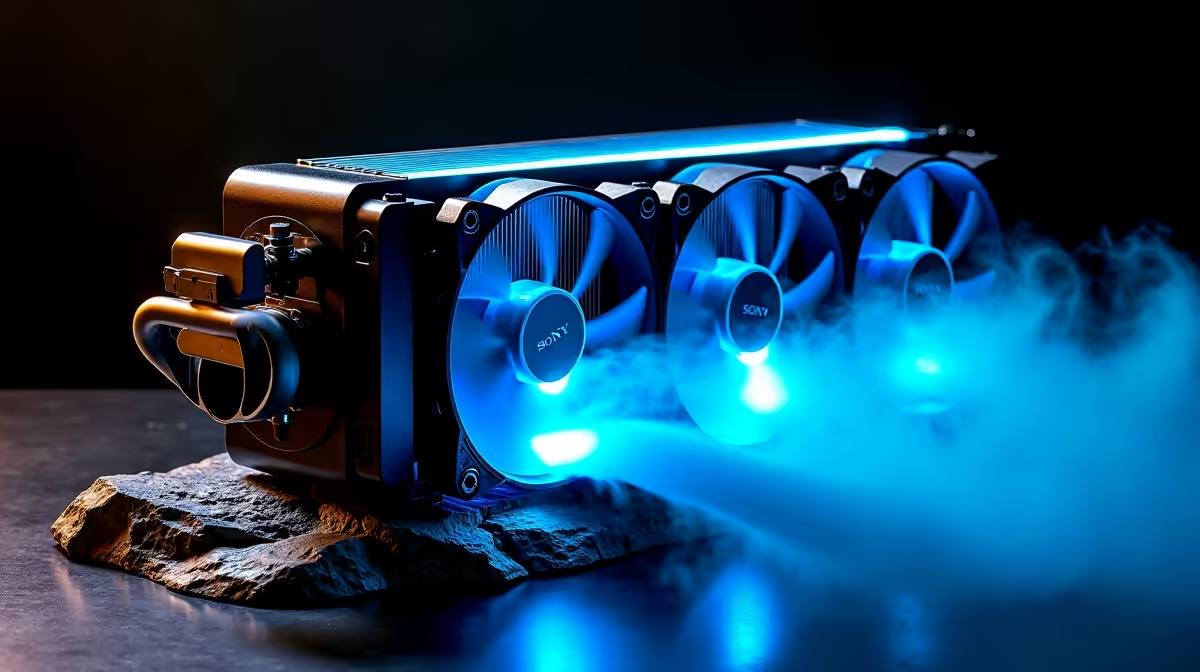
Is your gaming PC starting to sound like a jet engine during a Highveld heatwave? You're not alone. In South Africa, where summer temperatures can be brutal, keeping your rig cool isn't just a luxury… it's essential for performance and longevity. Overheating can throttle your CPU and GPU, turning your high-end machine into a stuttering mess. This guide covers the essentials of PC cooling in South Africa to keep your frames high and your temps low. ❄️
Let's talk about "thermal throttling." It sounds technical, but it's simple: when your components get too hot, they automatically slow down to prevent damage. Suddenly, your smooth 144 FPS in Apex Legends drops to a choppy 40 FPS right in the middle of a firefight. Effective PC cooling in South Africa ensures your hardware runs at its peak potential, protecting your investment and giving you the consistent performance you paid for.
A well-cooled PC doesn't just perform better; its components last longer. Consistent high temperatures can reduce the lifespan of your expensive CPU, GPU, and even your motherboard.
Choosing your cooling method is a key decision when building or upgrading. Both have their place, depending on your needs and budget.
Simple, reliable, and often more affordable. A good quality air cooler consists of a heatsink and a fan that draws heat away from your CPU. They are fantastic for most builds, especially if you're not planning on extreme overclocking. Many excellent budget gaming PCs use high-performance air coolers to deliver amazing value without compromising on core temperature management.
All-In-One (AIO) liquid coolers use a pump, radiator, and liquid to move heat away from your CPU far more efficiently. They offer superior cooling, are often quieter under load, and provide that clean, high-tech look inside your case. For serious enthusiasts pushing high-end hardware in a powerful PC over R20,000, an AIO is often the best choice for taming those temps. ✨
No cooler works well in a hotbox. Ensure your case has good airflow. A basic setup includes at least one intake fan at the front (pulling cool air in) and one exhaust fan at the back (pushing hot air out). This 'push-pull' configuration creates a wind tunnel that constantly cycles out stale, hot air, making any cooler more effective.
Your CPU isn't the only component generating heat. Your Graphics Card (GPU) is often the biggest heat source in a gaming rig.
While most GPUs have their own built-in cooling systems, the overall temperature inside your case affects their performance. A well-ventilated case with good cable management helps every component breathe. Even a powerful system in the under R20,000 price range can benefit massively from an extra case fan or two, proving that smart cooling isn't just for the high-end market.
So, what's the right move for you? It's about balance. You don't need a 360mm AIO for a Core i5 processor you'll never overclock. Conversely, putting a basic stock cooler on a Core i9 is asking for trouble.
The best approach is to consider your entire system. If you're unsure how to balance your components for optimal thermal performance, exploring expertly configured pre-built PC deals is a great way to guarantee everything works in harmony. These systems are built by pros who understand how to match a cooler to a CPU for the South African climate. Ultimately, finding one of the best gaming PC deals often means you're getting a machine that's already perfectly optimised for cool, quiet performance. 🚀
Ready to Beat the Heat? A cool PC is a fast PC. Don't let thermal throttling ruin your gaming experience. Whether you need a powerful new fan or a complete liquid cooling solution, we've got you covered. Explore our massive range of PC cooling components and give your rig the frosty upgrade it deserves.
Aim for a CPU temperature between 70-80°C under heavy load. In hotter South African climates, a powerful cooling solution is crucial to stay within this safe range and avoid performance throttling.
AIO coolers generally offer superior cooling for high-end CPUs and a cleaner look. Quality air coolers are highly reliable and offer fantastic value. The best choice depends on your CPU, case, and budget.
You can instantly improve PC airflow by ensuring your case fans are configured for optimal intake and exhaust, managing cables to reduce obstruction, and regularly cleaning dust filters for clear pathways.
Yes, a high ambient room temperature makes it harder for your PC to dissipate heat. This can lead to higher component temperatures, potential thermal throttling, and reduced gaming performance.
Common signs of gaming PC overheating include sudden shutdowns, blue screens, game stuttering or frame drops, and case fans spinning at maximum speed constantly. Monitoring temps is the best way to confirm.
For optimal performance, reapply thermal paste every 2-3 years or anytime you remove the CPU cooler. This ensures the best possible heat transfer from your processor to the heatsink.
Top AMD GPU Under R40000 picks evaluated on performance, value & SA availability with current Rand pricing from Evetech.
Read more
Top RTX 4090 Under R12000 () picks evaluated on performance, value & SA availability with current Rand pricing from Evetech.
Read more
Ryzen 5 5600X + B550 + RTX 4060 Build Under. Full parts list, Rand pricing & expected performance. Build confidently with SA-available components.
Read more
Ryzen 5 5600X + B550 + RTX 4060 Build Under. Full parts list, Rand pricing & expected performance. Build confidently with SA-available components.
Read more
Top AMD GPU Under R25000 picks evaluated on performance, value & SA availability with current Rand pricing from Evetech.
Read more
Top Crucial GPU Under R15000 picks evaluated on performance, value & SA availability with current Rand pricing from Evetech.
Read more
Can RTX 4080 Super Run AI Workloads for SA Developers Detailed answer with SA data, expert analysis & practical recommendations for local buyers.

Can RTX 4090 Run AI Workloads for SA Developers Detailed answer with SA data, expert analysis & practical recommendations for local buyers.

Top Settings for Intel Arc B580 at Ultrawide 1440p picks evaluated on performance, value & SA availability with current Rand pricing from Evetech.

RX 7600 Overclocking Guide: Safe OC Settings for. Real-world benchmark data, FPS numbers & performance analysis. What SA gamers can actually expect.

RTX 4060 CS2 Low Settings at 1080p: FPS Results. Real-world benchmark data, FPS numbers & performance analysis. What SA gamers can actually expect.

Visual Artifacts: Possible GPU Issue Issue #1. Diagnosis steps, proven fixes & when to seek professional help. SA-specific support info included.

Can the RTX 4090 Handle 1440p 144Hz Gaming. Performance testing verdict with real data & practical recommendations for SA buyers.

Top ASUS GPU Under R15000 picks evaluated on performance, value & SA availability with current Rand pricing from Evetech.

RTX 4060 Ti Throttling Under Load: Temperature. Everything you need to know with SA pricing, step-by-step instructions & expert recommendations.

Apex Legends Max Settings on RTX 4080. Tested & verified settings for best FPS and visual quality on SA hardware budgets.

GPU Buying Guide. Everything you need to know with SA pricing, step-by-step instructions & expert recommendations.

GPU Terms Guide. Everything you need to know with SA pricing, step-by-step instructions & expert recommendations.