


Best RTX 5090 Under R12000 in South Africa 2026
Top RTX 5090 Under R12000 picks evaluated on performance, value & SA availability with current Rand pricing from Evetech.
Read moreUpgrade to a PCIe NVMe SSD without reinstalling Windows ⚡ Learn the safest clone-and-swap process, keep your apps and files intact, and enjoy faster boot times.
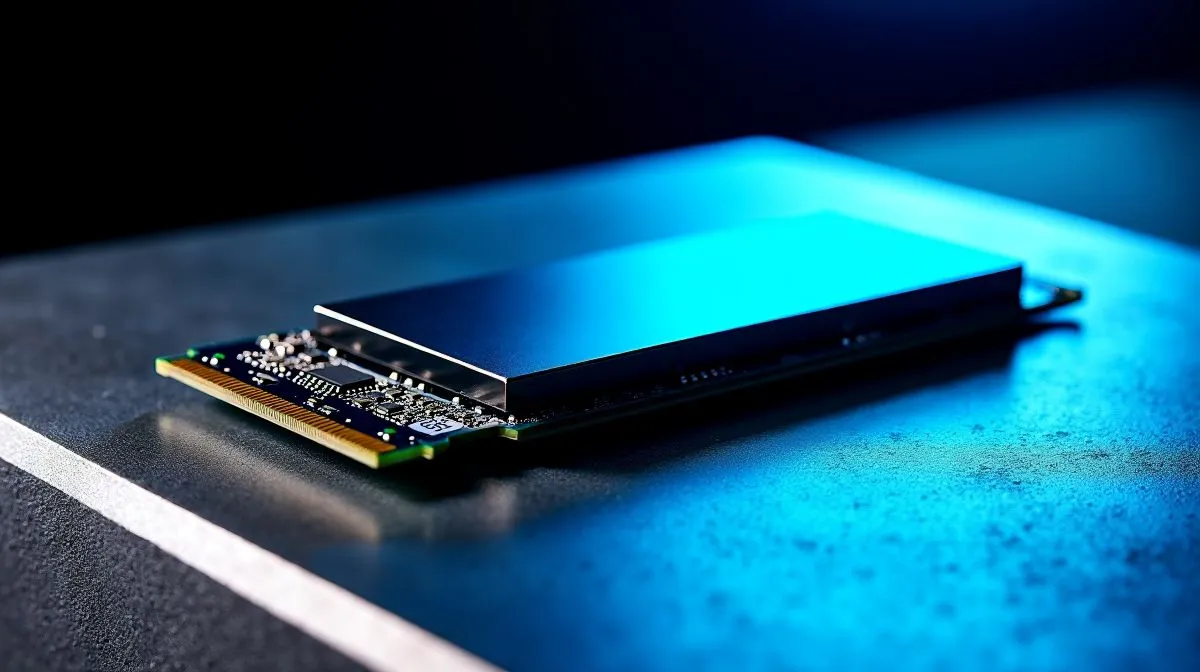
Are you tired of staring at loading screens while your squad is already dropping into the map? Load shedding is bad enough without waiting five minutes for your PC to boot up when the power finally returns. Upgrading your storage is the best way to speed up your rig. But the thought of losing all your settings... and spending hours redownloading games over a standard local fibre line... is terrifying. Thankfully, you can learn how to upgrade to a PCIe NVMe SSD without reinstalling Windows. It is easier than you think.
Before we dive into the cloning process... you need the right hardware. Spending around R1,500 on a new drive gives you more real-world speed than a minor CPU upgrade. If you want blazing fast boot times, you need to buy solid state drives that match your exact motherboard specs.
For serious gamers, capacity is just as important as speed. Modern titles eat up storage space incredibly fast. We highly recommend picking up a 2TB capacity SSD so you never have to uninstall your favourites again.
Brands matter when it comes to long-term reliability. You might prefer the aggressive pricing of ADATA SSDs to optimise a budget build. Alternatively, Kingston solid state drives offer fantastic mid-range performance for everyday gaming. If you want top-tier enthusiast speeds, CORSAIR NVMe drives are absolutely legendary in the South African PC building scene.
Once you have your new drive, install it into an empty M.2 slot on your motherboard. If you only have one slot... you will need an affordable USB to NVMe enclosure.
Now, you need reliable cloning software. This software copies every single bit of data from your old drive to the new one. Your operating system, games, and hidden files move over perfectly. It creates an exact digital mirror of your system.
Many premium SSD brands include free cloning software like Acronis True Image. If your drive does not include it, Macrium Reflect Free is a fantastic alternative that handles partition resizing automatically.
Boot up your PC and open your cloning software. Select your old drive as the source. Choose your shiny new PCIe NVMe SSD as the destination. Click start and go grab a coffee. Depending on how much data you have... this could take anywhere from twenty minutes to an hour.
Once the clone is complete, shut down your PC entirely. Unplug the power cable from the wall. Remove your old drive and ensure the new NVMe SSD is securely fastened in the primary M.2 slot.
Sometimes your motherboard needs a quick nudge to recognise the new boot drive. Mash the DEL key while your PC starts up to enter the BIOS. Navigate to the boot priority menu. Ensure your newly installed NVMe drive is at the very top of the list. Save your changes and exit.
Turn your PC back on. It should boot directly into Windows in record time. You just learned how to upgrade to a PCIe NVMe SSD without reinstalling Windows. No lost files. No wasted weekend. Just pure, unadulterated speed.
Ready to Supercharge Your Rig? Upgrading your storage is the most cost-effective way to make an old PC feel brand new. Explore our massive range of SSD specials and find the perfect drive to conquer your loading screens.
Yes. Use SSD cloning software to copy your Windows drive, then swap to the NVMe SSD and boot normally.
You need an NVMe slot or a USB-to-NVMe enclosure, plus reliable cloning software for the migration.
Yes, if you clone the drive correctly, your apps, files, and settings should carry over.
Set the NVMe SSD as the first boot device in BIOS after cloning, then verify Windows boots successfully.
Choose an NVMe SSD with equal or larger capacity than the used space on your current drive.
Cloning is faster and keeps your data intact, while a clean install gives you a fresh Windows setup.
Top RTX 5090 Under R12000 picks evaluated on performance, value & SA availability with current Rand pricing from Evetech.
Read more
When Will the RTX 6090 Launch in South Africa Detailed answer with SA data, expert analysis & practical recommendations for local buyers.

Top Valorant Settings for RTX 5070: FPS Optimisation picks evaluated on performance, value & SA availability with current Rand pricing from Evetech.

RDNA 3.5 Graphics in Ryzen AI 400? Can You Game. Plain-English explanation of what it means, why it matters & how it affects your buying decisions in SA.

GPU Price Index : December Report. Current stock data & price tracking for SA buyers. See what is available and where prices are heading.

Core i5-14600K + B760 + RTX 5060 Build Under. Full parts list, Rand pricing & expected performance. Build confidently with SA-available components.

RX 7600 Apex Legends at 4K: FPS Benchmark. Real-world benchmark data, FPS numbers & performance analysis. What SA gamers can actually expect.

RX 7900 XTX GTA 6 at 4K: FPS Benchmark & Optimal. Real-world benchmark data, FPS numbers & performance analysis. What SA gamers can actually expect.

Head-to-head comparison of RTX 5070 vs RX 9070 XT: Gaming Performance for SA gamers. Performance benchmarks, Rand pricing & which delivers better value.

GPU Setup Guide Gamers. Clear setup instructions with SA-specific considerations, troubleshooting tips & recommended components.
Top RTX 5090 Under R12000 picks evaluated on performance, value & SA availability with current Rand pricing from Evetech.

Call of Duty Warzone 2 Settings on RX 7600. Real-world benchmark data, FPS numbers & performance analysis. What SA gamers can actually expect.

GTA 6 Settings on RTX 5070 Ti: Performance. Real-world benchmark data, FPS numbers & performance analysis. What SA gamers can actually expect.