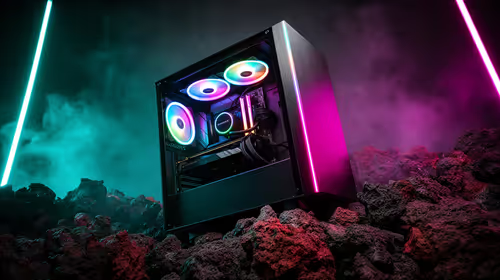
Tired of your gaming rig sounding like a jet engine during a tense Warzone final circle? Or maybe you're wincing at your electricity bill after every weekend marathon. Building a silent, low-power gaming PC isn't a myth... and the secret weapon is often the most overlooked component: a quiet, energy-efficient PSU. It’s the unsung hero that powers your victories without shouting about it, saving you some ZAR in the process. 🚀
Beyond the Watts: Why Your PSU Choice Matters
When building a PC, it's easy to get fixated on the GPU and CPU, leaving the Power Supply Unit (PSU) as an afterthought. But this small box is the heart of your machine. A cheap, inefficient unit not only risks damaging your expensive components but also contributes to two major frustrations for South African gamers: noise and high power consumption.
A truly quiet, energy-efficient PSU is designed for more than just delivering power. It's engineered to waste less energy as heat. Less heat means the cooling fan doesn't have to work as hard, resulting in a whisper-quiet setup. This is where the 80 PLUS rating comes in, guaranteeing a certain level of efficiency. For a modern build, aiming for Gold or Platinum certification is a smart investment that pays for itself over time. You can browse a huge range of power supply units to see the different efficiency ratings available.
Key Features of a Quiet and Efficient PSU 🤫
So, what should you look for when hunting for the perfect silent power source? It boils down to a few key technologies.
80 PLUS Certification
This is non-negotiable. An 80 PLUS Gold rated PSU is at least 87% efficient at 100% load, meaning very little energy is wasted. This directly translates to lower heat output and a smaller electricity bill.
Zero RPM Fan Modes
This is the magic behind a truly silent gaming PC at idle. Many premium PSUs feature fans that don't spin at all under low to medium loads. When you're just browsing the web or watching a video, your PC can be completely silent. Brands like Corsair are famous for this, and you can explore the range of Corsair PSUs to see their Zero RPM models in action.
Quality Components
Look for PSUs with Japanese capacitors and fluid dynamic bearing (FDB) fans. These components are built for longevity and quieter operation compared to their cheaper counterparts.
PSU Calculator Pro Tip ⚡
Before you buy, use an online PSU Calculator tool. Just plug in your planned components (CPU, GPU, RAM, etc.), and it will estimate your peak power draw. Add about 30% on top for headroom and optimal efficiency, and you'll have the perfect wattage for your quiet, low-power PC build.
How Much Power Do You Actually Need?
It's a common myth that you need a massive 1200W PSU for any decent gaming rig. The truth is, modern components are surprisingly efficient. A mid-range build with a Ryzen 5 and an RTX 4060 might only pull 350-400W under full gaming load.
So why would anyone buy a higher wattage unit? Two reasons: future-proofing and efficiency. A PSU is most efficient at around 50% of its maximum load. This means a quality 850W PSU running a 400W system will be at its peak efficiency, running cooler and quieter than a 550W unit that's being pushed to its limit. It also gives you plenty of room to upgrade your GPU down the line.
Ultimately, choosing the right quiet, energy-efficient PSU is about balance. You don't need to overspend, but investing in a quality unit from a reputable brand is one of the smartest decisions you can make for a stable, silent, and cost-effective gaming PC. With excellent options available, including the GAMDIAS PSU selection, finding the right fit for your build has never been easier. ✨
Ready to Build in Silence?
Choosing the right PSU is the foundation of a great build. It’s about more than just watts… it’s about silence, stability, and saving on that monthly electricity bill. Explore our massive range of Power Supply Units and find the perfect heart for your silent gaming PC.