You’ve saved up your rands, meticulously planned your build, and you're ready to pull the trigger on a new rig. But there's one nagging question holding you back: RAM speed. When you're building a R10,000 gaming PC, is it worth spending extra on faster memory? Will it actually give you a noticeable FPS boost in Warzone or Apex Legends, or is that cash better spent elsewhere? Let's settle the debate.
Understanding the RAM Speed Equation
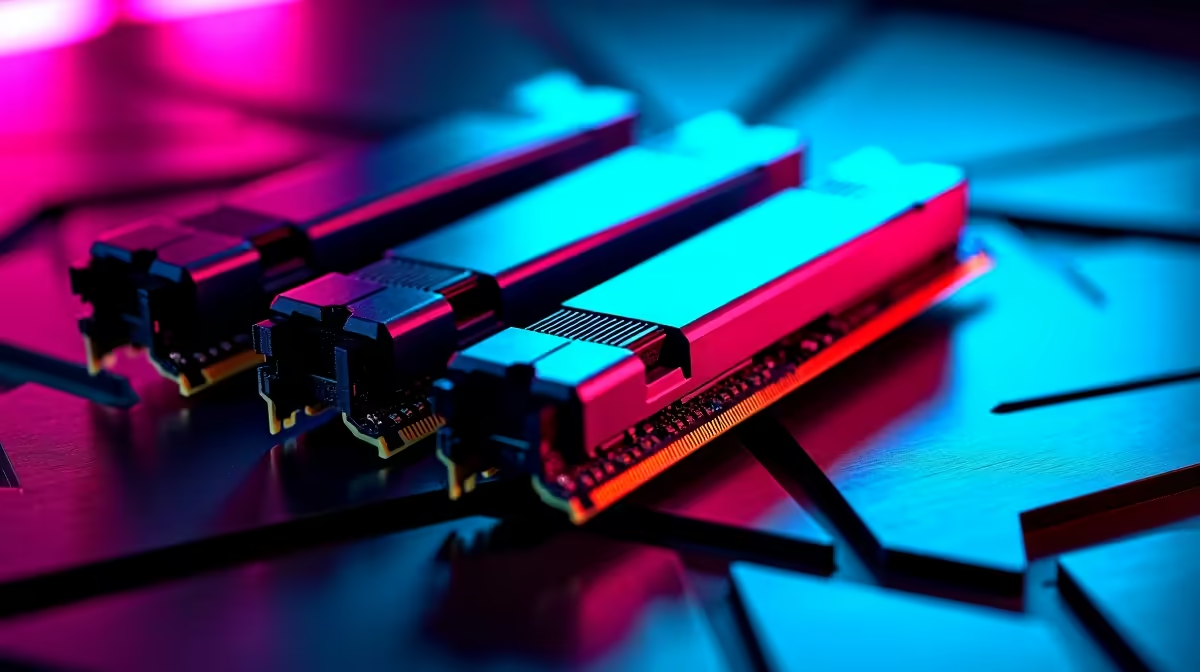
Before we talk FPS, let's quickly break down what "RAM speed" means. It's a combination of two main things: frequency (measured in Megahertz, or MHz) and latency (called CAS Latency, or CL).
- Frequency (MHz): Think of this as how many tasks the RAM can handle per second. Higher is generally better (e.g., 3600MHz is faster than 2666MHz).
- Latency (CL): This is the delay before the RAM responds to a command. Lower is better (e.g., CL16 is quicker than CL18).
The goal is to find a balance. Super-high frequency with terrible latency won't feel snappy. For most builders looking at our range of budget gaming PCs, finding that price-to-performance sweet spot is key. 🔧
RAM Speed for a R10,000 Gaming PC: The Real Impact
So, does this matter for a R10k build? Absolutely. Your PC is a team of components, and if one player is slow, it can drag everyone else down. This is called a bottleneck. Putting slow RAM in a PC with a decent CPU and GPU is like putting budget tyres on a sports car… you're just not getting the performance you paid for.
The impact of RAM speed on a budget gaming PC often depends on your processor. AMD Ryzen CPUs, in particular, love fast RAM. Their internal architecture (the Infinity Fabric) is tied to the memory clock speed, so faster RAM can lead to a direct, measurable improvement in performance across many of our gaming PCs under R20k.
Does Faster RAM Truly Boost FPS?
Yes, but with a big "it depends." The biggest FPS gains will always come from a more powerful graphics card (GPU). However, faster RAM can provide a significant boost to your minimum and average FPS, leading to a much smoother gaming experience with fewer stutters.
For a typical R10,000 gaming PC, jumping from baseline 2666MHz RAM to a 3200MHz or 3600MHz kit can yield a 5-15% FPS boost in certain CPU-intensive games at 1080p. It might not sound huge, but that can be the difference between a choppy 50 FPS and a smooth 60 FPS. If you're looking for a balanced system from the get-go, checking out some of our great pre-built PC deals is a smart way to see how components are paired for optimal performance.
Crucial BIOS Tweak! ⚡
Just installing fast RAM isn't enough. You need to enter your PC's BIOS UEFI and enable the XMP (Extreme Memory Profile) or DOCP (for AMD) setting. This one-click step overclocks your RAM to its advertised speed. Forgetting this means your expensive 3600MHz RAM might just be running at a sluggish 2133MHz!
The Verdict: The Best RAM Speed for Your Budget 🎯
So, what's the final word on RAM speed for a R10,000 gaming PC?
Don't overspend, but don't cheap out. For a DDR4-based system, the price-to-performance sweet spot is a 16GB (2x8GB) dual-channel kit running at 3200MHz CL16 or 3600MHz CL18. The price difference between these and slower kits is often minimal, making it one of the most cost-effective upgrades you can make for a smoother experience.
Of course, if you're building a monster rig, the rules change. DDR5 memory and even higher speeds become relevant for the latest CPUs found in high-performance PCs above R20k, but for the budget-conscious gamer, sticking to that DDR4 sweet spot delivers the best bang for your buck.
Ready to Build Your Winner?
Balancing components is the secret to a great gaming PC. Whether you're building from scratch or looking for a perfectly optimised machine, we've got you covered. Explore our best gaming PC deals and find the rig that's ready to dominate.