


Best RX 7800 XT Model Under R8,000 in South Africa 2026
Top RX 7800 XT Model Under R8,000 picks evaluated on performance, value & SA availability with current Rand pricing from Evetech.
Read moreSamsung S23 Ultra 120Hz XREAL Hub — learn how to enable 120Hz spatial display on Android using the XREAL Hub with settings, firmware tips, and fixes ⚡🔧
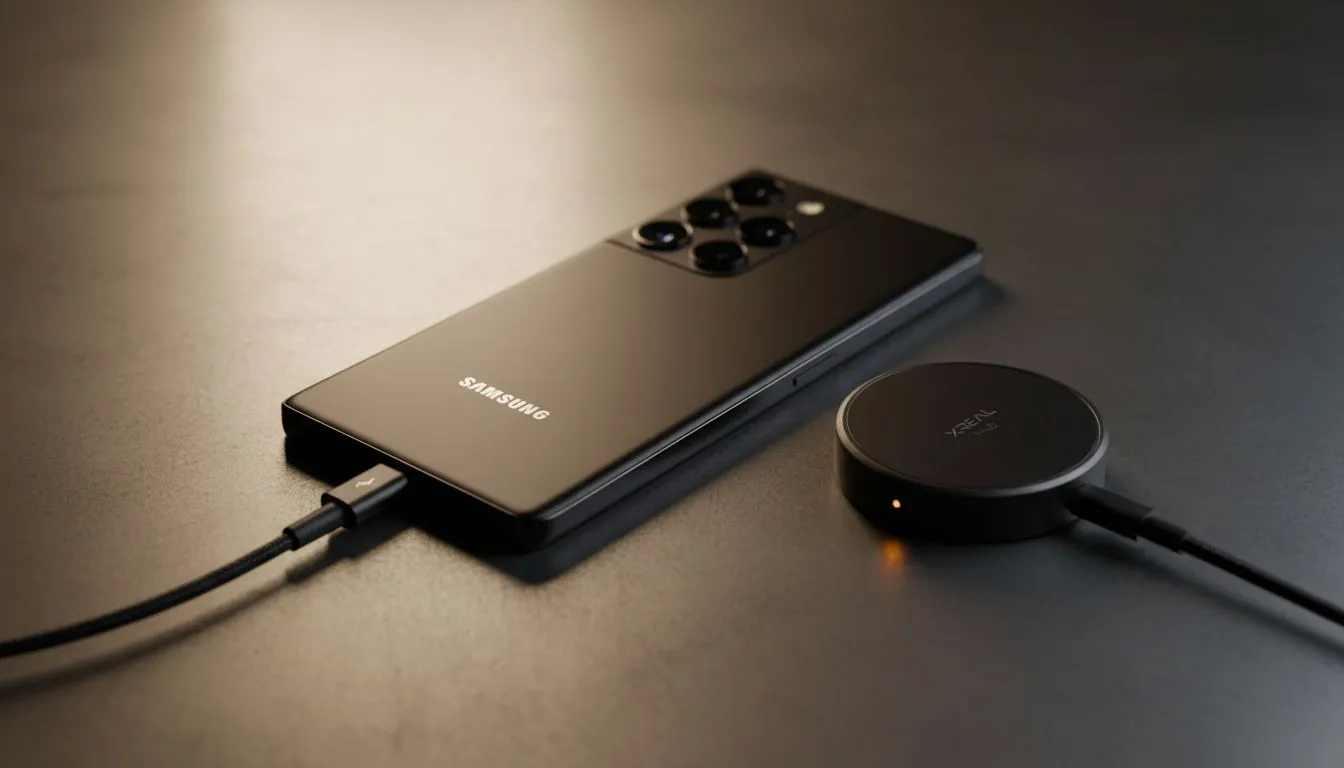
Imagine turning your Samsung S23 Ultra into a 130-inch private cinema while sitting at a local coffee shop. With the Samsung S23 Ultra 120Hz XREAL Hub configuration, you can enable a fluid spatial display anywhere in South Africa. It is the ultimate portable rig for gamers who refuse to compromise on refresh rates... even when load shedding hits your home setup. ✨
The Samsung S23 Ultra is a powerhouse, but to truly unlock its potential with augmented reality, you need the right connection. Using a dedicated hub allows you to charge your phone while outputting a high-refresh-rate signal to your glasses. This is essential for long gaming sessions in titles like Call of Duty: Mobile or Genshin Impact.
When you browse the AR glasses range at Evetech, you will notice that modern optics demand high bandwidth. The S23 Ultra supports DisplayPort Alt Mode over USB-C... making it the perfect partner for these wearable displays. By using the XREAL Hub, you bypass the standard 60Hz limitation often found in generic adapters.
To get the most out of your setup, you must ensure your firmware is up to date. Once connected, your phone might default to Samsung DeX. While DeX is great for productivity, you need to toggle it off to use the Nebula app's full AR Space features.
To ensure you are actually hitting 120Hz, open the Nebula app on your S23 Ultra and navigate to the settings menu. Look for the "Air Casting" or "Spatial Display" toggle. If your firmware is updated, you can manually select the 120Hz refresh rate. This significantly reduces motion sickness and makes the interface feel incredibly snappy during fast-paced movement.
South African gamers know that latency is the enemy. When you use the latest AR glasses, jumping from 60Hz to 120Hz feels like a massive leap in clarity. Text becomes sharper... and fast-moving objects in games lose their blur.
Investing in premium AR hardware ensures that your S23 Ultra isn't held back by subpar cables or hubs. The spatial display allows you to pin virtual screens in your physical environment. You can have a YouTube walkthrough pinned to your left while your main game runs front and centre. 🚀
Since we often deal with varying lighting conditions, remember to use the clip-on light shields provided with your glasses. This deepens the black levels of the OLED micro-displays. Whether you are on a long flight from Joburg to Cape Town or just relaxing on the couch... the Samsung S23 Ultra 120Hz XREAL Hub setup provides a desktop-class experience in your pocket. 🔧
Ready to Elevate Your Visual Experience? The future of portable gaming and productivity is here. Whether you are looking for the latest AR tech or high-performance peripherals in South Africa, we have you covered. Explore our massive range of AR glasses and accessories and transform how you see the world today.
Connect the S23 Ultra to the XREAL Hub, enable external display and 120Hz in Developer Options or Hub settings, and update firmware if needed. (s23 ultra spatial display setup)
Yes—many Android phones can reach 120Hz with the XREAL Hub after the right firmware and USB-C mode. Check xreal hub 120hz android compatibility first.
You’ll need the latest XREAL Hub firmware and a full-featured USB-C cable or adapter. Update via the Hub app for best results. (xreal hub firmware update s23)
Yes—running external 120Hz and spatial modes increases power draw. Use performance settings sparingly and keep the Hub firmware optimized. (android spatial display 120hz)
Absolutely—games and AR apps benefit from smoother motion at 120Hz once you complete the s23 ultra ar 120hz setup with the XREAL Hub.
Try a firmware update, swap to a certified USB-C cable, toggle 120Hz in Developer Options, and confirm xreal hub settings for 120hz are correct.
Most S23 Ultra variants support external 120Hz, but carrier or region firmware can affect output. Test with a known working adapter. (samsung s23 ultra external display 120hz)
Top RX 7800 XT Model Under R8,000 picks evaluated on performance, value & SA availability with current Rand pricing from Evetech.
Read more
When Will the RTX 6090 Launch in South Africa Detailed answer with SA data, expert analysis & practical recommendations for local buyers.

Top Valorant Settings for RTX 5070: FPS Optimisation picks evaluated on performance, value & SA availability with current Rand pricing from Evetech.

RDNA 3.5 Graphics in Ryzen AI 400? Can You Game. Plain-English explanation of what it means, why it matters & how it affects your buying decisions in SA.

GPU Price Index : December Report. Current stock data & price tracking for SA buyers. See what is available and where prices are heading.

Core i5-14600K + B760 + RTX 5060 Build Under. Full parts list, Rand pricing & expected performance. Build confidently with SA-available components.

RX 7600 Apex Legends at 4K: FPS Benchmark. Real-world benchmark data, FPS numbers & performance analysis. What SA gamers can actually expect.

RX 7900 XTX GTA 6 at 4K: FPS Benchmark & Optimal. Real-world benchmark data, FPS numbers & performance analysis. What SA gamers can actually expect.

Head-to-head comparison of RTX 5070 vs RX 9070 XT: Gaming Performance for SA gamers. Performance benchmarks, Rand pricing & which delivers better value.

GPU Setup Guide Gamers. Clear setup instructions with SA-specific considerations, troubleshooting tips & recommended components.

Top RTX 5090 Under R12000 picks evaluated on performance, value & SA availability with current Rand pricing from Evetech.

Call of Duty Warzone 2 Settings on RX 7600. Real-world benchmark data, FPS numbers & performance analysis. What SA gamers can actually expect.

GTA 6 Settings on RTX 5070 Ti: Performance. Real-world benchmark data, FPS numbers & performance analysis. What SA gamers can actually expect.