


Best RTX 5090 Under R12000 in South Africa 2026
Top RTX 5090 Under R12000 picks evaluated on performance, value & SA availability with current Rand pricing from Evetech.
Read moreWondering if shock-absorbing rubber pads help with PC fan noise and vibration? Yes. They reduce rattles, curb resonance, and improve stability for a quieter build 😊🔇
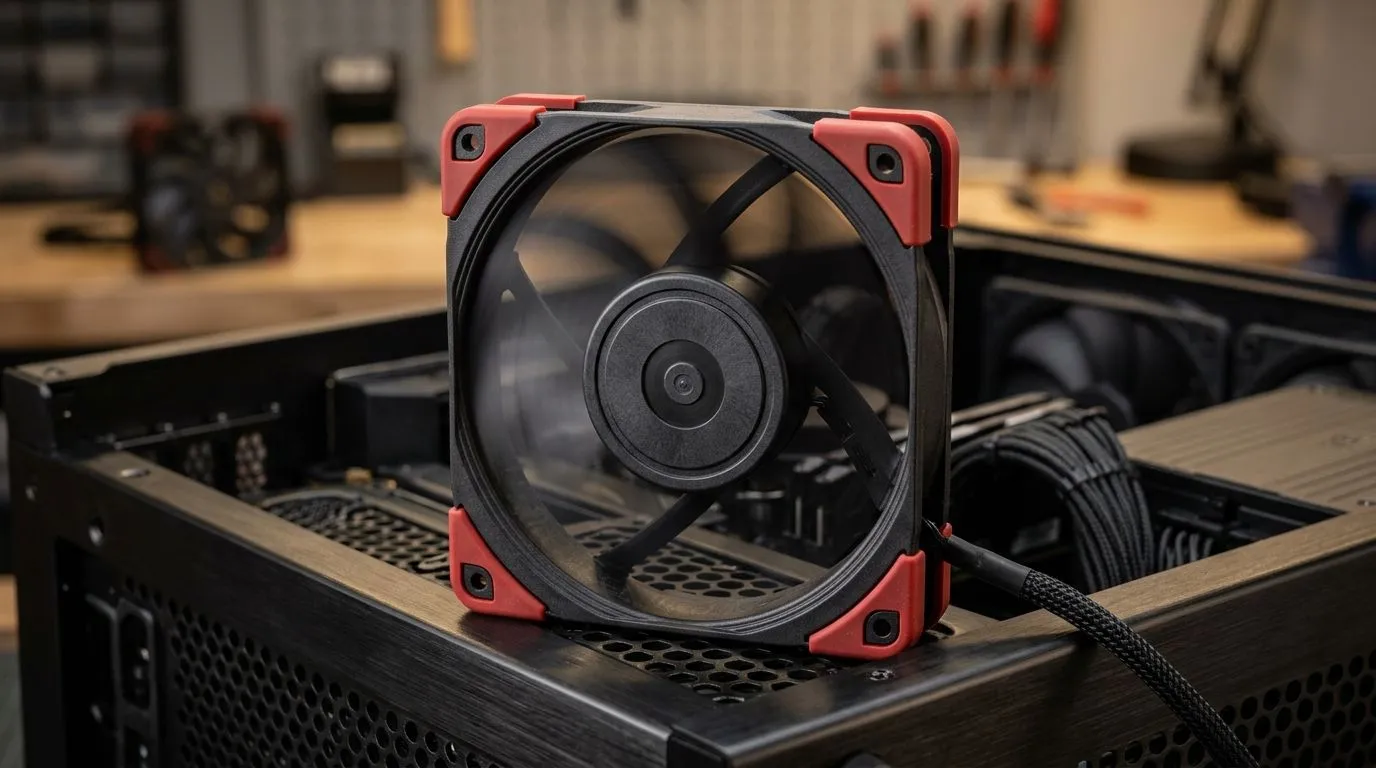
If your rig sounds like it’s about to take off, you’re not imagining it. Fan noise often comes from vibration transferring through the case… and into your desk or floor. The fix can be surprisingly simple: shock-absorbing rubber pads for PC fan noise and vibration.
In a South African setup, this is even more noticeable. Whether you’re gaming on load-shedding nights in a quiet room or editing clips at 2am, small mechanical sounds add up fast. Let’s make your build feel calmer and more premium, without replacing everything. 🔧
PC fans create airflow, but they also create tiny oscillations at the motor and mounting points. When those vibrations couple into the metal case, the case becomes a “speaker frame”. Rubber pads interrupt that path, adding damping between the fan and the chassis.
When you’re choosing (or fitting) pads, focus on:
For a complete fan selection to pair with your damping setup, you can browse Evetech’s case fan options:
You don’t just want “less noise”. You want less noise without wobble or airflow loss.
Measure the pitch of your fan noise by recording a 20-second clip at idle, then at a light game benchmark. If the pitch stays constant but volume drops after pad installation, you’ve fixed vibration coupling rather than fan speed. This helps you decide whether to tweak the fan curve or add damping in a second location.
Pad damping works best when the fan mount is properly supported and sealed against the case.
RGB doesn’t affect vibration directly, but unstable mounting can create annoying ticking or rattling.
After installing shock-absorbing rubber pads, listen for:
If the noise is still there, check fan balance first, then your fan curve. Sometimes a small RPM reduction is the difference between “annoying” and “barely there”. You’ll feel it immediately when you’re queued into ranked.
Ready to Find Your Perfect Match? If your PC sounds louder than your games, it’s time to tune the hardware the smart way. Explore our selection of case fans and cooling accessories, then build a calmer rig with the right fit and mounts. Shop the latest laptop specials and gaming-ready gear for South Africa and get set up for smoother, quieter sessions.
Yes. Shock-absorbing rubber pads help reduce PC fan noise by damping vibration and limiting resonance that causes rattling.
Place pads between the fan frame and the case, or between the mounting screws and the surface, so vibration transfers less.
Usually not. If you keep the fan unobstructed and avoid blocking intake or exhaust, airflow stays consistent.
They can. Proper isolation helps reduce fan vibration and resonance, especially when you hear buzzing or rattling under load.
In many cases, yes. Over-tightening can increase stress and transfer vibration. Pads provide isolation without excessive torque.
If the sound is rhythmic or buzzing and changes with mounting pressure, vibration is likely. Airflow noise often sounds like steady airflow.
Yes. Rubber isolation can reduce PC fan rattling on case fans and radiator fans, as long as mounts remain secure and unobstructed.
Choose dense, resilient rubber designed for vibration damping; it should stay flexible over time and provide consistent isolation.
Top RTX 5090 Under R12000 picks evaluated on performance, value & SA availability with current Rand pricing from Evetech.
Read more
When Will the RTX 6090 Launch in South Africa Detailed answer with SA data, expert analysis & practical recommendations for local buyers.

Top Valorant Settings for RTX 5070: FPS Optimisation picks evaluated on performance, value & SA availability with current Rand pricing from Evetech.

RDNA 3.5 Graphics in Ryzen AI 400? Can You Game. Plain-English explanation of what it means, why it matters & how it affects your buying decisions in SA.

GPU Price Index : December Report. Current stock data & price tracking for SA buyers. See what is available and where prices are heading.

Core i5-14600K + B760 + RTX 5060 Build Under. Full parts list, Rand pricing & expected performance. Build confidently with SA-available components.

RX 7600 Apex Legends at 4K: FPS Benchmark. Real-world benchmark data, FPS numbers & performance analysis. What SA gamers can actually expect.

RX 7900 XTX GTA 6 at 4K: FPS Benchmark & Optimal. Real-world benchmark data, FPS numbers & performance analysis. What SA gamers can actually expect.

Head-to-head comparison of RTX 5070 vs RX 9070 XT: Gaming Performance for SA gamers. Performance benchmarks, Rand pricing & which delivers better value.

GPU Setup Guide Gamers. Clear setup instructions with SA-specific considerations, troubleshooting tips & recommended components.
Top RTX 5090 Under R12000 picks evaluated on performance, value & SA availability with current Rand pricing from Evetech.

Call of Duty Warzone 2 Settings on RX 7600. Real-world benchmark data, FPS numbers & performance analysis. What SA gamers can actually expect.

GTA 6 Settings on RTX 5070 Ti: Performance. Real-world benchmark data, FPS numbers & performance analysis. What SA gamers can actually expect.