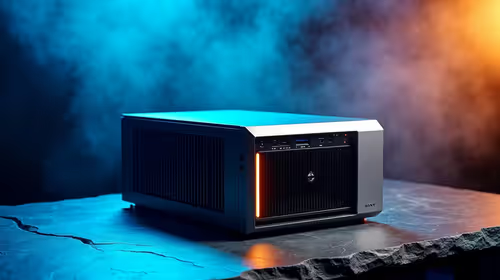
Love the clean, minimalist vibe of a small form factor (SFF) PC? We get it. These compact powerhouses look incredible on any desk in South Africa. But squeezing high-performance hardware into a tiny space creates a massive challenge: heat. Nailing your small PC case cooling strategy is the difference between a whisper-quiet gaming rig and a noisy, thermal-throttling jet engine. Let's get it right. 🚀
Mastering Airflow in Your Compact Build
Before you buy a single fan, understand the most critical principle: airflow direction. Hot air rises, so a basic, effective setup involves drawing cool air in from the bottom or front of the case (intake) and pushing hot air out from the top or back (exhaust).
In a cramped SFF build, achieving neutral or slightly positive air pressure (more intake than exhaust) is ideal. This helps prevent dust from being sucked in through unfiltered gaps and ensures a steady supply of cool air for your components. A well-designed chassis like the Cooler Master E301 helps direct air where it's needed most, making effective cooling much easier to achieve.
Choosing the Right Cooling Components
Your case is the foundation, but the components inside do the heavy lifting. Effective small PC case cooling depends on a balanced team of parts working together.
Fans and CPU Coolers
Not all fans are created equal.
- Airflow Fans: These are designed to move large volumes of air in unrestricted spaces. They make great case fans for intake and exhaust.
- Static Pressure (SP) Fans: These excel at forcing air through dense obstacles like radiators and CPU cooler fins. If you're using an All-in-One (AIO) liquid cooler or a tightly packed heatsink, you need SP fans.
For your CPU, you'll choose between a low-profile air cooler or a compact AIO. Always check the case specifications for maximum cooler height and radiator compatibility. You'll find excellent options in Cooler Master's range of cases, known for their smart thermal designs and clear component limitations.
Check Your Clearances! 📏
Before buying any component, triple-check the maximum CPU cooler height and GPU length supported by your chosen case. There’s nothing more heartbreaking than discovering your new graphics card is 5mm too long to fit. This single step will save you time, money, and a lot of frustration.
Assembly and Cable Management Secrets 🔧
How you build is just as important as what you build with. In an SFF case, every millimetre counts, and messy cables can kill your airflow.
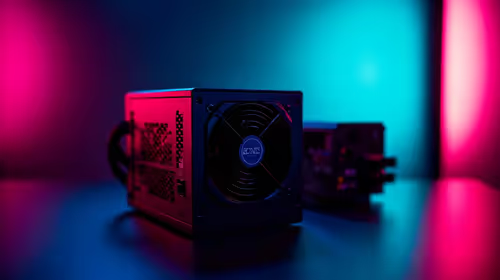
Route your power supply cables before installing the motherboard if possible. Use zip ties and the case’s built-in routing channels to tuck everything away from the main airflow paths. Modular power supplies are a massive help here, as you only need to connect the cables you actually use. Similarly, many cases from brands like Gamemax come with features that make tidy builds simpler.
Testing and Fine-Tuning for Silence
Once your rig is built, the job isn't over. It's time to optimise. Use software like HWMonitor or MSI Afterburner to monitor your CPU and GPU temperatures while gaming or running a stress test.
Are temps a bit high? Don't panic. Dive into your motherboard's BIOS/UEFI and adjust the fan curves. You can set your fans to spin faster as temperatures climb, finding the perfect balance between a cool system and a quiet one. If you find your temps are still too high, it might be time to reconsider the chassis itself. You can browse our full selection of computer cases to find one with better airflow potential.
Ultimately, achieving great small PC case cooling is a rewarding challenge that results in a powerful, sleek, and quiet machine.
Ready to Build Your Compact Powerhouse? Getting your cooling right starts with the perfect foundation. A well-designed small form factor case makes all the difference. Explore our massive range of computer cases and find the perfect chassis to start your cool, quiet build today.