


Best RTX 5090 Under R12000 in South Africa 2026
Top RTX 5090 Under R12000 picks evaluated on performance, value & SA availability with current Rand pricing from Evetech.
Read moreHow much should you spend on case fans in South Africa for effective cooling? Get realistic ZAR price ranges, what to pay for, and how to avoid buying the wrong airflow. 💨🇿🇦
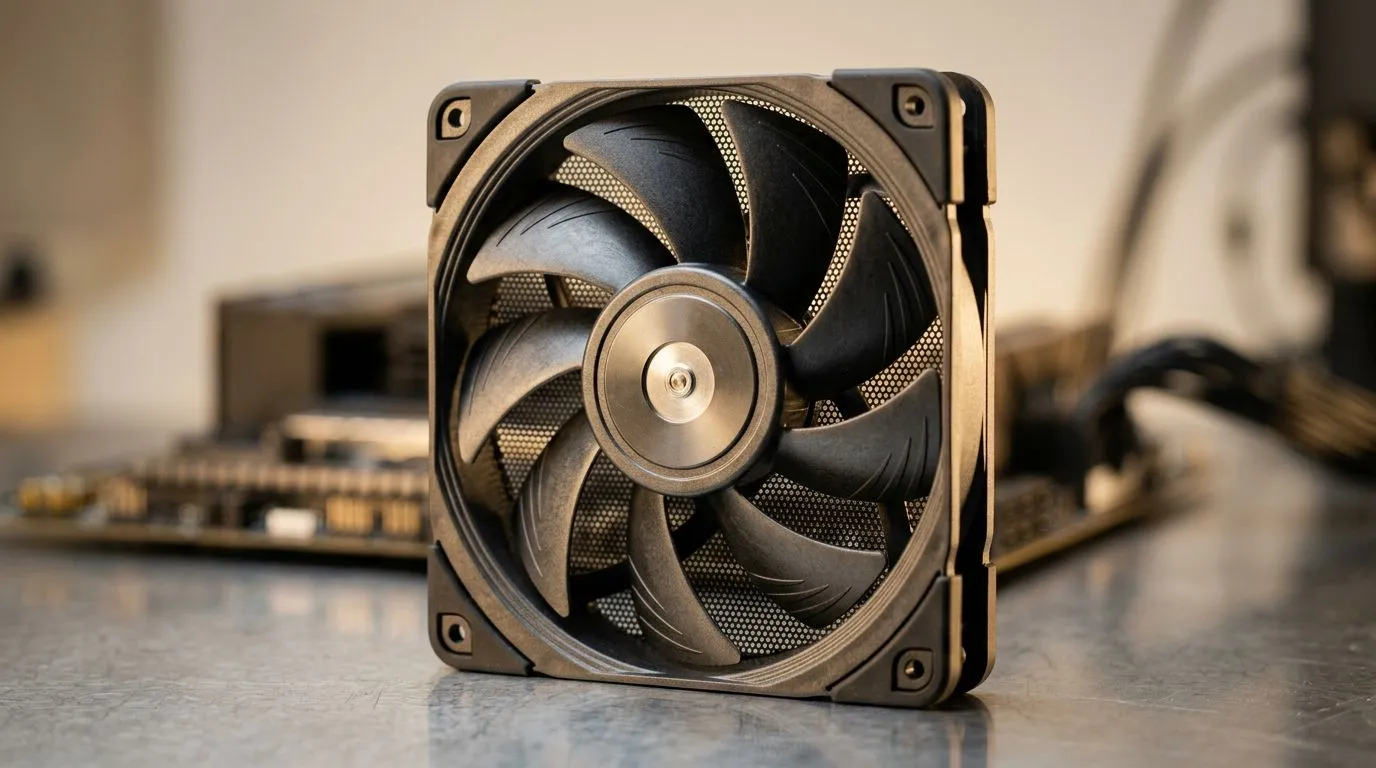
If your PC sounds like a hairdryer during ranked matches… it’s usually not the GPU. It’s often airflow. South African gamers chasing stable frames need cooling they can rely on, not random “whatever fits” fans. 🔧
But how much to spend on case fans in South Africa for cooling? The answer depends on your case, your CPU cooler, and whether you care about quiet performance or RGB bling. Let’s break it down in a way that helps you buy once and game longer.
Case fans aren’t just “spinning circles”. In real terms, you’re buying a mix of airflow (CFM), static pressure (for restrictive heatsinks/filters), noise level (dBA), and build quality.
As a practical range for many mainstream builds in SA:
You’ll also notice that sizes matter. A 140mm fan usually moves more air at lower RPM than a 120mm fan, which can mean less noise… if your case supports it.
Before you add to cart, do these three checks:
On Windows gaming PCs, you can verify the “thermal story” after fan changes by monitoring temps in real time (CPU package temp and GPU hotspot). If your CPU stays stable but fan noise spikes, you may be under-pressured or using fans that run too high under load.
If you’re building a clean desk setup, focus on noise and RPM control first. RGB can look awesome, but it’s not cooling. If your main goal is performance, you’ll get more value by prioritising airflow and static pressure.
If you do want RGB, pick models that match your motherboard ecosystem so you don’t end up with mismatched colours and janky syncing. That’s an easy avoidable frustration.
If you want a solid starting point, browse the Evetech selection here: Case fans for reliable airflow. Use this as your “compare options” page, then narrow by what you actually need.
If RGB is part of the vibe and you want it done properly, check out RGB case fan options and match them with the rest of your build.
Prefer a clean, stealth look? Go for non-RGB case fan options and spend the difference on better cooling quality.
Brands also matter when you care about long-term reliability and consistent performance. For example, you can filter by CORSAIR case fan options to compare similar size and feature sets.
Want another brand viewpoint? Browse Deepcool case fan options.
Size filter shortcuts help too. If your case supports it, look at 120mm case fans. If you’ve got room for bigger intakes, compare 140mm case fans.
Here’s the gamer-proof rule:
In short… you don’t need the most expensive fans. You need the right fans for your case layout, and you want them to run efficiently so your temps and noise stay in check. 🚀
Ready to Find Your Perfect Match? The Mac vs Windows debate is complex, but for maximum power, choice, and value in South Africa, Windows is hard to beat. Explore our massive range of laptop specials and find the perfect machine to conquer your world.
Most good 120mm and 140mm case fans land in a mid-range ZAR budget. Entry options are cheaper, while quieter PWM models cost more.
Aim for a balance of airflow (CFM) and static pressure when needed. Spend more if you want stable temperatures with lower fan noise.
Yes for effective control. PWM case fans let you reduce RPM when idle, which can improve comfort and help maintain cooling under load.
140mm fans often deliver stronger airflow at lower RPM, which can mean better cooling per ZAR and less noise in many cases.
For radiators and restrictive setups, prioritize static pressure over pure airflow. This typically improves coolant and fin contact cooling.
RGB usually adds cost, but performance depends on the fan model, not the lighting. Choose RGB only if it fits your value target.
Most builds benefit from a clear intake/exhaust setup. Start with intake front or bottom and exhaust rear or top, then add as needed.
Top RTX 5090 Under R12000 picks evaluated on performance, value & SA availability with current Rand pricing from Evetech.
Read more
When Will the RTX 6090 Launch in South Africa Detailed answer with SA data, expert analysis & practical recommendations for local buyers.

Top Valorant Settings for RTX 5070: FPS Optimisation picks evaluated on performance, value & SA availability with current Rand pricing from Evetech.

RDNA 3.5 Graphics in Ryzen AI 400? Can You Game. Plain-English explanation of what it means, why it matters & how it affects your buying decisions in SA.

GPU Price Index : December Report. Current stock data & price tracking for SA buyers. See what is available and where prices are heading.

Core i5-14600K + B760 + RTX 5060 Build Under. Full parts list, Rand pricing & expected performance. Build confidently with SA-available components.

RX 7600 Apex Legends at 4K: FPS Benchmark. Real-world benchmark data, FPS numbers & performance analysis. What SA gamers can actually expect.

RX 7900 XTX GTA 6 at 4K: FPS Benchmark & Optimal. Real-world benchmark data, FPS numbers & performance analysis. What SA gamers can actually expect.

Head-to-head comparison of RTX 5070 vs RX 9070 XT: Gaming Performance for SA gamers. Performance benchmarks, Rand pricing & which delivers better value.

GPU Setup Guide Gamers. Clear setup instructions with SA-specific considerations, troubleshooting tips & recommended components.
Top RTX 5090 Under R12000 picks evaluated on performance, value & SA availability with current Rand pricing from Evetech.

Call of Duty Warzone 2 Settings on RX 7600. Real-world benchmark data, FPS numbers & performance analysis. What SA gamers can actually expect.

GTA 6 Settings on RTX 5070 Ti: Performance. Real-world benchmark data, FPS numbers & performance analysis. What SA gamers can actually expect.