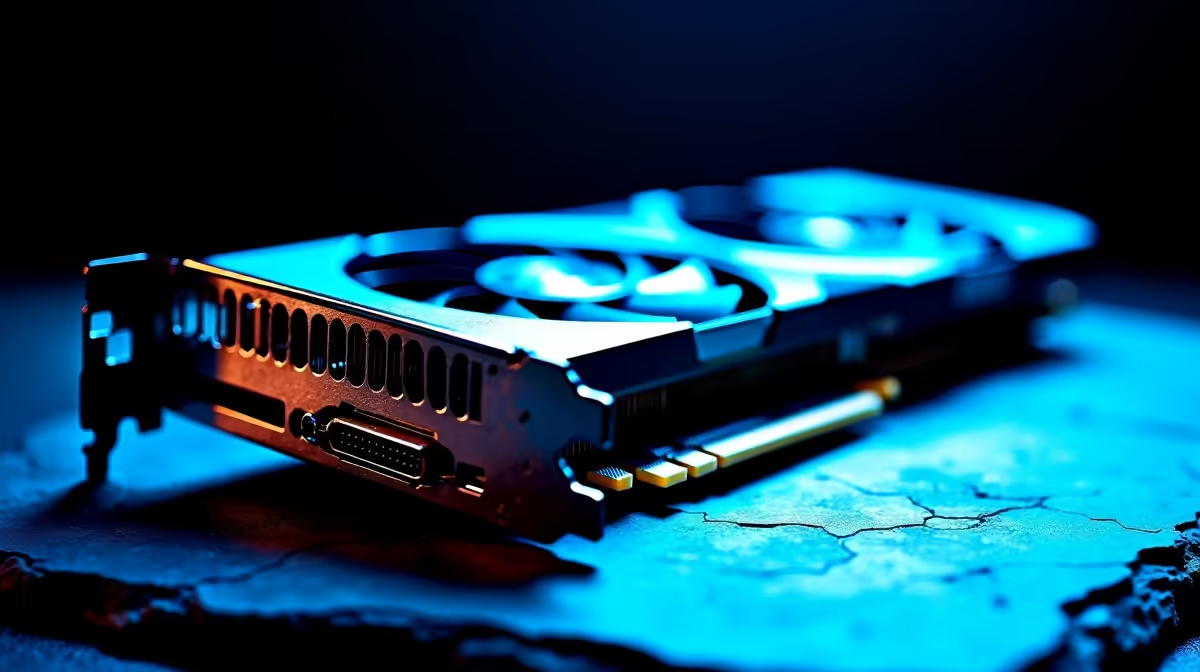
Spotted a deal on a "slightly used" RTX 4080 for a price that seems too good to be true? Hold your wallet. In the exciting world of second-hand tech, a dark market for fake used PC parts in South Africa is booming. That incredible bargain could be a dud, a counterfeit, or a fire hazard waiting to happen. Before you get burned, use this ultimate spotter's guide to protect your rig and your rands. 💻
The Growing Problem with Counterfeit Components in SA
The temptation is real. You want maximum performance without breaking the bank, and the second-hand market looks like a goldmine. Unfortunately, scammers know this. They're experts at making old, failing, or completely fake hardware look legitimate. From re-badged CPUs to graphics cards with hacked firmware, these scams are designed to fool even experienced builders. The result? You lose money and risk damaging your other genuine components.
Your Component-by-Component Spotter's Guide 🔧
Don't get caught out. Here’s how to inspect the most commonly faked PC parts before you buy.
Graphics Cards: The Main Target
This is where the biggest money is, so it's the biggest target for fraud. A common trick is "flashing" the BIOS of an old, weak card (like a GTS 450) to make it show up as a much newer model (like a GTX 1060).
- The Telltale Signs: Look for shoddy plastic shrouds, incorrect video outputs (e.g., a VGA port on a card that shouldn't have one), and suspiciously lightweight coolers.
- The Litmus Test: Ask the seller for a screenshot of GPU-Z. This software reads the hardware's core specs. If the shader count, memory type, or GPU clock doesn't match the official specs for that model, walk away. For guaranteed performance, it's always safer to check out new, warrantied NVIDIA and AMD graphics cards.
CPUs: The Art of the Re-Mark
Scammers will take a budget CPU, like an old Celeron, and laser-etch the Integrated Heat Spreader (IHS) to make it look like a high-end Core i7 or Ryzen 7.
- The Telltale Signs: Examine the IHS surface closely under good light. Look for fine scratches or a slightly uneven texture, which can indicate the original markings were sanded off. The etching itself might look blurry or misaligned.
- The Litmus Test: The only sure way to verify a CPU is to install it and check the specs in your BIOS or with CPU-Z. If you can't test it, the risk is huge. Better to invest in genuine Intel and AMD CPU processors from a trusted retailer.
Software is Your Best Friend ⚡
Always use free, trusted utilities like CPU-Z and GPU-Z to verify hardware. These programs read data directly from the components, bypassing any software tricks a scammer might use to fake the device name in Windows. If the specs in the utility don't match the product box or listing... it's a fake.
Motherboards & RAM: Spotting Subtle Flaws
Fake motherboards and RAM are harder to spot but just as problematic. Counterfeit boards often use low-grade capacitors and have poor soldering, leading to instability and failure. With RAM, scammers put cheap, slow modules under fancy-looking (but fake) heat spreaders.
- The Telltale Signs: On a motherboard, look for brand names you've never heard of and check for flimsy-feeling ports. For RAM, if the price is unbelievably low for the advertised speed and brand, be suspicious.
- The Litmus Test: Always run a memory test like MemTest86 for a few hours to check for errors. For a stable foundation, it's wise to start with a quality Intel or AMD based motherboard and pair it with reliable gaming RAM modules.
Storage & Power Supplies: The Dangerous Fakes
This is where things go from disappointing to dangerous. Fake SSDs are often tiny USB flash drives stuffed into an SSD casing, with firmware that lies about their capacity. Once you save more data than their tiny true capacity, your files are gone forever.
Even worse are fake Power Supply Units (PSUs). A genuine PSU is packed with heavy transformers and safety components. A fake one is often dangerously light, missing crucial safety circuits, and is a legitimate fire risk. ⚡
- The Telltale Signs: A suspiciously lightweight SSD or PSU is a massive red flag. For storage, you can verify the true capacity with a tool like H2testw. For power supplies, the risk is simply too high. A guaranteed-genuine Solid State Drive ensures your data is safe, while a certified Corsair Power Supply protects your entire system.
Where Used Might Be Okay (With Caution)
Some components carry less risk. Things with fewer complex electronics, like a well-made computer case, are generally safe to buy used. Similarly, a high-quality air CPU cooler has few points of failure beyond the fan, which is easily replaced. Even simple thermal solutions can be fine, but always check for physical damage.
The Smartest Build is a Safe Build
Navigating the world of fake used PC parts in South Africa is a minefield. While you might save a few hundred ZAR upfront, a single bad component can cost you thousands in replacements and troubleshooting headaches. The peace of mind that comes with a warranty, expert support, and guaranteed genuine parts is priceless.
For a hassle-free and cost-effective start to your next build, consider a professionally curated bundle. These kits offer a verified CPU, motherboard, and RAM combo, taking all the guesswork and risk out of the equation. It's the perfect way to build with confidence. Explore our wide range of Intel and AMD-based bundle packs and get the performance you paid for, guaranteed.
Ready to Build with Confidence?
Don't gamble with your dream rig. Evetech offers South Africa's widest range of guaranteed genuine PC components, all backed by solid warranties. Explore our massive range of PC components and build the powerful, reliable machine you deserve.